


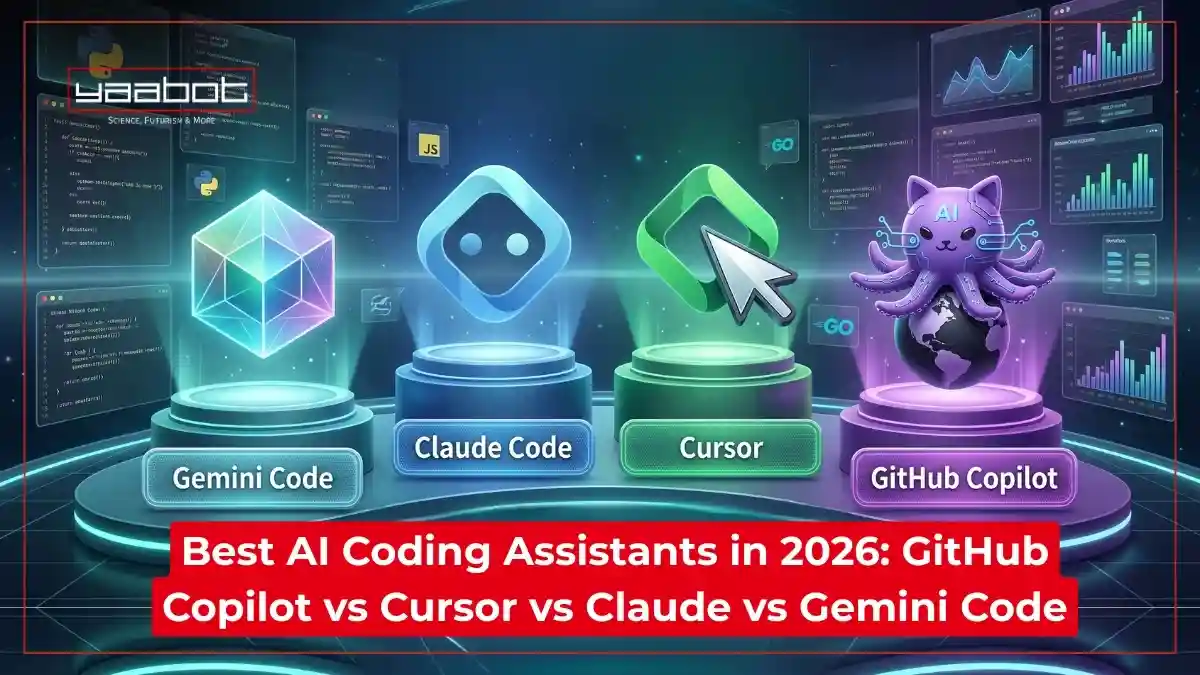
The best AI coding assistants in 2026 include Cursor IDE, GitHub Copilot, Claude Code, and Gemini Code Assist. These tools go beyond autocomplete, offering agentic reasoning, multi-file editing, and autonomous debugging to help developers build faster and smarter.
In 2026, the ‘AI completion’ race is over. The new frontier is Agentic Reasoning. While Cursor remains the dominant IDE for multi-file architecture, Claude Code has disrupted the market by turning the terminal into a self-healing engine.
AI has become a core component of modern software engineering. According to JetBrains State of Developer Ecosystem 2025, a staggering 85% of developers now use AI tools on a regular basis, with 62% integrating coding assistants into their daily workflow.
In this post, I’ll discuss what is an AI coding assistant, compare the best AI coding assistants as far as 2026 is concerned, including pros and cons of the best AI coding assistants.
Also read: Top Generative AI Coding Tools for Developers
Key Takeaways
- Best overall for complex projects: Cursor – deepest codebase understanding, great for multi-file work
- Best for teams and enterprise: GitHub Copilot – proven, compliant, and deeply woven into GitHub workflows
- Best for reasoning and debugging: Claude Code – the most capable model for architectural thinking and agentic tasks
- Best for Google Cloud developers: Gemini Code Assist – native Google ecosystem integration with a solid free tier
- The smart move in 2026: Most experienced developers use 2 to 3 tools, not just one
What is an AI Coding Assistant?

An AI coding assistant is a developer tool that uses large language models (LLMs) to write, complete, debug, and refactor code inside your editor or terminal. Unlike traditional autocomplete, modern assistants understand entire repositories, run autonomous test cycles, and explain legacy code in plain language.
How AI Coding Assistants Change Your Development Workflow
- Massive codebase management: Modern applications are now so complex that AI is essential for navigating millions of lines of code, instantly mapping dependencies and explaining legacy logic to developers.
- Autonomous debugging and security: AI assistants now proactively identify “zero-day” vulnerabilities and logic flaws in real-time, providing instant patches before code is even committed to the main branch.
- Natural language architecture: You can now describe complex features in plain English, and the AI generates the scaffolding, API integrations, and boilerplate, allowing you to focus on high-level design.
- Hyper-personalized learning: These tools act as a 1-on-1 mentor, adapting to your specific coding style and stack, offering tailored suggestions that help you master new frameworks in record time.
- Bridging the talent gap: With the 2026 developer shortage, AI allows smaller teams to maintain high velocity by automating repetitive testing, documentation, and deployment tasks previously requiring entire departments.
The Best AI Coding Assistants in 2026
GitHub Copilot
GitHub Copilot remains the gold standard in 2026, evolving from a simple autocomplete tool into an autonomous development partner. Deeply integrated into the Microsoft ecosystem, it now leverages GPT-5 architecture to handle entire feature lifecycles rather than just single lines of code.
Key Features
- System-wide context awareness: It scans your entire local repository and connected cloud documentation to provide solutions that respect your specific architecture, naming conventions, and internal APIs.
- Autonomous agent mode: You can task Copilot with, let’s say, “refactor this module for better performance,” and it will independently write, test, and debug the code before submitting a PR.
- Real-time security shield: Using advanced static analysis, it identifies and fixes potential vulnerabilities as you type, ensuring every line meets 2026’s rigorous enterprise security standards.
Pros
- Large ecosystem
- GPT-5 logic
- Best-in-class security
Cons
- Trails Cursor and Claude Code on complex reasoning benchmarks.
- Hallucination rate increases noticeably outside TypeScript/JavaScript/Python.
- Zero-data-retention and VPC isolation are enterprise-tier only – not available on the $10 Pro plan.
Best For
Enterprise-level teams and full-stack developers who need a seamless, highly integrated assistant that handles high-scale complexity and automates the “grunt work” of modern software engineering.
Cursor

Cursor has solidified its reputation as the most “AI-native” code editor, built from the ground up to place large language models at the center of the developer experience. Unlike extensions, Cursor functions as a standalone IDE that deeply integrates AI into the file system and terminal.
Key Features
- Predictive codebase indexing: Cursor maintains a real-time vector map of your entire project, allowing it to answer complex structural questions and suggest changes that span dozens of files simultaneously.
- “Composer” multi-file editing: You can describe a high-level feature, and Cursor’s Composer mode will generate, modify, and link all necessary frontend and backend files in a single automated sweep.
- Terminal intelligence: It proactively monitors your terminal output; if a build fails or a test crashes, Cursor automatically explains the error and offers a one-click fix.
Pros
- Native AI-first IDE
- Incredible multi-file editing (Composer)
Cons
- Context window degrades on repos above ~100k lines; suggestions become less coherent on very large codebases.
- Requires abandoning your existing IDE setup – a hard sell on standardised teams.
- $60/mo Pro+ is expensive for what remains an editor, not an agent.
Best For
Early-stage startup founders and rapid-prototyping developers who prioritize speed and want an AI that can build entire features from scratch with minimal manual intervention.
Claude Code

Claude Code stands out as the premier CLI-based AI agent, prioritizing reasoning over mere completion. Developed by Anthropic, it is designed for developers who prefer a terminal-first workflow and require an assistant that can “think” through complex architectural challenges.
Key Features
- Agentic task execution: Claude Code can independently run tests, read logs, and execute shell commands to diagnose and fix bugs without you ever leaving the terminal.
- Constitutional coding: It adheres to a strict set of safety and style guidelines, ensuring that generated code is not only functional but also highly readable and secure.
- Deep reasoning engine: Utilizing the latest Claude 4 models, it excels at refactoring legacy spaghetti code and explaining high-level logic changes with unmatched clarity.
Pros
- Superior reasoning
- Terminal-native
- “Agentic” bug fixing
Cons
- No inline completions – wrong tool if you want suggestions as you type.
- API billing on long agentic sessions can hit $50–100 in a single heavy day without a Max plan cap.
- Steep onboarding for anyone not already comfortable reading raw terminal output.
Best For
Senior Software Engineers and Site Reliability Engineers (SREs) who live in the terminal and need a high-trust, autonomous partner for complex debugging and system-level tasks.
Gemini Code Assist
In 2026, AI on Google Search’s Gemini Code Assist is a powerful tool in the Google Cloud environment. It uses a large context window to understand entire enterprise codebases. It is designed as a data-integrated assistant, gathering insights from Google’s developer tools and infrastructure.
Key Features
- Million-token context window: Gemini can “read” an entire repository, documentation, and history at once to offer tailored, project-wide suggestions.
- Full-stack Google integration: It supports Firebase, Flutter, and Google Cloud, automating cloud deployments and infrastructure-as-code (IaC) generation.
- AI-powered code transformation: This suite can automatically migrate legacy codebases or translate entire apps between languages.
Pros
- 1M+ token context
- Deep Google Cloud and Firebase links.
Cons
- Outside Google Cloud, it’s a capable but unremarkable assistant – the differentiators don’t transfer.
- Agentic execution is noticeably weaker than Cursor Composer or Claude Code.
- Enterprise compliance certifications are thinner than Copilot’s – matters in regulated industries.
Best For
Enterprise developers and Cloud Architects invested in the Google Cloud Platform (GCP) who need an assistant to manage both code and infrastructure.
Also read: Gemini for Google Workspace
GitHub Copilot vs Cursor vs Claude Code vs Gemini: Full Comparison
Here’s a simple table comparing the best AI coding assistants
| AI Assistant | Model Backbone | Subscription Plans | Offline Mode | Agent Tasks | Free Tier |
| GitHub Copilot | GPT-4o / GPT-5 | $10/mo (Pro)/ $39/mo (Pro+) | GitHub Copilot CLI supports offline mode; standard IDE extension for code completion requires Internet connection. | Moderate | Yes |
| Cursor | Claude / GPT-4o | $20/mo (Pro)/ $60/mo (Pro+) $200/month (Ultra) | No | Strong | Yes |
| Claude Code | Claude Sonnet/Opus 4 | Starts at $20/month for Pro, $100-$200/month on Max, or pay-per-token via Anthropic API | Yes, by redirecting API requests to a local model server. | Very strong | No |
| Gemini Code | Gemini 2.5 Pro | Starts at $19-$22.80/month (Premium)/ Enterprise at $45-$54/month | No | Moderate | Yes |
What Are The Limitations of Using AI Coding Assistants?
- Risk of “hallucination” errors: AI can confidently suggest non-existent libraries or logically flawed code, requiring developers to remain vigilant and manually verify every line to prevent introducing subtle, hard-to-trace bugs.
- Over-reliance and skill atrophy: Heavy dependence on automation may cause developers to lose their grasp of fundamental syntax and deep problem-solving skills, making it difficult to function during outages or offline.
- Security and IP concerns: Uploading proprietary code to cloud-based models poses significant data privacy risks, as sensitive information could potentially leak or be used to train public models without explicit consent.
- Contextual blindness: While improving, AI occasionally misses high-level architectural nuances or business-specific constraints, leading to “technically correct” solutions that are impractical or incompatible with the broader system design.
- The ‘AI-Generated Debt’ Trap: In 2026, the biggest risk isn’t bad code, but unreviewed code. These tools can generate thousands of lines in seconds; without rigorous human oversight, your repository can become a ‘black box’ of logic that no human on your team actually understands.
Who Should NOT Use These Best AI Coding Assistants
GitHub Copilot
Skip if:
- You’re outside GitHub or Azure: Integration value drops sharply on GitLab or self-hosted git.
- You need architectural reasoning: It’s built for completion, not multi-file design.
- Data privacy is critical: Code goes to Microsoft servers; zero-retention is enterprise-only.
Cursor
Skip if:
- Your team is standardised on JetBrains: Cursor requires switching to its own VS Code fork.
- You work primarily in the terminal: Its CLI capability is minimal vs. Claude Code.
- Budget is tight: The free plan is restrictive; serious use starts at $20-60/mo.
Claude Code
Skip if:
- You’re a junior developer: No GUI, no hand-holding; assumes terminal fluency.
- You want inline completions as you type: It’s built for task delegation, not keystroke suggestions.
- Cost predictability matters: API billing can spike on large agentic sessions.
Gemini Code Assist
Skip if:
- You’re not on Google Cloud: Its main differentiators (Firebase, GCP) don’t apply outside that ecosystem.
- You need agentic execution: Its autonomous capabilities lag Cursor and Claude Code.
- Enterprise compliance docs matter: Its certifications trail Copilot’s breadth for regulated industries.
How to Choose The Best AI Coding Assistants For You
Here’s a quick checklist to help you select best AI coding assistants that work the best for you:
- Determine your preferred experience: terminal-first, integrated extension, or a standalone IDE. Options include Claude Code, GitHub Copilot, and Cursor.
- Select an assistant compatible with your tech stack: Gemini Code Assist is suitable for Google Cloud, while Copilot is best with Azure and GitHub.
- Consider the context window: Tools with high-token limits, like Gemini or Cursor, are ideal for large projects.
- Review data-handling policies: Assistants with private VPC deployments or “zero-data retention” modes are best for security.
- Decide between rapid generation and deep architectural reasoning: Claude excels at complex refactoring, while Copilot is good for autocomplete.
Here’s my simple framework for choosing all the four best ai coding assistants I’ve covered:
- Pick Cursor if you want the deepest AI integration in a familiar VS Code setup with strong multi-file capabilities – best for most professional developers
- Pick Claude Code if you need the highest-quality reasoning, agentic execution, and you’re comfortable in the terminal – best for complex, demanding work
- Pick GitHub Copilot if your team lives in GitHub, has enterprise compliance requirements, or uses JetBrains – it’s the safest, most proven team tool
- Pick Gemini Code Assist if you’re building on Google Cloud and want native ecosystem integration with a no-cost entry point
Also read: AI in Software Development & Its Future
How Expert Developers Use Multiple AI Coding Assistants
In 2026, experienced developers don’t pick one tool and marry it.
Most developers now average two or three tools in their workflow. Here’s a setup I recommend:
- Claude Code for larger agentic sessions, architecture-level work, and debugging deep issues
- Cursor for daily coding, file-level work, and frontend-heavy days when you want to stay inside an editor
- Copilot or Gemini on client projects with existing toolchain requirements
This isn’t indecisiveness – call it smart resource allocation. Each tool has a sweet spot. Using the right one for the right job compounds your productivity more than picking a single “winner” and forcing everything through it.
The Verdict: Which AI Coding Assistant Should You Choose in 2026?
If you’re doing serious development work in 2026 and not using at least one of these tools, you’re working harder than you need to. The productivity gap between AI-assisted and unassisted development is structural.
The practical starting point: pick Cursor if you want the fastest path to daily value. Add Claude Code when you hit problems that need actual reasoning. Use Copilot or Gemini where your team or client stack requires it.
For more info on tech, visit Yaabot.
FAQs
For enterprise teams and GitHub-native workflows, yes. Its compliance certifications, JetBrains support, and PR integration are unmatched. For solo developers, the $10 Pro plan is limited enough that Cursor’s free tier or Gemini’s free tier likely serves you better.
Cursor for daily editing and multi-file work. Claude Code for complex reasoning and autonomous execution. Most developers use both.
GitHub Copilot or Gemini – both have free tiers, work inside familiar editors, and require no terminal setup.
Gemini Code Assist has the most generous free tier, especially for Google Cloud developers. GitHub Copilot’s free tier is usable but limited in monthly completions. Cursor’s free hobby plan works for light use. Claude Code has no free tier – it requires a Pro subscription or API credits.
Yes, and most experienced developers do. The common setup is Cursor for daily editing and Claude Code for complex agentic sessions. They don’t conflict – they cover different parts of the workflow.
Gemini Code Assist, with a 1M+ token window. Cursor uses vector indexing. Claude Code varies by model tier. Copilot is the most limited.
