



The wired vs wireless debate in 2026 has nothing to do with speed. A top wireless gaming mouse can now hit the same 8,000Hz polling rate as a wired option. Independent lab tests show latency differences under 0.3ms between premium models. That gap is smaller than a single frame on a 1,000Hz monitor.
The real decision comes down to price, battery logistics, cable drag, and what your setup actually needs. Below: how the technology changed, a performance breakdown, six tested picks at real prices, and a buyer’s guide for every player type.
Key Takeaways
- Wireless gaming mice now match wired performance at the click level. The latency gap is effectively closed in 2026.
- The best wired gaming mouse overall is the Logitech G502 X (~$79.99 on Amazon US).
- The best wireless gaming mouse overall is the Razer Viper V4 Pro ($159.99 on Amazon US).
- Grip type (palm, claw, fingertip) should be the first decision made before comparing specs.
- For competitive FPS, prioritize optical switches and a weight under 80g.
- Budget buyers get legitimate gaming-grade performance from the Glorious Model O Eternal (~$30) and the Logitech G305 Lightspeed (~$35 to $50 on Amazon US).
Wired vs Wireless Gaming Mice at a Glance
Quick Comparison Table
| Factor | Wired | Wireless |
| Latency | Near-zero | Near-zero (2.4GHz) |
| Price range | $30 to $80 | $35 to $180+ |
| Cable drag | Yes | No |
| Battery life | N/A | 70 to 250 hours |
| Max polling rate | Up to 8,000Hz | Up to 8,000Hz |
| Best for | Budget, competitive | Comfort, freedom of movement |
Wired Gaming Mice: Pros and Cons
Advantages of Wired Gaming Mice
- No battery to manage, no charging to schedule
- Lower price across every tier
- Consistent, interruption-free connection with no RF interference risk
- Simpler setup with no dongle required
Disadvantages of Wired Gaming Mice
- Cable drag can disrupt fast, sweeping mouse movements
- Cable quality varies significantly by brand and price point
- Less desk-friendly for players who use large surfaces or unconventional angles
Who Should Buy a Wired Gaming Mouse?
Wired is the right choice for budget-focused buyers, players who compete in tournaments with wireless restrictions, and anyone who does not want to think about battery life. It is also the better default for players just getting into PC gaming.
Wireless Gaming Mice: Pros and Cons
Advantages of Wireless Gaming Mice
- No cable drag, which gives a cleaner and more natural feel during fast movements
- Cleaner desk setup with no cable management required
- Battery life now extends to 150 to 250 hours, reducing charging friction significantly
- Performance is now on par with wired at the premium tier
Disadvantages of Wireless Gaming Mice
- Higher price for equivalent performance
- Requires a USB dongle for 2.4GHz, which adds a port and a small peripheral to manage
- Battery does need to be charged, even if infrequently
- Some tournament organizers restrict wireless peripherals in densely packed venues due to RF congestion concerns
Who Should Buy a Wireless Gaming Mouse?
Wireless suits players who dislike cable drag, prefer a cleaner desk, or game on large surfaces. It also suits laptop and multi-device users who want the same mouse across setups, though the 2.4GHz dongle should always be used for gaming rather than Bluetooth.
Wired vs Wireless: Who Each Is For
Buy wired if: budget is the main constraint, your tournament restricts wireless, or you want zero maintenance. No battery to manage, lower price at every tier, consistent connection with no RF interference risk.
Buy wireless if: cable drag bothers your current setup, desk cleanliness matters, or you play on large surfaces. The 150 to 250-hour battery life means charging friction is minimal. Always use the 2.4GHz dongle for gaming, never Bluetooth.
Best Wired Gaming Mice in 2026
1. Best Overall Wired: Logitech G502 X
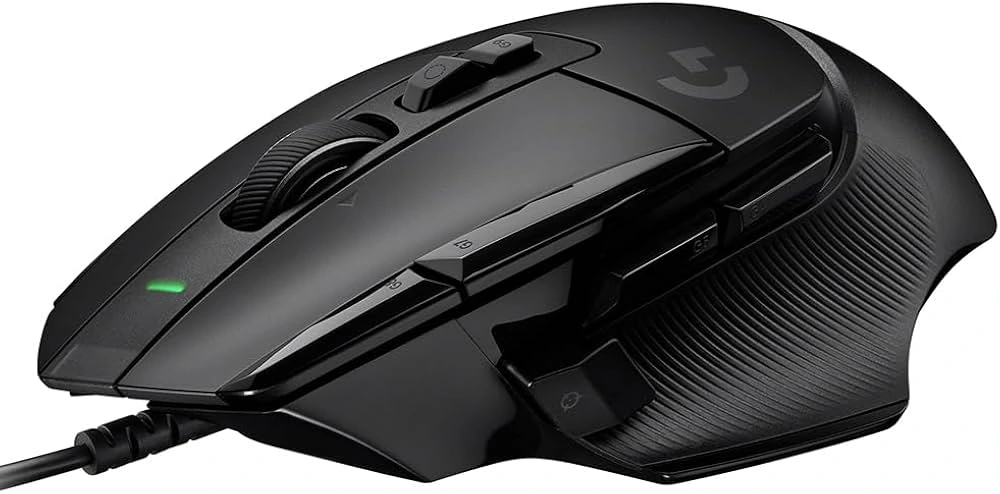
Price: ~$79.99 on Amazon US
Key specs:
- Sensor: HERO 25K
- Weight: 89g
- Switches: LIGHTFORCE hybrid optical-mechanical
- Buttons: 11 programmable
- Scroll wheel: dual-mode (free-spin and ratcheted)
The G502 X ranks at the top of wired options in 2026. The LIGHTFORCE switches combine optical actuation speed with mechanical click feel. The dual-mode scroll wheel, which switches between free-spinning and ratcheted, is a standout feature at this price. One real limitation: right-handed palm and claw grip only.
2. Best Budget Wired: Glorious Model O Eternal

Price: ~$30 to $35 on Amazon US
Key specs:
- Sensor: Pixart 3370
- Weight: ~55g
- Connection: wired USB
- Shape: right-handed
Nothing at this price point comes close. A competition-grade sensor at 55g in an ultralight build under $35 is genuinely difficult to argue with. The cable quality is the one real weakness. If Glorious improved it, this mouse would embarrass options costing twice as much. User reviews consistently flag cable durability as the only recurring complaint.
3. Best Lightweight Wired: Corsair Sabre V2 Pro

Price: ~$49.99 on Amazon US
Key specs:
- Sensor: PixArt 3392
- Weight: 36g
- Connection: wired USB
- Shape: ambidextrous
At 36g, this is one of the lightest solid-shell mice available. Not a honeycomb design, which gives it better click consistency for competitive shooters while staying at minimum weight.
The tradeoff is a plain feature set and limited button customization. Best suited to fingertip and claw grip players specifically. Button feels slightly lighter than expected, but it is not a dealbreaker.
Best Wireless Gaming Mice in 2026
1. Best Overall Wireless: Razer Viper V4 Pro
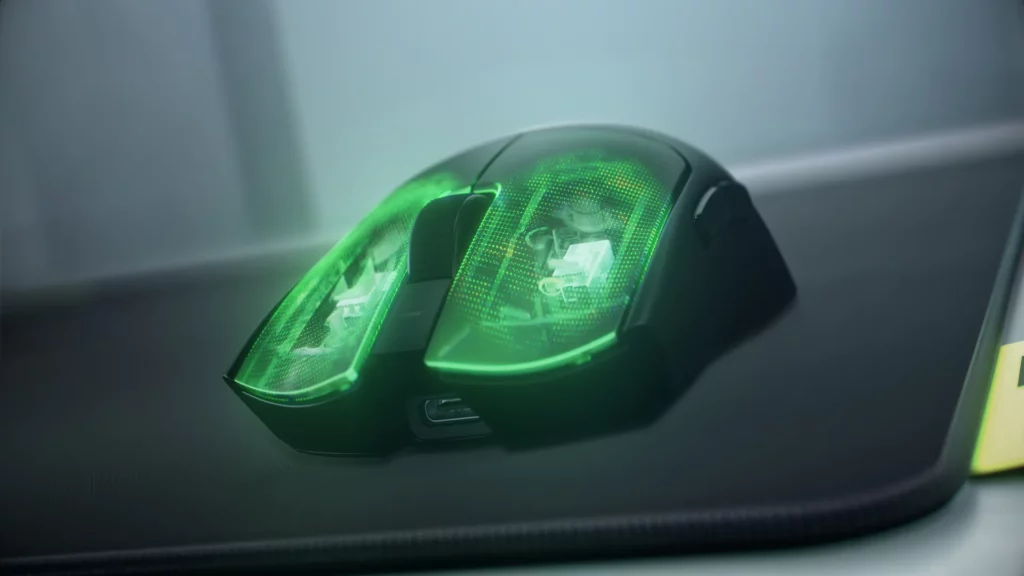
Price: $159.99 on Amazon US
Key specs:
- Sensor: Focus Pro 50K DPI
- Weight: 49g
- Switches: Gen-4 optical
- Polling rate: 8,000Hz wireless
- Battery: 180 hours
- Wireless: HyperSpeed Gen-2 2.4GHz
- Shape: ambidextrous
The Viper V4 Pro is the best wireless gaming mouse available in 2026. Flagship sensor, lightest build in its tier, 8,000Hz polling over wireless, and an 180-hour battery that puts competitors in the same price range behind it.
No Bluetooth, no RGB, no charging dock. That keeps the weight focused. The ambidextrous shape works for claw and fingertip grip players; palm grip players with larger hands should look at the DeathAdder V4 Pro instead.
2. Best for Competitive Gaming: Logitech G Pro X2 Superstrike

Price: $179.99 on Amazon US
Key specs:
- Sensor: HERO 2 44K
- Weight: 61g
- Switches: magnetic inductive with haptic feedback, Rapid Trigger support
- Polling rate: 8,000Hz
- Battery: 90 hours
- Shape: ambidextrous
This one needs a proper explanation. The G Pro X2 Superstrike is the first mouse with analog inductive clicks, meaning adjustable actuation depth and a haptic feedback engine that confirms each click without requiring a full physical press.
This is Rapid Trigger applied to a mouse click, not a keyboard. If you know what Rapid Trigger is from mechanical keyboards and wondered when it would reach mice, here it is. It is the most technically significant gaming mouse released in years.
Heavier than the Viper V4 Pro, more expensive, and the 90-hour battery is shorter. The premium pays specifically for the switch technology.
3. Best Battery Life: Logitech G305 Lightspeed
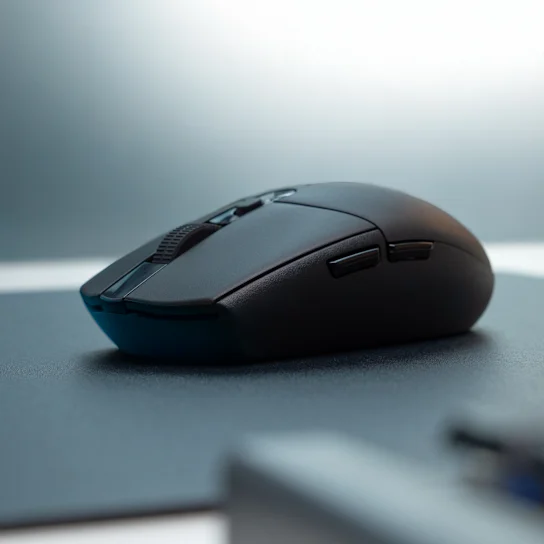
Price: ~$35 to $50 on Amazon US
Key specs:
- Sensor: HERO 12K
- Weight: 99g
- Battery: 250 hours (single AA)
- Buttons: 6 programmable
- Wireless: Lightspeed 2.4GHz
250 hours on one AA battery. No USB-C charging, which means no charging anxiety because one battery lasts months. This is not a complex mouse. Six buttons, HERO 12K sensor, right-handed shape. It does one thing very well.
The 99g body is heavier than most gaming mice at this price, which suits palm grip players and casual users more than competitive FPS. The dongle stores internally, making it an excellent travel option.
4. Best Value Wireless: Razer DeathAdder V4 Pro

Price: ~$169.99 on Amazon US
Key specs:
- Sensor: Focus Pro 45K Gen-2
- Weight: 56g
- Switches: Gen-4 optical
- Polling rate: 8,000Hz
- Battery: 150 hours (post-firmware)
- Wireless: HyperSpeed Gen-2
- Shape: right-handed ergonomic
Flagship specs in a right-handed ergonomic shell at $10 less than the Viper V4 Pro. The higher arch suits right-handed palm grip players with larger hands better than the Viper’s flat ambidextrous profile.
Razer issued a post-launch firmware update raising battery life from 120 hours to 150 hours at 1,000Hz polling. Buy after updating firmware.
How to Pick the Right Gaming Mouse
1. Start With Grip Style
This determines the shape, which determines comfort. Everything else is secondary.
- Palm grip: Full hand contacts the mouse. Needs a larger body with rear arch support. Best matches: DeathAdder V4 Pro, G502 X.
- Claw grip: Palm rests at the back, fingertips arched on buttons. Works with medium-profile shapes. Best matches: Viper V4 Pro, G Pro X2 Superstrike.
- Fingertip grip: Only fingertips touch the mouse. Needs a compact, flat, light body. Best matches: Corsair Sabre V2 Pro, Glorious Model O Eternal.
2. Weight and Shape Affect Fatigue
Lighter, well-balanced mice produce smoother aim adjustments in fast-paced gameplay and reduce fatigue in longer sessions. Under 60g suits fingertip and claw grip players making rapid directional changes. Over 80g suits palm grip players who prefer slower, controlled tracking.
3. Sensors: Optical Only
Optical sensors have no hardware acceleration and track consistently across most surfaces. Laser sensors distort tracking at certain speeds. DPI above 3,200 is a marketing figure for most players. Choose based on sensor reputation, not the ceiling number.
4. Polling Rate: 1,000Hz Is Enough
1,000Hz covers all but the most demanding setups. 8,000Hz matters only above 240fps with a CPU that handles the extra input data.
Budget Breakdown
| Budget | Wired Pick | Wireless Pick |
| Under $40 | Glorious Model O Eternal (~$30) | Logitech G305 Lightspeed (~$35-50) |
| $60 to $80 | G502 X (~$79.99), DeathAdder V4 (~$69.99) | N/A |
| $160 to $180 | N/A | Viper V4 Pro ($159.99), DeathAdder V4 Pro (~$169.99), G Pro X2 Superstrike ($179.99) |
What Type of Gamer Are You?
- Competitive FPS: Optical switches, weight under 80g, 2.4GHz wireless or wired. Top picks: Razer Viper V4 Pro and Logitech G Pro X2 Superstrike (wireless), Razer DeathAdder V4 (wired).
- MMO and MOBA players: Prioritize programmable button count over weight or sensor ceiling. The G502 X with 11 programmable buttons is the best here. The Corsair Scimitar Elite Wireless SE leads the MMO category with 12 side buttons.
- Casual gaming: The G305 Lightspeed or Glorious Model O Eternal. Reliable sensors, low cost. Weight and polling rate are irrelevant at casual use.
- Laptop and travel: The G305 Lightspeed stores its dongle internally and runs months on one AA battery. Built for this.
- Streamers and content creators: Wireless reduces cable management friction. The DeathAdder V4 Pro or Viper V4 Pro both fit where desk cleanliness is part of the workflow.
Not the Right Mouse For You If…
- The Viper V4 Pro is wrong for large-handed palm grip players. The DeathAdder V4 Pro fits better.
- The G502 X is wrong if you are left-handed or use fingertip grip.
- The G305 Lightspeed is wrong for competitive FPS players who need sub-80g. At 99g, it is not that mouse.
Any wireless mouse above $150 is wrong if you game at a fixed desktop with no cable management issues. A wired mouse at $70 to $80 delivers the same performance with less complexity.
Final Verdict: Wired or Wireless?
Choose wired if budget is the priority, tournament rules restrict wireless, or you want a zero-maintenance setup.
Choose wireless if cable drag is genuinely bothering your current setup, desk cleanliness matters, and your budget reaches $50 for casual use or $160+ for competitive-tier wireless.
For most players in 2026: the Logitech G502 X is the best wired pick, and the Razer Viper V4 Pro is the best wireless pick. The performance gap between premium wired and wireless now sits within 0.1 to 0.3ms, well below human perceptual thresholds. The choice is no longer about performance. It is about what fits the setup and the budget.
Get the grip type right first. It determines the shape, which determines whether the mouse actually gets used. Everything else follows from there.
Also read:- Best Gaming Monitors in 2026
FAQs
Yes, at the premium tier. Top wireless mice land within 0.1 to 0.3ms of wired models over 2.4GHz connections. Independent lab testing confirmed this across thousands of click cycles. Bluetooth is not suitable for gaming.
Overwhelmingly yes. Top players in League of Legends, Overwatch, and Dota 2 regularly use high-end wireless models. The Logitech G Pro X Superlight 2 DEX is the wireless mouse most professionals reach for outside sponsorship agreements.
No. The better FPS mouse depends on grip comfort and switch consistency, not the cable. Wired is still better value for FPS on a tighter budget.
The G305 Lightspeed lasts 250 hours on a single AA battery. The Viper V4 Pro lasts 180 hours. The DeathAdder V4 Pro was firmware-updated to 150 hours at 1,000Hz polling. Anything above 70 hours is comfortable for most usage patterns.
Yes, if cable drag bothers your setup or a clean desk matters. No, if the budget is limited. Cable drag is a more real disadvantage than any latency difference at the premium tier. The wireless premium pays for comfort, not performance.
