



You know the moment. A song comes on in a coffee shop or slips through a car window at a red light, and suddenly it’s the only thing you care about – you need to know what it is before it disappears. Then there’s the other kind of moment: nothing’s actually playing, just a melody looping in your head that you can hum but not name.
Those two soundhound vs shazam moments need two different tools. Here’s the short answer: if a song is playing right now, grab Shazam. If you’ve only got a tune stuck in your head, SoundHound is the one that’ll actually help you.
That’s the SoundHound vs Shazam debate in a nutshell. In this post, I’ll compare the two music recognition apps with their features, pros, and cons.
Key Takeaways
- Shazam is best for quickly identifying commercially released recordings that are already playing.
- SoundHound is stronger for humming, singing, and lyric-based search.
- Both apps offer lyrics, discovery features, and streaming links.
- Shazam gives you a cleaner experience with fewer advertising distractions.
- SoundHound’s free version is ad-supported.
- Neither music recognition app can identify every live performance, remix, cover, or obscure release.
SoundHound vs Shazam: Quick Comparison
| Category | Shazam | SoundHound | Winner |
| Recorded songs | Fast, no-fuss | Solid, slightly busier | Shazam |
| Humming/singing | Not really built for it | Its whole reason for existing | SoundHound |
| Lyrics | Shows up after you identify a track | Search by lyrics, plus LiveLyrics | SoundHound |
| Streaming hookups | Apple Music, Spotify | Apple Music, Spotify | Tie |
| Ads | Barely notice them | Free tier is ad-heavy | Shazam |
| Privacy | Clear, Apple-backed explanations | Broader ad-data disclosures | Shazam |
| Look and feel | Clean, minimal | More cluttered, more going on | Shazam |
| Discovery extras | Charts, concerts, videos | Lyrics and voice search | Tie |
| Best for | Music playing around you | Music playing only in your head | Depends |
What Is a Music Recognition App?
A music recognition app is doing one simple thing: it listens to a few seconds of audio and tries to match it against a massive library of known recordings. You’ve lived this moment – a song comes on in a coffee shop, a car, a shop, a party, whatever – and you whip out your phone hoping to catch it before it ends.
Neither app is storing the entire song somewhere. Instead, they build a kind of audio fingerprint – a compact snapshot of the track – and compare that against reference fingerprints already in their databases.
Both Shazam and SoundHound handle this basic version of music recognition just fine. Where they split is that SoundHound also tries to work when you hum or sing instead of playing the actual recording. That’s a much harder problem, since your voice doesn’t produce anything close to the acoustic signature of the studio version – the app has to guess based on melody shape, pitch, and rhythm instead of an exact match.
This is why SoundHound becomes the go-to when a chorus is stuck in your head but nothing is actually playing.
Also read: How to Play Music on Your Fitbit Versa Lite
How Music Recognition Works
It sounds like magic, but the process breaks down into a few understandable steps.
- Capturing the sample: You tap the button, the mic picks up whatever’s playing nearby, and on some devices the app can even grab audio straight from another app running on your phone.
- Turning it into a signature: The app strips the sample down to its distinctive, recognizable bits – not the full audio, just the parts that make the recording identifiable.
- Matching against the database: That signature gets checked against a reference library, hunting for matching points that line up in the right order and timing.
- Delivering the result: When it works, you typically get the title, artist, album, lyrics, streaming links, maybe a music video, even concert info.
Background noise doesn’t automatically kill the search – there’s often enough clean signal left to work with. But recognition can still fail if the clip’s too short, the music’s too quiet, people are talking over it, the song isn’t in the catalogue, or the version playing is wildly different from the studio release.
Humming makes this harder still, since the system’s interpreting your rendition of a tune rather than matching an exact recording.
Also read: Top Music Streaming Apps (2026): Spotify, Apple Music, YouTube Music & More
Shazam: Features, Strengths, and Limitations
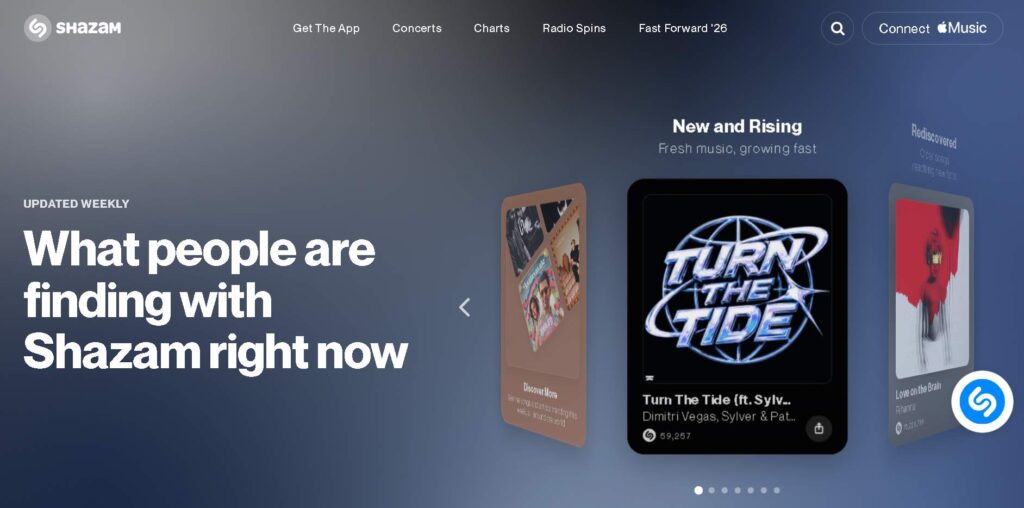
Shazam is built around a single job: identify the song that’s playing right now. One big button, minimal menus, and you’re done in seconds.
Where Shazam performs best
- Songs playing in cafés, shops, or in the car
- Music from films, TV, or online videos
- Radio tracks
- Commercial studio recordings
- Anyone who just wants an answer without digging through menus
Standout features
- One-tap recognition: The whole screen is basically one button.
- Auto Shazam: Keeps identifying tracks continuously until you turn it off.
- Lyrics: Available once a song’s been ID’d.
- Streaming links: Straight into Apple Music or Spotify.
- Playlist syncing: Recognized songs land in a dedicated playlist automatically.
- Discovery extras: Charts, artist pages, videos, concert listings.
- In-app recognition: Can pick up audio playing through other apps on supported devices.
Limitations
- Humming and singing aren’t really what it’s for
- Unreleased tracks often won’t register
- Acoustic covers can throw it off
- Heavily altered remixes are tough
- Live performances that stray from the studio version may not match
- Speed varies a lot depending on noise and connection
One thing worth clearing up: don’t trust any claim that Shazam always nails a song in some fixed number of seconds. It’s usually quick, but there’s no universal timer that applies to every song in every environment.
SoundHound: Features, Strengths, and Limitations

SoundHound can identify a playing track just like Shazam, but its real strength is flexibility – it’s built for the moments when there’s no actual recording to listen to.
Where SoundHound performs best
- Remembering the melody but not the title
- Humming a few bars of the chorus
- Singing a short snippet
- Recalling just one lyric
- Wanting lyrics synced in real time
- Searching by voice instead of typing
Standout features
- Humming recognition: Hum a melody, get a list of likely matches.
- Singing recognition: Sing a line and let the app work out the song.
- Lyric search: Type or say a remembered lyric to find the track.
- LiveLyrics: Lyrics that scroll in sync with the music.
- Recorded-song ID: Still works for tracks playing nearby, same as Shazam.
- Streaming connections: Apple Music, Spotify, and more.
- Discovery tools: Voice search, lyrics, recommendations, all baked in.
Limitations
- Interface is noticeably busier than Shazam’s
- Humming matches aren’t guaranteed
- Weak pitch or unclear rhythm can throw off results
- Free version comes with ads
- Obscure, altered, or live tracks can still slip through
- Some features vary by platform or region
- Privacy disclosures include a fair bit of advertising-related data use
Worth saying plainly: SoundHound isn’t universally “more accurate” than Shazam. It just covers more types of searches – it doesn’t automatically win every straightforward recorded-song test.
SoundHound vs Shazam: Which Is Faster and More Accurate?

For pure speed, Shazam takes it. There are just fewer steps between hearing a song and getting an answer. SoundHound can move quickly too, but its interface has more going on around the recognition itself – lyrics, discovery panels, and so on.
Accuracy is trickier to pin down, and honestly, any headline claiming “Shazam is 95% accurate” or “SoundHound is 98% accurate” should be taken with a grain of salt unless it comes from a transparent, repeatable test.
Real-world results depend on a pile of variables:
- Which version of the song is playing
- Recording quality
- Background noise
- Your phone’s mic
- How far you are from the speaker
- Internet connection
- How long your clip is
- Whether the track’s even in the catalogue
- Whether it’s live, remixed, or studio
For a clean studio track, both apps generally hold up. Personally, I’d still open Shazam first, since recorded-song identification is quite literally its whole job. For humming or singing, though, SoundHound wins outright – that’s a feature it was specifically designed to handle, and Shazam wasn’t.
Humming & Lyrics: SoundHound vs Shazam
This is probably the biggest gap in the whole SoundHound vs Shazam comparison.
Reach for SoundHound when:
- Nothing’s actually playing
- You only remember the melody
- You want to hum the chorus
- You can sing a rough snippet
- You remember a stray lyric
- You’re okay getting a list of possible matches rather than a certainty
Reach for Shazam when:
- The song is playing right in front of you
- You can grab a clean audio sample
- You want the fastest possible route to a title
- Humming or singing isn’t part of the equation
SoundHound wins this category hands-down, simply because it solves problems that standard audio-recognition can’t touch.
Lyrics Experience : SoundHound vs Shazam
Both apps will show you lyrics for supported tracks, but SoundHound leans into lyrics much harder as a core feature rather than an add-on.
Shazam’s lyrics are best for:
- Double-checking words after you’ve already identified a song
- Casually following along
- Getting from ID straight to playback
SoundHound’s lyrics are best for:
- Searching using a half-remembered line
- Following along with LiveLyrics in real time
- Singing along
- Starting your search from the words rather than the melody
SoundHound wins here too, mostly because lyrics are woven right into both its search and playback experience, not bolted on afterward.
Streaming & Music Discovery: Shazam vs SoundHound
Both apps do a decent job moving you from “what is this song” to “let me actually listen to it.”
Shazam gives you:
- Apple Music integration
- Spotify syncing
- Playlist creation
- Artist pages, videos, charts
- Concert discovery and recommendations
SoundHound gives you:
- Apple Music and Spotify connections
- Playback options
- Lyrics-led discovery
- Voice-led search
- Recommendations and LiveLyrics
Pretty evenly matched here – pick based on which ecosystem you already live in.
Also read: Best Music Streaming Apps in India (2026): Features, Pricing & Comparison
SoundHound vs Shazam: Ads and Pricing
Shazam is the cleaner ride. Its main screen isn’t built around conventional ad space, so you’re mostly just… using the app.
SoundHound’s free tier, on the other hand, is ad-supported – expect the occasional display or video ad while you’re browsing. There may be a paid, ad-free tier depending on your platform and region.
Winner: Shazam. If an ad-free interface matters more to you than humming support, Shazam’s the pick. If LiveLyrics and singing search matter more than dodging ads, SoundHound’s worth the trade-off.
SoundHound vs Shazam Privacy Comparison
Shazam, backed by Apple, explains that it builds an acoustic signature for recognition that can’t be reverse-engineered back into the original audio. Recognition requests can also lean on a randomly generated device ID instead of tying every single search to your Apple Account.
SoundHound’s disclosures cover more ground – audio data, search activity, device info, usage stats, diagnostics, location-adjacent data, and advertising data, since its free app runs on ad tech that can involve third-party processing.
Winner: Shazam has a lighter advertising footprint, while SoundHound discloses advertising-related tracking. However, users should review both apps’ current privacy disclosures because data collection varies by platform, settings and features.
Platform and Everyday Usability
Shazam’s strengths: big obvious button, near-zero setup, fast access, deep Apple integration, effortless playlist syncing, minimal visual noise.
SoundHound’s strengths: humming and singing search, voice-led discovery, lyric search, LiveLyrics, and generally richer tools for digging deeper.
Shazam wins on simplicity. SoundHound wins on flexibility. If you mostly just want to know what song is playing, Shazam’s the easier day-to-day app.
SoundHound vs Shazam Comparison by Use Case
| Scenario | Shazam | SoundHound | Winner |
| Clear song playing | Fast, direct | Also solid | Shazam |
| Noisy environment | Works if enough audio’s clean | Similarly hit-or-miss | Tie |
| Humming a chorus | Not its job | Built exactly for this | SoundHound |
| Live performance | Depends on similarity to studio version | Same story | Tie |
| Obscure song | Depends on catalogue | Depends on catalogue | Tie |
| Remembered lyric | Weak starting point | Genuinely strong | SoundHound |
So Which Should You Actually Pick?
Go with Shazam if you:
- Mostly identify songs that are already playing around you
- Want the fastest, simplest experience possible
- Live in the Apple ecosystem
- Want tight Apple Music integration
- Don’t want ads interrupting your search
- Discover music through videos, radio, shops, or TV
- Like having playlists build themselves automatically
Go with SoundHound if you:
- Constantly blank on song titles
- Remember melodies better than names
- Want to hum or sing your way to an answer
- Search using half-remembered lyrics
- Like LiveLyrics scrolling in real time
- Prefer voice-first discovery
- Don’t mind a bit of advertising in the free tier
The Bottomline
If you want the SoundHound vs Shazam decision boiled down to one line each:
- Use Shazam when the music is playing through a speaker.
- Use SoundHound when the music is only playing in your head.
- Keep both installed if you’re the kind of person who’s constantly discovering songs in different situations.
Shazam takes the win for recorded-song speed, a cleaner ad experience, clearer privacy language, and overall ease of use. SoundHound takes the win for humming, singing, lyric search, and lyrics-driven discovery.
Neither app is perfect, and neither guarantees a match every single time – results always depend on the sample, the environment, the version of the song, and what’s actually in the catalogue. Pick the app that fits your situation, and you’ll dramatically improve your odds of actually finding that song.
For more info on AI and tech, visit Yaabot.
Frequently Asked Questions (FAQs)
SoundHound pulls ahead for humming, singing, lyric search, and LiveLyrics. Shazam pulls ahead for quickly identifying a recorded song that’s already playing.
Not really – that’s not what it’s built for. SoundHound is the far more suitable option if you need to hum or sing a melody to search for it.
Shazam has the edge for recorded-song identification since that’s the entire focus of its design. That said, real speed still comes down to the song itself, background noise, your connection, and your device.
There’s no trustworthy universal accuracy number for either. Shazam is usually the smarter first choice for studio recordings, while SoundHound pulls ahead for humming and singing.
SoundHound, thanks to combining lyric search with LiveLyrics. Shazam still offers lyrics for supported tracks, just in a more basic way.
Shazam, clearly. SoundHound’s free tier runs on advertising, though an ad-free paid option may be available depending on where you are.
Sometimes – both can manage it if the live performance is close enough to the studio version. Heavily altered, acoustic, or improvised versions tend to trip both apps up.
Honestly, you can. It’s a practical setup: Shazam handles recorded music well, and SoundHound covers you for humming, singing, and lyric-based searches when nothing’s actually playing.
