


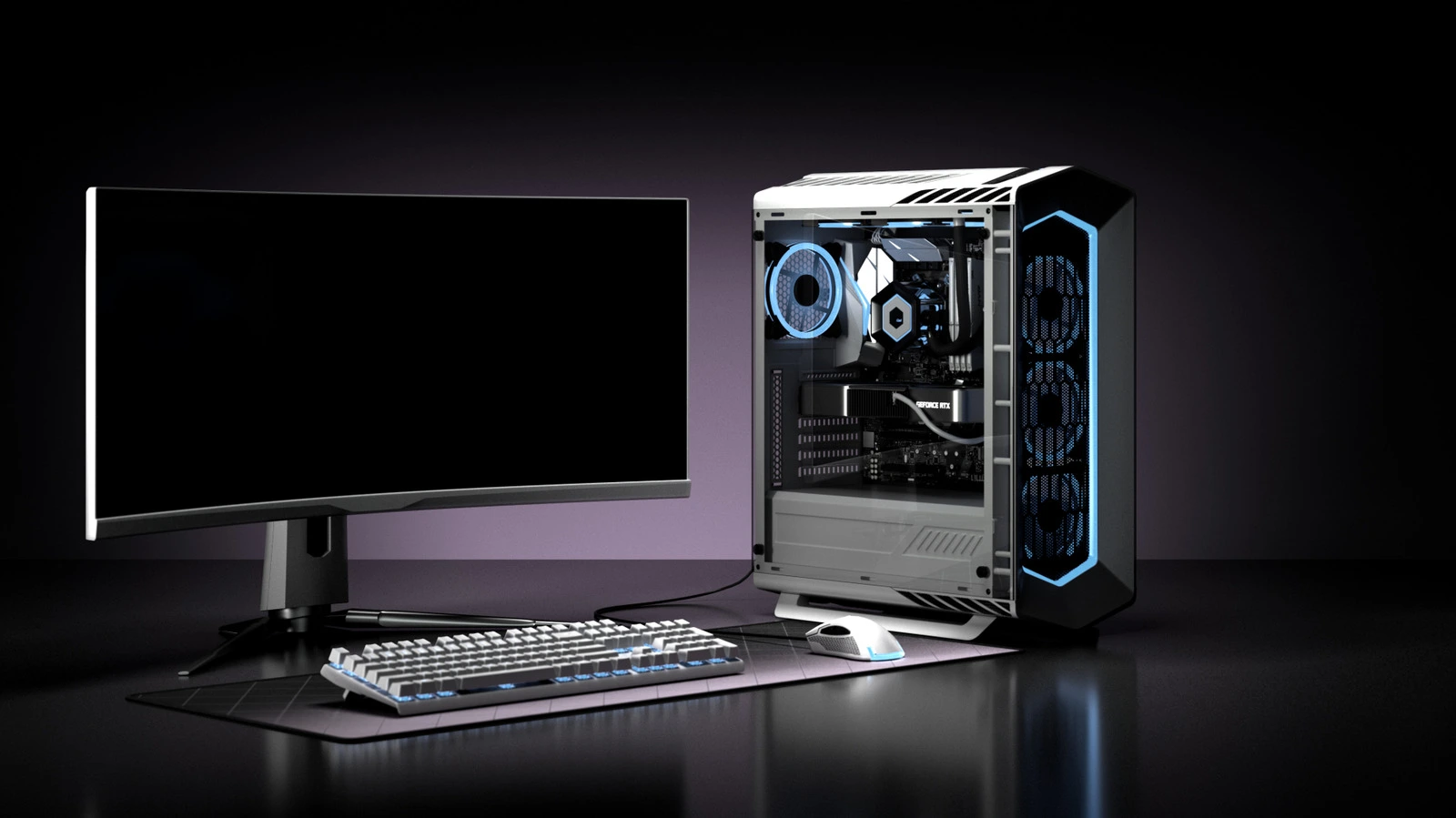
When evaluating a mini pc vs desktop, your traditional tower is probably doing 80% of what a device a quarter of its size can now handle just as well.
Mini PCs have gone from novelty gadgets to genuinely capable machines. With remote work, hybrid setups, and power costs all still top of mind, more people than ever are asking whether a compact desktop computer is finally good enough, or whether a desktop tower still has the edge.
This guide breaks down the mini pc vs desktop debate across every angle that matters: performance, price, upgradability, and real-world use cases.
Key Takeaways
Mini PC is the better choice if you:
- Work from home with office apps, video calls, or browser-based tools
- Want a near-silent, low-power home theatre PC
- Additionally, need a compact desktop computer with a small footprint
- Use macOS and are already in the Apple ecosystem
Desktop tower is the better choice if you:
- Game at 1440p or 4K with high frame rates
- Edit 4K/8K video, render 3D, or run machine learning workloads
- Alternatively, plan to upgrade components over the next 4 to 5 years
- Need a dedicated GPU with full PCIe headroom
What Is a Mini PC? (Understanding the Small Form Factor PC)
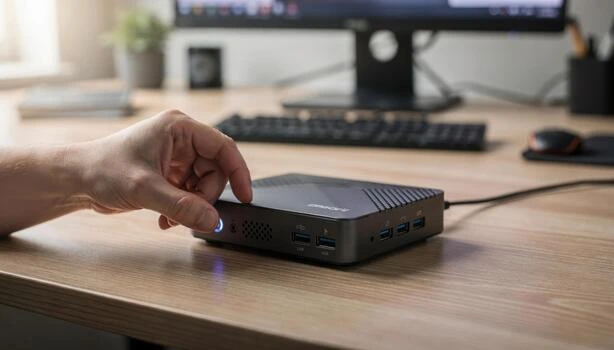
A mini PC is a compact desktop computer built around a laptop-class processor, integrated graphics, and a small form factor chassis. Most are smaller than a hardback book, weigh under 2 lbs, and can be VESA-mounted directly behind a monitor.
Popular examples include the Apple Mac mini M4, the Beelink SER9 series, and the MINISFORUM AI X1. Furthermore, they run full desktop operating systems (Windows 11, macOS, or Linux) and connect to monitors, keyboards, and mice like any other desktop PC.
They are not laptops. They are not NAS devices. Ultimately, a mini PC is a full desktop computer in a small form factor shell.
What Is a Desktop PC Tower?
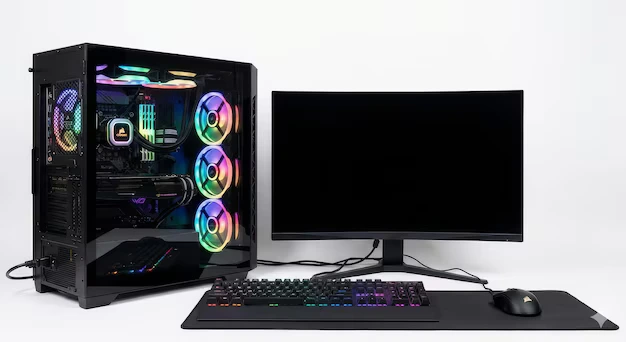
A desktop tower is a full-size or mid-tower chassis housing a desktop CPU, dedicated GPU, multiple storage drives, and an ATX-standard motherboard. Towers come in full, mid, and mini-ATX configurations.
Desktop PCs are the gold standard for raw performance, component-level upgradability, and long-term value. Granted, they draw more power and take up more space, but nothing matches them for GPU headroom, cooling capacity, and expansion slots.
Common examples include prebuilt systems like the CyberPowerPC Gamer Xtreme, custom ATX builds, and workstation towers from Dell and HP.
Mini PC vs Desktop Tower: Side-by-Side Comparison
Before diving into workload-specific detail, here is how the two categories compare at a glance.
| Factor | Mini PC | Desktop Tower |
| Size | Palm-sized, VESA-mountable | Large chassis, needs desk or floor space |
| GPU | Integrated (Radeon 890M / Intel Arc) | Dedicated (RTX 5060 to RTX 5090) |
| Upgradability | RAM and SSD only on most models | Full: CPU, GPU, RAM, storage, cooler |
| Price range | $200 to $1,000 | $600 to $4,000+ |
| Power draw | 15 to 65W | 150 to 500W+ |
| Gaming at 1440p/4K | Not viable without eGPU | Strong to excellent |
| Best use case | Home office, HTPC, development | Gaming, video editing, 3D, ML workloads |
Can a Mini PC Match a Desktop Tower in Performance?
This is where the answer gets more nuanced than most comparisons admit.
When analyzing mini pc vs desktop performance for CPU-bound tasks, modern small form factor units have closed the gap dramatically. For instance, the AMD Ryzen AI 9 HX 370 inside the Beelink SER9 Pro is a 12-core chip running up to 5.1GHz, the same silicon found in many mid-range laptop workstations. The Apple Mac mini M4’s unified memory architecture routinely beats similarly priced x86 PCs in single-threaded performance.
But there is a hard ceiling: the GPU.
In the mini pc vs desktop landscape, smaller form factor machines run integrated graphics only. The AMD Radeon 890M is capable for light gaming and video playback, but it cannot match a discrete card. An RTX 5060 in a desktop tower delivers roughly 5x to 8x the GPU throughput of integrated graphics in gaming workloads.
Where the gap shows up:
- AAA gaming at 1440p or 4K: desktop wins by a wide margin
- 3D rendering and GPU-accelerated video encoding: desktop wins
- Sustained productivity tasks like coding, spreadsheets, and video calls: mini PC holds its own
- Local machine learning inference: desktop with dedicated GPU wins
The only GPU workaround is an external GPU (eGPU) via Thunderbolt 4 or USB4. That adds $150 to $400 in enclosure cost, reduces GPU performance by around 15 to 20%, and eliminates the compact form factor advantage. It is a valid option, but not an ideal one for most buyers.
Upgradability and Longevity: The Real Long-Term Cost
This is the consideration most mini PC buyers skip and later regret.
Mini PC upgradability:
- Some AMD-based mini PCs allow SO-DIMM RAM swaps; confirm before purchasing
- Apple Silicon models like the Mac mini M4 have fully soldered RAM and storage with no post-purchase upgrades
- SSD is replaceable via an M.2 slot in most Windows mini PCs
- No GPU upgrade path without an eGPU enclosure
Desktop tower upgradability:
- Full CPU swaps on supported sockets
- GPU upgrades every 2 to 3 years to extend gaming life
- Add drives, upgrade the cooler, and swap RAM freely
- Power supply can be upgraded to support newer, more demanding GPUs
The financial case for a desktop becomes clearer over time. A $900 desktop with an RTX 5060 can be upgraded to a $1,400-equivalent machine in 2028 with a GPU swap, effectively getting another 3 years of relevance. In contrast, a $600 mini computer in the same period gets replaced outright.
Consequently, for anyone planning to keep a machine for more than four years and running performance-intensive workloads, the desktop tower typically offers better total cost of ownership.
Price Comparison: What You Actually Get for Your Money
Mini PC price tiers:
- Budget ($200 to $400): Beelink EQ12, MINISFORUM entry models. Suited to light office work and media playback
- Mid-range ($400 to $700): Beelink SER9 Pro with Ryzen 7 H255. Competent for development, multitasking, and 4K video
- High-end ($700 to $1,000+): Beelink SER9 Pro AI (Ryzen AI 9 HX 370) and Mac mini M4. Handles heavier workloads
Desktop tower price tiers:
- Budget ($600 to $900): CyberPowerPC Gamer Xtreme with i5 and RTX 5060. Solid 1080p gaming
- Mid-range ($900 to $1,500): i7 with RTX 5060 Ti or RTX 5070 configurations. Strong 1440p gaming and content creation
- High-end ($1,500 to $4,000+): Ryzen 9 or Core Ultra 9 with RTX 5080 or 5090. 4K gaming and professional rendering
At the $700 price point, you can get a capable mini PC for office work, development, and light creative tasks, or a lower-tier gaming desktop that games well but lacks compactness and efficiency. Neither is wrong; they serve different users.
At $1,000, the desktop tower pulls ahead for anyone who games or runs GPU-heavy workloads. Meanwhile, the mini PC at that price offers excellent CPU performance but still hits the same GPU ceiling.
Mini PC vs Desktop for Specific Workloads
1. Gaming
The desktop wins clearly. Even a mid-range gaming desktop with an RTX 5060 Ti operates in a different league from integrated graphics. If gaming is your primary use case, a mini PC is the wrong tool unless paired with an eGPU.
2. Video editing
For H.264/H.265 timelines and 1080p to 4K work, a capable mini PC like the Mac mini M4 or Beelink SER9 Pro handles editing well, particularly in Final Cut Pro on Apple Silicon. For 8K raw workflows or heavy color grading with GPU-accelerated effects, a desktop tower is faster.
3. Home office and productivity
The mini PC wins. Most knowledge work, including video calls, spreadsheets, browser-based tools, email, and coding, is handled comfortably by a compact desktop computer at a fraction of the power draw. Near-silent operation and a small footprint are genuine advantages in a home office.
4. Programming and development
A Mini PC is sufficient for the vast majority of developers. For ML model training, large Docker environments, or heavy compilation, a desktop tower with more RAM capacity and a dedicated GPU gives more headroom.
5. Home theatre (HTPC)
Mini PC wins decisively. A small form factor PC consuming under 15W at idle is far better suited to living room use than a tower drawing 200W.
What to Check Before Buying a Mini PC
Not all mini PCs are equal. Before purchasing:
- Is RAM soldered or expandable? Apple Silicon and some AMD models have soldered RAM. Check the spec sheet, not just the headline specs
- Does it have Thunderbolt 4 or USB4? Essential if you want an eGPU option later
- What M.2 slot and PCIe generation is used? PCIe Gen 4 matters for fast NVMe read and write speeds
- Is your OS supported? Windows 11, macOS, and Linux compatibility varies by model
- What does warranty coverage look like in your region? Beelink and MINISFORUM offer 3-year warranties; Apple’s support network is broader globally
- How does it handle sustained loads? Mini PCs throttle under sustained load if cooling is undersized. Check independent benchmark reviews, not product listings
Top Picks to Consider in 2026
Best Mini PCs
- Apple Mac mini M4 – Best for macOS users
Starting at $799 (M4, 16GB RAM, 512GB). The M4 chip delivers exceptional performance per watt for office work, coding, and Final Cut Pro video editing. No upgradability after purchase. Best suited to users already in the Apple ecosystem.
2. Beelink SER9 Pro (Ryzen AI 9 HX 370) — Best Windows mini PC
Available on Amazon US. Packs a 12-core AMD Ryzen AI 9 HX 370 (up to 5.1GHz), 32GB LPDDR5X RAM, 1TB PCIe 4.0 SSD, and USB4 into a palm-sized chassis. Runs near-silently at 32dB under load. A strong pick for Windows power users who want compact desktop performance. Check the listing for current pricing as it varies.
3. Beelink SER9 Pro (Ryzen 7 H255) – Best value mini PC
Also on Amazon US. Ryzen 7 H255 (8 cores, up to 4.9GHz), 32GB DDR5, 1TB PCIe 4.0 SSD. Handles multitasking, development, and 4K video comfortably. A solid pick in the mini pc vs desktop value category for users who do not need the top-tier AI chip.
Best Desktop Towers
- CyberPowerPC Gamer Xtreme (i5-14400F + RTX 5060) – Best budget gaming desktop
Around $900 to $1,000 on Amazon US. Intel Core i5-14400F (10 cores), NVIDIA GeForce RTX 5060 8GB, 16GB DDR5, 1TB PCIe 4.0 SSD, Windows 11 Home. A well-reviewed entry point into genuine 1080p gaming with tempered glass case, RGB lighting, keyboard, and mouse included. As Tom’s Hardware noted, the Gamer Xtreme is a strong value at this tier.
2. CyberPowerPC Gamer Xtreme (i7-14700F + RTX 5060 Ti) – Best mid-range gaming tower
Available on Amazon US. Steps up to an i7-14700F with RTX 5060 Ti 8GB, 16GB DDR5, and 2TB storage. The RTX 5060 Ti is a meaningful jump for 1440p gaming at higher settings. Current pricing sits around $1,100 to $1,350 on Amazon; check the listing for the latest.
3. Alienware Aurora R16 (Core Ultra 7 + RTX 5070) – Best premium gaming desktop
Starting around $1,749 at Dell. Intel Core Ultra 7, RTX 5070 graphics, and Alienware’s dual-tower cooling system that keeps GPU temperatures below 68°C under sustained load. Built for serious 1440p to 4K gaming with room to upgrade.
Final Verdict
If your day involves video calls, browsing, coding, spreadsheets, or light creative work, a compact desktop computer handles it quietly, efficiently, and without wasting desk space or electricity. The mini PC category has matured enough in 2026 that it is no longer a compromise for most users.
On the other hand, if you game seriously, render video professionally, or run workloads that demand a dedicated GPU, the desktop tower is the correct tool. No small form factor PC, regardless of CPU performance, can substitute for a discrete RTX 5060 Ti or better.
Match the machine to the workload, not the other way around.
Frequently Asked Questions
Yes. For office work, video calls, coding, media playback, and light creative tasks, a modern mini PC with AMD Ryzen AI or Apple M4 chips performs comparably to a mid-range desktop. The performance gap only becomes significant in GPU-heavy tasks like gaming or 3D rendering.
Not without an eGPU, and even then it is a compromise. Mini PCs rely on integrated graphics, which cannot match a discrete GPU like the RTX 5060 Ti. If gaming is a priority, a desktop tower is the right tool.
A mini PC. Lower power draw translates to lower electricity bills over time, near-silent operation suits focused work environments, and most home office software does not require desktop-class GPU power. A small form factor PC fits cleanly on or behind a monitor, freeing up desk space entirely.
Both can last 5 or more years in everyday use. The key difference is that desktops can be extended through component upgrades like a new GPU or additional RAM, while most mini PCs, particularly Apple Silicon models, cannot be upgraded after purchase.
For most non-gaming users, yes. The gap between a compact desktop computer and a traditional desktop tower has narrowed substantially in CPU performance, and the advantages in power efficiency, noise, and footprint are real. The one area where that ceiling has not moved is GPU performance.
A small form factor PC (SFF PC) is any desktop computer built in a reduced chassis. This includes mini PCs, mini-ITX builds, and compact barebones systems. They prioritize size and power efficiency over raw expandability.
