


Most people who “can’t code” have already built software. They just didn’t call it that. The expense tracker your operations manager built in Airtable? That’s a No-code. Is the internal HR portal your company spun up in Power Platform? It’s Low-code. The Airbnb competitor someone prototyped over a weekend using nothing but plain English? Now that’s Vibe coding.
The line between a developer and a non-developer has been blurring for years. And by 2026, it will have basically dissolved. Gartner forecasts 60% of all new code will be AI-generated by the end of this year. Roughly 63% of Vibe coding users today are non-developers. That’s not a trend. That’s a structural shift in who gets to build software.
So which approach should you use? Though it depends on what you’re building, how much control you need, and whether you’re okay maintaining something you didn’t fully write.
Key Takeaways
- Vibe coding uses AI to generate real application code from natural language prompts. Fast, highly flexible, and carries real risks around code quality and security.
- Low-code uses visual builders plus optional custom code.
- No-code is purely drag-and-drop. Zero coding required, but comes with serious platform constraints.
- The global low-code/no-code market is valued at $65 billion in 2026, growing at 26.1% annually.
- Gartner predicts 70% of new enterprise applications will use low-code or no-code by 2026.
What Is Vibe Coding?
Vibe coding is an AI-driven software development approach where users generate applications using natural language prompts instead of manually writing code.
The term came from Andrej Karpathy in early 2025 and stuck because it hits the current generation. You’re not writing code in any traditional sense. You’re acting more like a product manager with a highly capable engineering assistant available around the clock.
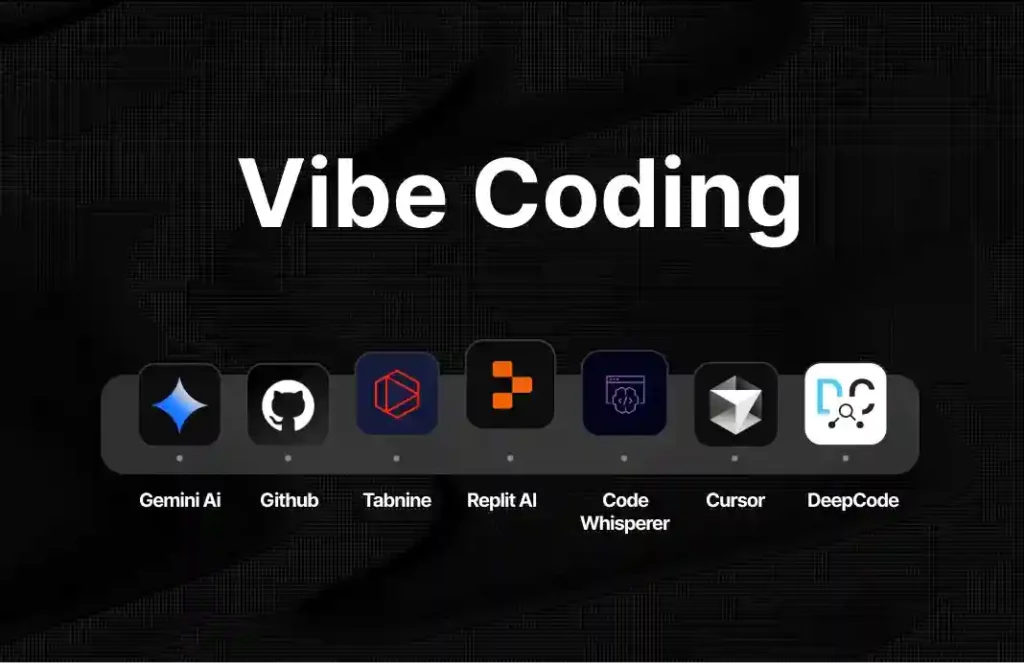
The vibe coding market hit an estimated $4.7 billion in 2026 with a CAGR of 38%. Nearly double the pace of the broader no-code/low-code category it grew out of.
How AI generates applications from prompts
Modern AI app builders don’t just autocomplete lines. They generate entire project structures. Starting from the frontend, backend, database schema, to API integrations. And all you need to do is describe the outcome, and the model will figure out the architecture for you.
For a vibe coder, a coding session looks something like this, “Build a SaaS dashboard pulling Stripe data. Mention monthly revenue and other data. Use React and Supabase.” The model generates the whole code with component files and database queries. You can iterate with follow-up prompts until it matches what you had in mind.
For professional developers, vibe coding tools function best as accelerators. Scaffolding projects, handling boilerplate, and generating tests for repetitive components. For non-developers, this is genuinely the first time building apps without coding has meant producing something close to production-ready.
How vibe coding changes traditional development
The constraint has changed more than the speed.
Previously, the bottleneck was technical skill. With vibe coding, the bottleneck is now clarity of thought. If you can describe what you want precisely enough, you can build it.
AI-generated code can look correct, but can fail in ways that can take days to fix. And here comes human expertise. It matters especially for anything touching user data or running in production.
What Is Low-Code Development?
Low-code replaces manual coding with visual, drag-and-drop interfaces while still allowing developers to inject custom logic when needed.
The key distinction from no-code: low-code platforms assume some technical literacy. You don’t write everything from scratch, but you need to understand what you’re connecting.
How low-code platforms simplify development
Low-code tools abstract the repetitive parts of building software, like the UI layouts, database connections, etc. You configure these visually; the platform handles the underlying code. And when something requires custom logic, you drop into code manually.
Forrester reports that 87% of enterprise developers already use low-code in some way. That number’s high until you realize that Salesforce, ServiceNow, and Microsoft Power Platform are all functionally low-code tools, even if nobody calls them that.
Low-code tools can also reduce development time by up to 70%, which matters when the average enterprise IT backlog runs three to twelve months.
Typical business use cases
Low-code fits best when the app has moderate complexity and needs to integrate with existing systems. Common use cases:
- Internal workflow automation, like approval flows, expense management, etc.
- Customer portals connected to a CRM.
- Operational dashboards pulling from ERP systems.
- Compliance and audit tracking tools.
78% of Fortune 500 companies now deploy low-code in mission-critical systems. That’s the clearest signal that this is not a startup-only tool category.
What Is No-Code Development?
No-code is building functional apps without writing a single line of code. Everything happens through visual interfaces. All you need to do is drag elements onto a canvas, configure them using dropdowns and form fields, and publish.
No-code works by providing pre-built components like forms, tables, buttons, and logic blocks that you assemble like LEGOs. The platform handles all code generation and hosting.
The trade-off is real. You gain speed and accessibility; you lose flexibility. You can only build what the platform’s component library supports. Hit the edge of what the tool offers, and you’re stuck.
That said, no-code builders are genuinely fast. Organizations report up to 90% reduction in development time, and 94.6% of no-code projects are implemented in under three months.
Who typically uses no-code tools
No-code is built for business users who need to solve an operational problem but have no interest in becoming developers.
Marketing managers are building campaign intake forms. Operations teams running approval workflows. HR departments are managing onboarding processes. 41% of no-code projects are initiated by business departments, not IT. No-code is the primary driver of Gartner’s prediction that 80% of low-code users will come from outside IT departments by 2026.
Vibe Coding vs Low-Code vs No-Code: Key Differences
| Factor | Vibe Coding | Low-Code | No-Code |
| Technical skill required | Low to moderate | Moderate | None |
| Output | Real code you own | Generated + visual | Platform-locked |
| Customization ceiling | High | Medium-High | Low |
| Best for | Prototyping, custom apps | Enterprise workflows | Internal tools |
| Maintainability | Risky if unreviewed | Solid with governance | Platform-dependent |
| Vendor lock-in | None | Moderate | High |
The most basic difference these comparisons miss is that vibe coding produces actual code, which you own and can deploy anywhere. No-code keeps your app inside the vendor’s ecosystem. Low-code sits in between. That distinction matters a lot when you’re thinking about what happens to your app in two years.
How AI App Builders and Vibe Coding Tools Are Changing Software Development
Rise of generative AI coding tools
AI coding tools have moved to generating entire applications. 92% of US developers use AI coding tools daily, and 41% of all code written today is AI-generated. The debate is no longer whether to use them. It’s how much to trust the output without reviewing it.
Cursor, GitHub Copilot Workspace, Bolt.new, and Replit Agent are now core workflow infrastructure for a large portion of the development community. Teams that don’t use any AI app builder at this point are simply slower than teams that do.
AI-assisted development workflows
How experienced teams actually use vibe coding tools is actually being specific about the requirements. The realistic pattern is to use AI to scaffold structure and handle boilerplate. Then write complex logic manually, and then use AI again for testing and documentation. Review everything before committing to production.
This applies equally to pure vibe coding tools and to AI features embedded in low-code platforms. The line between “vibe coding” and “AI-assisted low-code” is getting thinner every quarter.
Shift from manual coding to AI collaboration
The software development profession is splitting into two tracks.
Track one: High-complexity with high-stakes systems. Infrastructure, security, ML pipelines, where human expertise is non-negotiable.
Track two: The middle layer of business software. This layer holds the internal tools, dashboards, and workflow automation, where vibe coding and low-code tools are taking over.
McKinsey estimates a global shortfall of 4.3 million developers by 2025. That gap is being filled not by hiring but by AI software development tools.
Popular Tools Across Each Category
Vibe coding tools
- Cursor: IDE built around Claude and GPT-4.O. Best for developers who want AI embedded in a familiar coding environment.
- Bolt.new: A browser-based coding environment. Generates full-stack apps from prompts with no local setup required.
- Replit Agent: Cloud-hosted, AI generation built in. Good starting point for newcomers to vibe coding.
- v0 by Vercel: Frontend UI generation from prompts. Strong for React and Next.js work.
Low-Code Platforms
- Microsoft Power Platform: Dominant enterprise choice with deep integration of MS 365.
- OutSystems: Enterprise-grade governance. Strong in regulated industries.
- Retool: Popular with technical teams building internal tools quickly.
- Kissflow: Workflow and app builder aimed at mid-market operations teams.
No-Code Builders
- Webflow: Best-in-class for web design and marketing sites. Hosts 4.5 million sites.
- Bubble: The most capable no-code tool for complex web applications.
- Glide: Turns spreadsheets into mobile apps. Genuinely fast to deploy.
- Airtable: Sits between spreadsheet and database. Widely used for operational workflows.
When Should You Choose Vibe Coding?
Vibe coding makes sense when you have a specific app idea, someone on your team who can review generated code, and speed matters more than long-term maintainability guarantees.
- Rapid prototyping: Need to validate an idea before investing in a real build? Vibe code it and test it within a day.
- Solo founders: If you’re a product person who can’t hire a developer yet, vibe coding closes that gap.
- Custom logic requirements: When no no-code tool supports your specific workflow, vibe coding gives you portable code you can extend.
- Low-stakes internal tools: A good use case for building apps without coding concerns around production-scale security.
The warning: don’t ship vibe-coded output for customer-facing systems without a developer reviewing it first. The code might work and still be broken in ways that only surface under load.
When Should You Choose Low-Code or No-Code?
Choose low-code when:
- You’re building on top of existing systems, like CRM, ERP, or HRMS.
- Compliance requirements are real, like finance, healthcare, and government.
- Workflows span multiple departments with conditional approval logic.
- Your team has technical literacy but doesn’t have full development resources.
Choose no-code when:
- The builder has no coding background, and that won’t change.
- The app is operational, not customer-facing.
- The use case fits cleanly within standard component capabilities.
- Speed of deployment matters more than anything else.
The mistake I see most often is choosing no-code for something that will outgrow its capability in six months. And then spending twice the time rebuilding it on a real platform.
Pros and Cons: Vibe Coding vs Low-Code vs No-Code
Vibe coding
What works well: Produces portable code that you own outright. Handles complex logic and custom integrations. Fastest path from idea to working prototype with zero vendor lock-in.
What doesn’t: Code quality depends entirely on prompting discipline and review quality. Security vulnerabilities are easy to miss; no built-in governance structure for enterprise contexts.
Low-code
What works well: Governance and auditability built in; strong enterprise integrations out of the box; scales to complex business logic. 88% of organizations using low-code report meeting or exceeding their productivity goals.
What doesn’t: Enterprise licensing is expensive. Requires technical literacy for optimum usage. Platform dependency on the tooling layer is real.
No-code
What works well: Genuinely accessible to anyone; fastest deployment for simple apps; low maintenance overhead; average ROI of 2,560% with 91.9% recovering investment within year one.
What doesn’t: Hard ceiling on complexity; platform risk if the vendor changes pricing or shuts down; no support for custom algorithms or non-standard integrations.
Real-World Use Cases of Building Apps Without Coding
- A fintech startup used Bolt.new to vibe code an internal expense dashboard in two days. Then a developer optimized it before releasing.
- A regional healthcare network chose OutSystems because compliance requirements ruled out lighter tools.
- A 50-person marketing agency built its entire project intake and reporting workflow in Airtable and Zapier, with no developer involved at any stage.
- A solo founder used Cursor to ship a B2B SaaS product to 200 paying customers before hiring their first engineer.
None of these required traditional software development. All required clear thinking about what needed to be built and which approach could actually support it.
Limitations of Vibe Coding, Low-Code, and No-Code Tools
Vibe coding: The model has no context about your production or security requirements unless you explicitly provide it. The code can work cleanly during testing and still fail under load that could take days to fix. And there’s no chain of accountability, so if something falls apart, you own it.
Low-code: Enterprise platforms have licensing costs that put them out of reach for small teams. The visual layer also becomes genuinely difficult to debug when apps grow complex. Some low-code builds end up harder to untangle than handwritten code.
No-code: Platform risk is what most people underestimate. If the vendor gets acquired or shuts down, your app will get into some serious trouble. Anything computationally complex or requiring non-standard integrations will hit the wall fast.
The honest summary: none of these approaches fully replace experienced engineers for complex systems. What they do replace is the need for engineering talent in the enormous category of business software that doesn’t actually require it.
Future of AI App Development in 2026 and Beyond
Role of AI agents in development
The next step beyond vibe coding is agentic development. AI agents that don’t just respond to prompts but autonomously plan, build, and iterate on software. AI agent adoption has already reached 40% of enterprise applications in 2026. The near-term picture is agents that take a business requirement, break it into tasks, generate code, run tests, and iterate with a human reviewing output before anything ships.
Evolution of software engineering workflows
Gartner predicts that by 2028, non-developers will outnumber professional developers 4:1 in large enterprises. That doesn’t mean that engineers are obsolete.
The engineers who’ll matter the most in the next five years are the ones who can work with AI tools effectively. Use precise prompts and can review the output.
The tooling will keep improving. The judgment about when to use which tool, and how to validate what it produces, stays a human skill for a while yet.
Final Thoughts
Vibe coding, low-code, and no-code are not different answers to the same question. They’re answers to totally different questions.
So, if you need a custom app fast, Vibe coding is the most powerful option on the table in 2026. If your organization needs governance and deep system integrations, low-code tools remain the right call. And if you’re a non-technical user solving an operational problem, no-code builders get you there with the least friction.
Treat this as a tooling decision, not an ideology debate. Pick the option that fits your actual constraint, be honest about its limits, and move.
FAQs
Depends entirely on the use case. Low-code is better for complex apps with enterprise integration requirements. No-code is better for simple operational workflows where the builder has no technical background.
Cursor, Bolt.new, Replit Agent, and v0 by Vercel are the main vibe coding tools worth evaluating. Which fits best depends on whether you prefer a local IDE setup or browser-based generation.
Yes. Bolt.new, Glide, Airtable, and Webflow all offer free tiers with usage limits. Costs scale when apps grow or require advanced features and integrations.
