



I’ve switched email clients more times than I’d like to admit. New laptop, new OS, a client that got bought out and went subscription-only overnight – I’ve been through it. I’ve also installed several of the best email clients, connected Gmail and Outlook accounts to them, poked at the settings, and figured out where the “free” label comes with limitations.
If you’re comparing email clients for Windows, for Mac, or Linux, you’ll notice the field looks different depending on your OS. Some apps that dominate on Windows have no Linux build at all. Some Mac-first apps are still catching up on Linux support through Snap or Flatpak packages.
In this guide, I’m covering five apps that work across Windows, Mac, and Linux (with a couple of honest exceptions)
Also read: 10MinuteMail to BugMeNot: These Tools Help You Reduce Spam And Avoid Email Signups
Key Takeaways
- The best free email clients for most people in 2026 are Mozilla Thunderbird, Mailspring, BlueMail, eM Client, and Spike – each free, but each free in a slightly different way.
- If you want unlimited accounts with zero subscription pressure, Thunderbird is still the safest of the free email clients out there – it’s open source and funded by donations, not upsells.
- Not every free email client for Windows has a Linux or Mac equivalent. eM Client, for example, still has no native Linux version despite years of user requests on its own forums.
- “Free” almost always comes with a catch – account caps, feature limits, or AI tools that get throttled. I’ve called out every catch I found.
- A simple comparison table further down makes it easy to see email clients free of major limitations versus ones that box you in fast.
What is an Email Client? A Quick Overview
An email client is just the app you use to read and send your email – Gmail’s website is technically one too, but when people say “email client” they usually mean a dedicated desktop app like the ones in this guide.
Instead of logging into a browser tab for every account, an email client pulls your Gmail, Outlook, iCloud, or work email into one place using protocols like IMAP or POP3. You get a unified inbox, offline access, faster search, and a lot more control over how your mail looks and behaves than any webmail interface gives you.
Every app in this “best email clients” roundup is a desktop email client in exactly this sense, just with different takes on speed, design, and how many accounts you can connect for free.
Also read: Superhuman Email Review: The Most Expensive Email App in The World
Why Use a Free Email Client?
You don’t strictly need one – webmail works fine for plenty of people. But once you’re juggling more than one inbox, a dedicated client starts paying for itself fast.
Here’s why I’d bother:
- One inbox instead of five browser tabs: A unified inbox across personal, work, and side-project accounts saves real time, especially if you check email constantly.
- Offline access: Locally-stored clients like Thunderbird and eM Client let you read and draft email on a plane or during an outage – webmail just shows you a spinner.
- Better search and organization: Desktop clients generally index your mail faster and let you build more powerful filters and rules than most webmail search bars.
- No reason to pay for basics: Reading, sending, and organizing email is basic functionality – and as this list shows, the best free email clients cover that completely without a subscription. You’d only reach for a paid tier once you want extras like read receipts, link tracking, or unlimited AI features.
- Privacy control: Free doesn’t have to mean your data is the product – Thunderbird and eM Client, for example, don’t process your mail for AI training the way some cloud-first free email clients do.
Basically if you’ve got more than one email account or you’re tired of webmail feeling slow and cluttered, a free email client is close to a no-downside upgrade.
How I Chose the Best Free Email Clients
Here’s roughly how I narrowed things down:
- Genuinely free, not “free trial”: Every client on this list has a permanent free tier you can use indefinitely – not a 14-day countdown.
- Cross-platform reach: I prioritized email clients for Windows, Mac, and Linux equally.
- Account limits, checked directly: Free tiers love to hide account caps in the fine print. I checked how many inboxes you can connect for free on each app.
- Day-to-day usability: Search speed, offline access, unified inbox support, and whether the app feels like it was designed in this decade.
- Privacy and data handling: Whether the client stores your mail locally, what it collects for its “free” AI features, and how transparent the company is about it.
- Community and update activity: I skipped clients that looked abandoned or hadn’t shipped a meaningful update recently – a dead free email client isn’t exactly a safe long-term choice.
Best Free Email Clients Compared
Take a look at this table for a quick comparison among the best free email clients for Windows, Mac, and Linux.
| Email Client | Windows | Mac | Linux | Free Account Limit | Best For |
| Mozilla Thunderbird | Yes | Yes | Yes | Unlimited | Anyone who wants a free, no-catch client |
| Mailspring | Yes | Yes | Yes (Snap) | Unlimited | Speed and search on Linux |
| BlueMail | Yes | Yes | Yes (Flatpak/Snap) | Unlimited | Managing many accounts across devices |
| eM Client | Yes | Yes | No | 2 accounts | Design-focused Windows and Mac users |
| Spike | Yes | Yes | Web only | Unlimited (personal use) | People who dislike traditional inbox clutter |
Mozilla Thunderbird
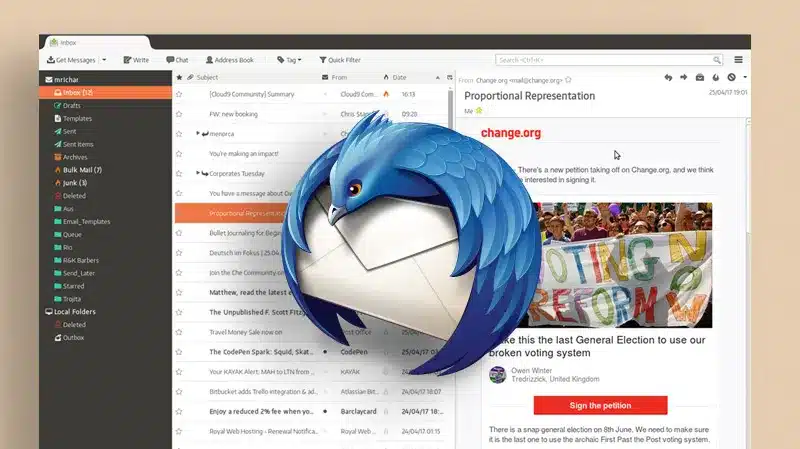
Thunderbird is the client I keep coming back to, and it’s the one I’d recommend first whenever someone asks about the best free email clients without any strings attached. Plus, it’s open source, maintained by MZLA Technologies (Mozilla’s subsidiary), and funded through donations rather than a paid tier squeezing features out of the free version.
It runs natively on Windows, Mac, and Linux, which instantly makes it one of the few true email clients that Windows, Mac, and Linux users can install without compromise.
One thing worth knowing before you install it: Mozilla now also sells Thunderbird Pro, a separate paid subscription currently in beta. It’s an optional add-on layer, not a change to the client you’re actually downloading – the free Thunderbird desktop app stays exactly that, free and fully functional, whether or not you ever touch Thunderbird Pro.
Key Features
- Unlimited email accounts across IMAP, POP3, and Exchange, with a genuinely unified inbox view.
- Built-in OpenPGP encryption (baked in since Thunderbird 78), so you don’t need a separate plugin to send encrypted mail.
- An integrated calendar – Lightning has been bundled directly into Thunderbird since version 38, not tacked on as a separate download – plus a large library of community add-ons and themes.
Mailspring
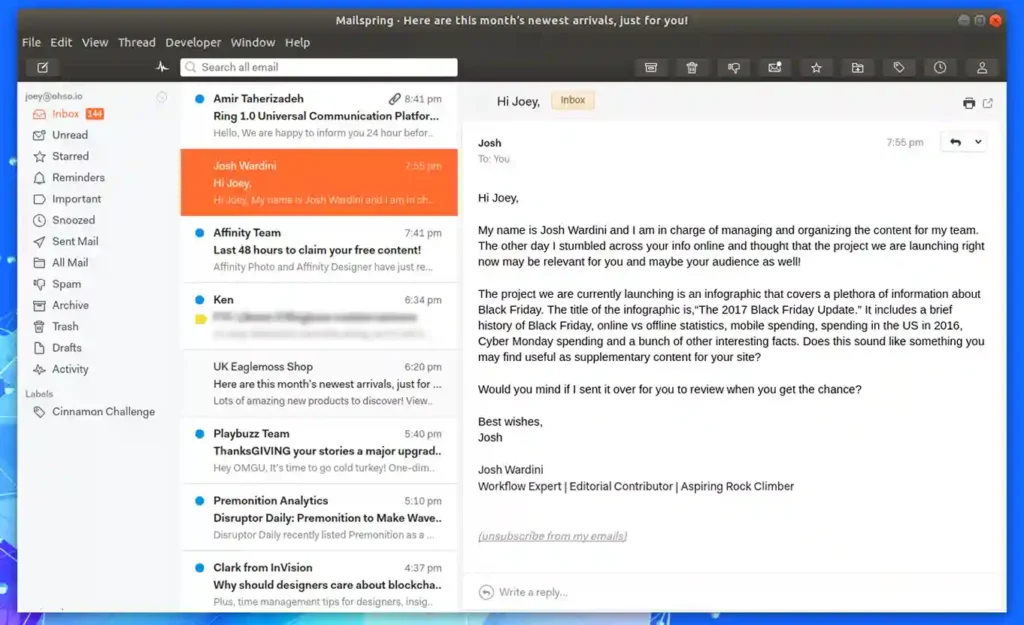
Mailspring is the one I hand to people who find Thunderbird a bit clunky but still don’t want to pay for an email client. It’s noticeably faster to open, has a cleaner interface, and – importantly for this list – it’s one of the few email clients for Linux that ships a native package (via Snap) instead of forcing you into Wine or a browser tab.
Key Features
- A unified inbox with unlimited free accounts and fast, indexed search across all of them.
- Snooze, send later, mail rules, and templates – all included in the free tier, not paywalled.
- A fast, native sync engine (built in C++, based on Mailcore2) that’s noticeably lighter on RAM and CPU at idle than most Electron-based clients.
BlueMail
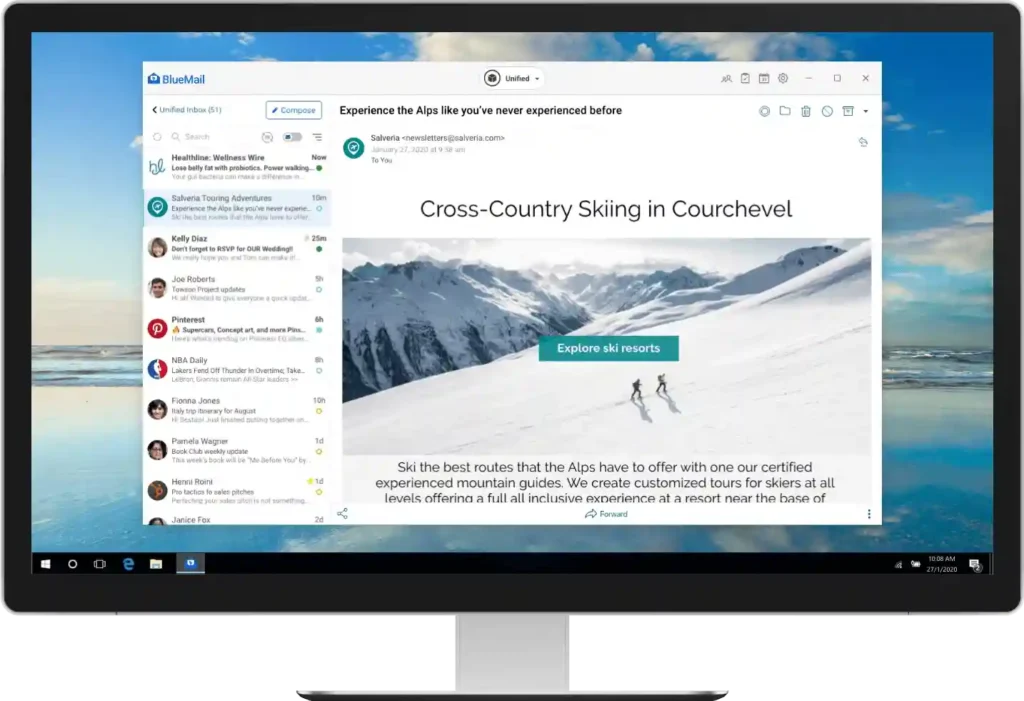
BlueMail surprised me. It’s one of the few apps on this list that delivers unlimited free accounts across Windows, Mac, and Linux – the Linux build is available through Flatpak and Snap, and it isn’t a stripped-down afterthought. If you manage a pile of inboxes across different providers and don’t want to pay for the privilege, BlueMail is worth a serious look.
Key Features
- People Mode, which lets you filter your inbox down to messages from actual humans, cutting out newsletters and automated noise instantly.
- Support for IMAP, POP3, Exchange, and EWS, with a provider-avatar system that makes multiple accounts easy to tell apart at a glance.
- GemAI, BlueMail’s built-in writing and summarizing assistant, available in limited form even on the free tier.
eM Client
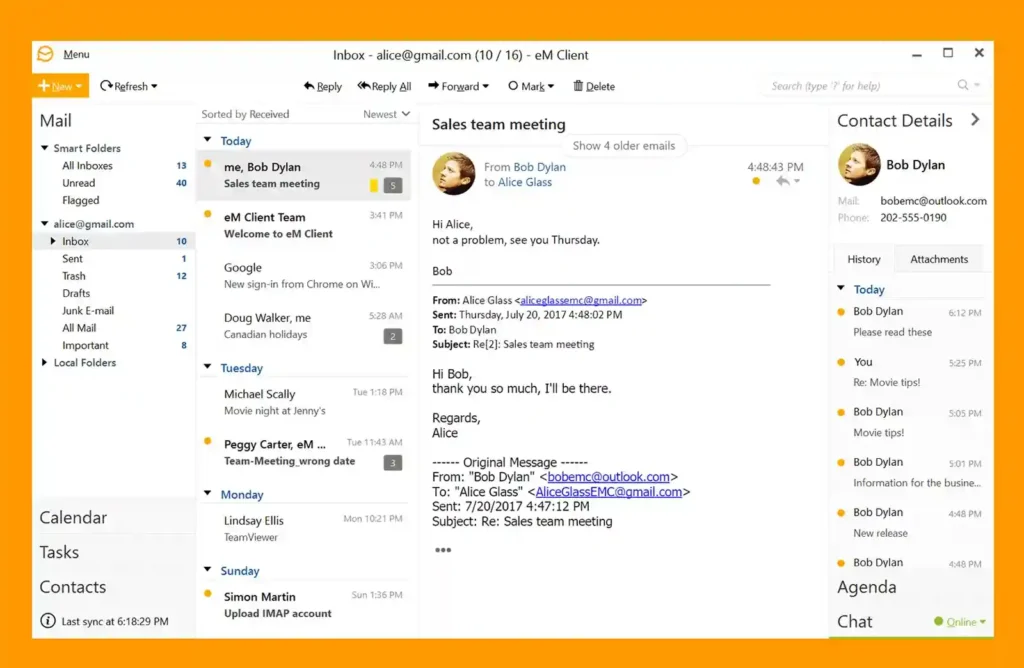
eM Client is the email client I recommend to people who care more about how their inbox looks and feels than about squeezing in ten accounts. It’s consistently one of the best-reviewed free email clients for design and day-to-day usability. So aesthetics-wise, it’s a pretty good choice in my opinion.
Key Features
- A clean, modern interface with integrated calendar, tasks, and contacts – everything lives in one app instead of being bolted on.
- Snooze, templates, QuickTexts, and a built-in translator that are unusually generous for a free tier.
- Fast, reliable search across even large mailboxes.
Spike
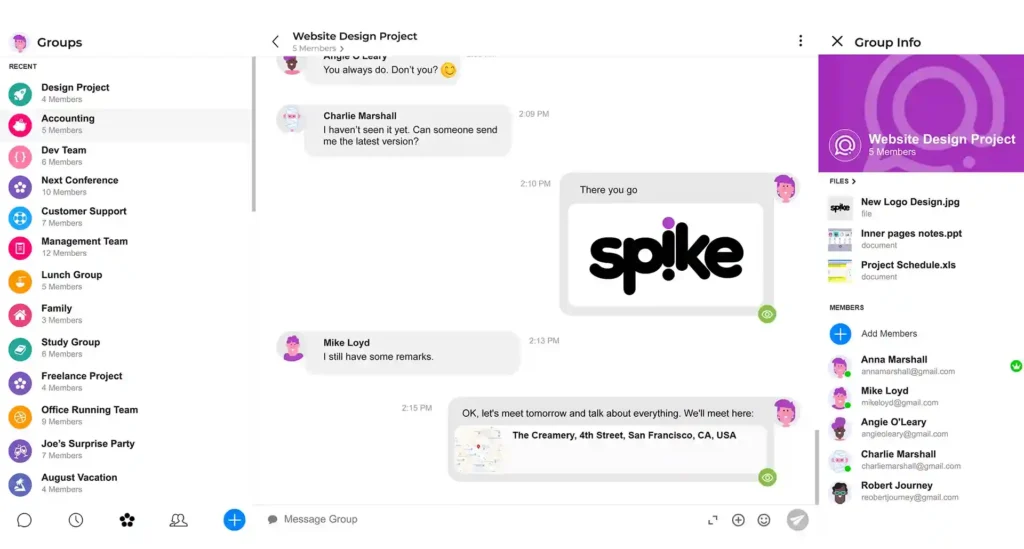
Spike takes a different approach entirely. Instead of a traditional inbox with subject lines and threads, it turns your email into something that looks and feels like a chat app. It sounds gimmicky until you actually use it – for some people, it makes email less exhausting.
Key Features
- Conversational email view that strips out subject lines and formatting clutter, presenting messages like a messaging app feed.
- Priority Inbox that separates important senders from newsletters and notifications automatically.
- Built-in notes, tasks, video calls, and calendar, so you’re not constantly switching between apps.
Key Considerations Before You Choose An Email Client
Before you install any of these, a few things are worth thinking through – because the best free email clients for someone else might not necessarily be the best fit for you.
- Account limits matter more than they seem: Thunderbird, Mailspring, and BlueMail all allow unlimited accounts for free; eM Client caps you at two. If you run three or four inboxes, that limit alone should narrow your choice.
- Check your OS first: Not every client supports every operating system. eM Client and Spike, for instance, don’t have native Linux apps – if you’re specifically after email clients for Linux, that rules them out immediately.
- Offline access isn’t universal: Clients that store mail locally – Thunderbird, eM Client, Mailspring – let you read and draft without an internet connection. Cloud-first apps like Spike are far more limited offline.
- “Free” AI features usually have a ceiling: BlueMail’s GemAI and similar assistants tend to work fine for light use, but unlimited AI usage is almost always gated behind a paid tier.
- Privacy trade-offs differ by app: Thunderbird and eM Client don’t collect your data for AI training. Apps like Spike and BlueMail process some data to power their smart features – not necessarily a dealbreaker, but worth knowing going in.
- A free client and a free-branded ecosystem aren’t always the same thing: Thunderbird itself is free forever, but Mozilla’s newer Thunderbird Pro services (Thundermail, Appointment, Send) are a separate paid product – don’t confuse the two when you’re comparing prices.
- IMAP over POP3, every time: If you want a real unified inbox that stays in sync across your phone and desktop, make sure whichever client you pick uses IMAP.
That’s a Wrap
If I had to pick one default recommendation out of the best free email clients I’ve tested, it’s Thunderbird, purely because it’s free without an asterisk and works identically well as an email client for Windows, email clients for Mac, and email clients for Linux.
But if you want something faster and prettier and don’t mind a two-account cap, eM Client is hard to beat on Windows and Mac. If you’re all-in on Linux and want a modern interface with more generous account limits, Mailspring or BlueMail will serve you better than Thunderbird’s more utilitarian look. If traditional inboxes stress you out, Spike is worth trying, Linux limitations aside.
Whichever you land on, don’t be afraid to install two or three of these and use them for a week each before committing. Free email clients cost you nothing but a little setup time, and that’s the best way to find out which one actually fits how you work.
For more info on tech and AI, visit Yaabot.
FAQs
Based on real-world testing, the best free email clients right now are Mozilla Thunderbird, Mailspring, BlueMail, eM Client, and Spike. Each is free to use long-term, though the account limits and feature sets differ, so the “best” one depends on your OS and how many accounts you manage.
Thunderbird, Mailspring, and BlueMail come closest to being email clients free of hidden limits – all three allow unlimited accounts without a forced upgrade. Others, like eM Client, are free but cap accounts, nudging heavier users toward a paid plan eventually.
Thunderbird, Mailspring, BlueMail, eM Client, and Spike all run well on Windows. If you want the most complete free feature set with no account cap, Thunderbird, Mailspring, and BlueMail are the strongest of the email clients for Windows covered here.
eM Client and Spike both feel especially polished on macOS, and Thunderbird, Mailspring, and BlueMail all run natively there too. Among email clients for Mac, eM Client stands out for its design, though its two-account free cap is worth remembering.
Thunderbird is the most complete of the free email clients for Linux, but it’s not the only one – Mailspring and BlueMail both ship legitimate Linux builds through Snap or Flatpak. eM Client and Spike, unfortunately, still don’t offer a native Linux app as of September 2026.
