


A private browser is a web browser designed to reduce tracking, fingerprinting, and data collection through built-in protections rather than relying on extensions alone.
Most people didn’t notice when their privacy tools stopped working. In mid-2025, Google removed support for Manifest V2, the system that powered powerful extensions like uBlock Origin and many privacy-focused browser extensions. By July 2025, Chrome disabled all MV2 extensions completely.
For many users, the blocker they trusted became weaker overnight. Quietly enough that most Chrome users still don’t realize it. That shift is exactly why more people are now searching for the most secure web browsers that offer stronger protections by default.
That’s what pushed me to test the most secure web browsers available today instead of assuming my existing setup was enough. I spent time with six options across Windows and macOS. I checked how each handles trackers and fingerprinting by default and identified which ones are the best private browsers to use in 2026.
Key takeaways
- Default browsers focus on compatibility and ecosystem features, and not maximum privacy.
- Best private browsers block trackers and limit data collection without requiring you to configure anything.
- No browser fully solves the privacy problem on its own. Layered tools fill the gaps.
- The right browser depends on your actual threat model, not just which one scores highest on a test.
- For most people, switching browsers does more for browser privacy than spending hours tweaking settings.
How The Best Private Browsers Compare In 2026
| Browser | Best For | Trackers | Fingerprinting | Speed | Open Source | Mobile |
|---|---|---|---|---|---|---|
| Brave | Most users | Built-in Shields | Good (farbling) | Fast | Yes | Yes |
| Firefox | Configurable | ETP (tune it) | Moderate | Fast | Yes | Yes |
| Mullvad | Anti-fingerprint | Built-in uBlock Origin (preconfigured) | Excellent | Good | Yes | No |
| LibreWolf | Hardened fork | uBlock Origin | Good | Good | Yes | No |
| Tor | Max anonymity | Strong | Best | Slow | Yes | Android |
| DuckDuckGo | Simplicity | Built-in | Moderate | Fast | Partial | Yes |
Note: all browsers listed are free. Fingerprint protection ratings based on PrivacyTests.org and EFF Cover Your Tracks methodology.
Why Your Current Browser Probably Is Not Actually The Best Private Browser
Before looking at better options, it helps to understand why popular browsers fall short. Most privacy gaps aren’t caused by user mistakes; they’re built into how these browsers operate.
Chrome
Chrome prioritizes compatibility and advertising integration. Incognito mode hides history on your device, but it does not stop websites or trackers from collecting data. Recent extension changes also reduced how deeply third-party tools can filter tracking requests.
Edge
Edge follows a similar model to Chrome. Diagnostic data collection is enabled by default, and private browsing mainly protects local history rather than online tracking. Strong privacy usually requires manual configuration.
Safari
Safari includes strong built-in tracking protections through Intelligent Tracking Prevention (ITP), which limits cross-site tracking and third-party cookies by default. However, it remains closed-source and is limited to Apple’s ecosystem, making it less flexible for users who want deeper control or independent verification.
Most tracking today happens invisibly, through third-party scripts, analytics tools, and embedded advertising networks that load alongside normal web content. Default browsers prioritize compatibility with these systems, which is why many tracking elements load without interruption unless specific protections are enabled.
The 6 Best Private Browsers in 2026
1. Brave – The Overall Best Private Browser
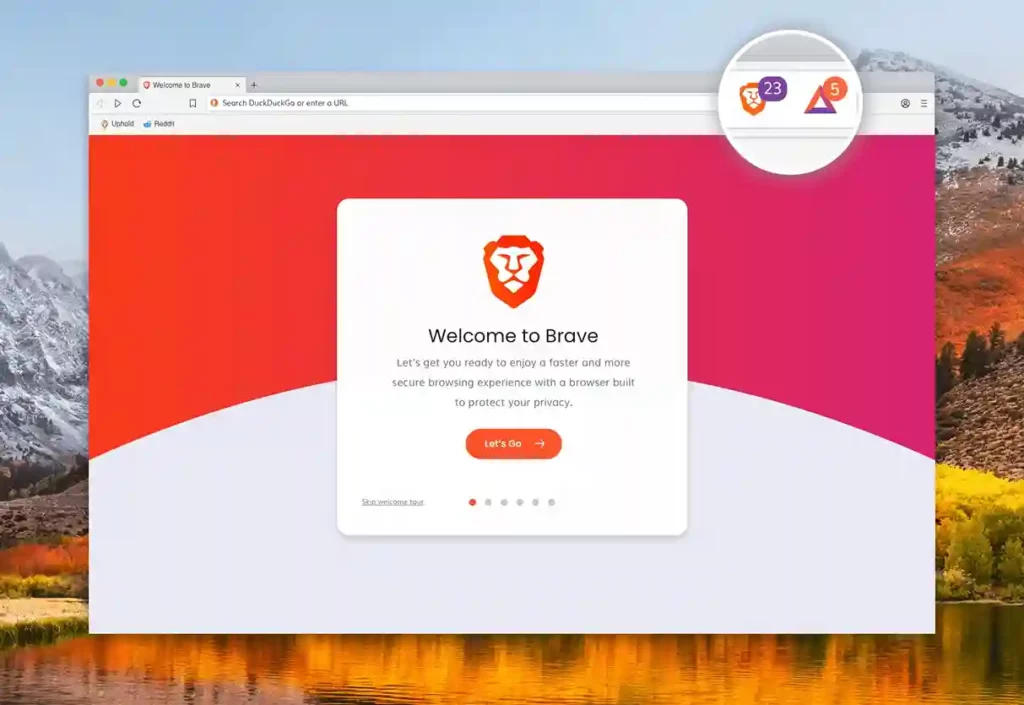
My first recommendation is Brave for most people, and it’s not a close call.
Brave is the easiest upgrade for people leaving Chrome. It’s built on Chromium, so extensions and layouts feel familiar, but it blocks trackers, ads, and many fingerprinting attempts by default. Most users don’t need to change settings to get meaningful privacy improvements.
Tech snapshot:
- Built-in ad and tracker blocking is enabled by default.
- Fingerprint randomization reduces cross-site tracking.
- Optional private browsing with Tor support.
Pros:
- Strong privacy protections without needing configuration.
- Supports most Chrome extensions without compatibility issues.
- Good balance between speed, privacy, and usability.
Cons:
- Includes extra features (crypto, rewards) that some users may ignore.
- Privacy defaults are strong but not as strict as hardened browsers.
Platforms: Windows, macOS, Linux, Android, iOS
Open source: Yes (Chromium-based)
For anyone moving off Chrome who wants solid privacy without rebuilding their workflow, Brave is where to start.
2. Firefox – Best for configurable privacy
Firefox is the browser to pick if you want control over how private your setup becomes. Out of the box, protections are decent, but its real strength comes from flexibility. With stricter settings and full support for uBlock Origin, Firefox can match or exceed most.
Tech snapshot:
- Built-in Enhanced Tracking Protection blocks common trackers.
- Supports advanced privacy extensions and custom configurations.
- Allows detailed control over cookies and site permissions.
Pros:
- Highly customizable privacy and security settings.
- The large extension ecosystem supports deep privacy tuning.
- Open-source development with strong community support.
Cons:
- Requires configuration to reach maximum privacy.
- Default settings are good, but not the strongest available.
Platforms: Windows, macOS, Linux, Android, iOS
Open source: Yes
3. Mullvad Browser – Best for anti-fingerprinting
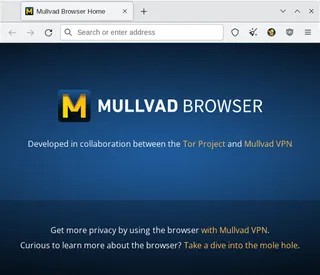
Mullvad Browser is technically the most interesting option here, and also the most demanding to live with.
This browser focuses on making every user look identical rather than just blocking trackers. It removes customization options and standardizes browser behavior to reduce fingerprint uniqueness. The result is strong fingerprint resistance, but with tradeoffs in convenience and site compatibility.
Tech snapshot:
- Strong fingerprint protection is enabled by default.
- Standardized browser settings reduce device uniqueness.
- Automatically clears session data between browsing sessions.
Pros:
- Minimal configuration needed for strong privacy.
- Designed specifically to reduce tracking through fingerprinting.
- Developed with privacy-first design principles.
Cons:
- Limited customization compared to Firefox.
- Desktop-only availability restricts mobile users.
Platforms: Windows, macOS, Linux
Open source: Yes
Mullvad Browser is currently available for desktop platforms only. Mobile users can use Mullvad VPN alongside other privacy-focused browsers.
4. LibreWolf – The best hardened Firefox fork
LibreWolf removes Mozilla telemetry and adds hardened privacy defaults on top of Firefox. It behaves similarly to Firefox but starts from a more locked-down state, including automatic cookie clearing and tracker blocking. The tradeoff is slightly more maintenance and occasional login friction.
Tech snapshot
- Removes telemetry and background data collection.
- Enables hardened privacy settings by default.
- Includes built-in tracker blocking configuration.
Pros:
- Strong privacy defaults without manual setup.
- No telemetry or background data reporting.
- Familiar Firefox interface with stricter protections.
Cons:
- Updates may lag slightly behind Firefox releases.
- Smaller support ecosystem compared to mainstream browsers.
Platforms: Windows, macOS, Linux
Open source: Yes
5. Tor Browser – Best for maximum anonymity

Tor Browser is designed for situations where anonymity matters more than speed. It routes traffic through multiple relay nodes and applies strong fingerprint resistance to hide both identity and browsing patterns. The tradeoff is slower performance and occasional site blocking.
Tech snapshot:
- Routes traffic through multiple encrypted relays.
- Standardizes browser behavior to prevent fingerprinting.
- Isolates sessions to prevent cross-site tracking.
Pros
- Provides the strongest anonymity among mainstream browsers.
- Reduces both tracking and IP-based identification.
- Designed for privacy-critical browsing scenarios.
Cons
- Slower performance due to network routing.
- Some websites block or limit Tor traffic.
Platforms: Windows, macOS, Linux, Android
Open source: Yes
If you’re a journalist contacting sources, a researcher handling sensitive material, or you’re in a country with active surveillance infrastructure, this is the right tool. For general privacy-conscious browsing, the speed penalty makes it impractical day-to-day.
6. DuckDuckGo Browser – Best for mobile simplicity
DuckDuckGo Browser focuses on simplicity rather than deep customization. It blocks common trackers automatically and includes tools for quickly clearing browsing data. It’s particularly useful for mobile users who want better privacy without managing complex settings.
Tech snapshot
- Built-in tracker blocking across visited websites.
- Automatic privacy protections are enabled by default.
- One-tap clearing of browsing data and sessions.
Pros:
- Very simple to use with minimal configuration.
- Clean interface focused on everyday privacy.
- Works well for users switching from default browsers.
Cons:
- Fewer advanced customization options.
- Privacy protections are simpler than hardened browsers.
Platforms: Windows, macOS, Android, iOS
Open source: Partial (mobile apps only)
This is the one I’d point someone toward if they want a meaningful step up from Chrome with zero configuration overhead.
How We Assessed These Browsers
To identify the most reliable private browsers, each option was evaluated based on privacy architecture, transparency, and real-world usability. The goal was not only to measure theoretical privacy strength but also how practical each browser is for everyday users.
The following criteria were used:
Default privacy protections: Browsers were assessed based on how many tracking protections are enabled automatically, without requiring manual configuration or extensions.
Fingerprint resistance: Since device fingerprinting is a growing tracking method, browsers that reduce uniqueness or standardize device signals were prioritized.
Transparency and development model: Open-source development, documented privacy policies, and public security practices were considered indicators of long-term reliability.
Performance and usability: Privacy tools are only effective if users can rely on them daily. Browsers were evaluated for speed, compatibility, and ease of use alongside privacy protections.
Update reliability: Regular updates and security patch frequency were reviewed to ensure long-term safety.
When A Private Browser Is Not Enough – And What To Add
A private browser covers what happens inside the browser. It doesn’t cover everything.
DNS queries: Your ISP can see every domain you look up, even before a page loads. DNS-over-HTTPS encrypts those lookups. Most of the browsers above support it, and enabling it takes about two minutes in settings.
Your IP address: Every browser except Tor still exposes your IP to every site you visit. A VPN handles this. Pairing Mullvad Browser with a VPN covers both fingerprinting and IP exposure at once.
App and device tracking: Trackers in apps, smart TVs, and non-browser traffic don’t care what browser you use. A DNS-level blocker like NextDNS or Pi-hole handles those at the network level.
Account-based tracking: Logging into major platforms like email, social media, or shopping accounts allows companies to track activity across devices, regardless of browser choice. Private browsers reduce passive tracking but cannot prevent tracking tied to logged-in accounts.
Network-level tracking: Internet service providers and public Wi-Fi networks can still monitor browsing activity patterns, even when private browsers block trackers.
Human behavior risks: Reusing passwords, clicking unknown links, or installing unsafe extensions can expose data regardless of browser privacy settings.
The browser is one layer. Not the whole answer.
Who should not bother switching
Not everyone benefits equally from changing browsers.
Managed work devices: If you use a corporate system where IT controls browser settings, security policies matter more than browser choice.
iPhone users with Safari: If you’re on iOS using Safari with content blockers enabled, you already have a strong baseline of privacy. Apple’s tracking protections work well, and alternative browsers offer limited additional benefits.
Convenience-first users: If privacy isn’t a major concern and your browsing is routine, switching may add friction without meaningful payoff. The biggest gains matter most for people handling sensitive research, avoiding profiling, or operating in monitored environments.
How to switch to a private browser without losing your data
Switching browsers doesn’t mean starting from scratch. Most modern browsers allow importing bookmarks, saved passwords, and browsing history from existing installations. This makes the transition smoother than many users expect.
Before switching, export your bookmarks and confirm that password syncing is available, or use a password manager to avoid lockouts. After installation, review privacy settings once and enable built-in protections like encrypted DNS if available.
For most users, switching takes less than ten minutes, but the privacy improvement lasts much longer.
How to Choose the Right Private Browser for Your Needs
- Don’t assume the most secure option is always necessary: Some of the most secure web browsers are designed for anonymity, which may not be required for everyday browsing.
- Check if it works on your devices: Choose a browser available on both desktop and mobile if you browse across multiple devices.
- Look for strong protections enabled by default: Browsers that block trackers automatically are easier to use without extra setup.
- Consider website compatibility and speed: Some privacy-focused browsers may slow browsing or limit access to certain websites.
- Make sure the browser receives regular updates: Frequent security updates help protect against new tracking methods and vulnerabilities.
The Bottom Line
Switching to a privacy-focused browser is one of the simplest ways to reduce everyday tracking. Default browsers prioritize compatibility and ecosystem integration, while privacy-first browsers prioritize data minimization and user control. The difference isn’t theoretical; it shows up in how much data gets collected before you even change settings.
Choosing from the most secure web browsers available today is one of the simplest ways to reduce everyday tracking risks. For most users, the best approach is practical: choose a browser with strong defaults, enable basic protections like encrypted DNS, and add extra tools only if your privacy needs are higher.
Want to stay ahead of where money and technology are heading? At Yaabot, we cover the latest in AI, fintech, machine learning, and the tech developments reshaping how you work, spend, and invest.
Frequently asked questions (FAQs)
The best private browsers in 2026 are Brave, Firefox, Mullvad Browser, LibreWolf, Tor Browser, and DuckDuckGo Browser. Each offers different strengths, from strong default tracker blocking to advanced fingerprint resistance and anonymity features. The best choice depends on whether you prioritize convenience, customization, or maximum privacy protection.
Most of the best private browsers in 2026 lists remain consistent because privacy technologies change gradually. Updates usually improve protections rather than introduce entirely new browsers, so choosing a well-maintained option matters more than chasing trends.
No. Incognito mode only stops your device from saving history locally. It does not block trackers or hide your identity. A private browser improves browser privacy by limiting tracking itself, not just local storage.
Chrome introduced extension changes that affected how advanced blockers work. As a result, some privacy tools function differently or with limits. This is one reason many users consider switching to alternative private browsers.
Both Brave and Firefox are strong private browser choices for Android, offering reliable tracker blocking. DuckDuckGo works well for simplicity, while Tor Browser suits users who need stronger anonymity but can tolerate slower browsing.
No private browser stops all tracking. Most block common trackers and scripts, but network-level signals like IP addresses can still reveal activity. Combining a secure browser with encrypted DNS or a VPN improves overall protection.
