


When deciding between Canva vs Adobe Express or Figma, most people pick a design tool based on which one their favorite YouTuber uses. That is the wrong way to choose, and it is costing creators and small business owners hours every week.
The truth is that when comparing Canva vs Adobe Express and Figma, they were built for completely different jobs. One was built for speed, one for brand consistency, and one for precision design work. If you pick the wrong one, you will spend more time fighting the interface than actually creating.
This guide explores what each platform actually does, then compares them directly so you can pick the right one for your needs.
Key Takeaways
- Canva is the easiest starting point for beginners who need quick social posts, presentations, and marketing graphics.
- Adobe Express works best if you already use Adobe products or need strong brand kit features without a steep learning curve.
- Figma is built for interface design and prototyping, not quick social graphics, so it has the steepest learning curve of the three.
- For most non-designers, Canva wins on ease of use, template variety, and all-in-one functionality.
- Adobe Express is the better pick if brand consistency and Adobe ecosystem integration matter more than template volume.
- Figma should only be your first choice if you are designing apps, websites, or working closely with developers.
Canva: The Quick Start Option

Canva is a browser-based graphic design platform built around drag-and-drop templates. It covers social media posts, presentations, videos, and print materials, all from one dashboard.
Core strengths
- A massive library of over 250,000 templates covering nearly every format and platform.
- One-click resizing that adapts a single design across Instagram, Pinterest, YouTube, and more.
- Built-in scheduler for posting directly to social platforms.
- Background remover, AI design tools, and brand kits available on Pro.
Who it is built for
Canva is built for people who want a finished design fast, without learning design principles first. It works well for small business owners, content creators, and marketing teams looking at the Canva vs Adobe Express debate.
Adobe Express: The Brand Conscious Option

Adobe Express is Adobe’s simplified design tool. It pulls from Adobe’s stock library and Creative Cloud ecosystem, but strips away the complexity of tools like Photoshop or Illustrator.
Core strengths
- Access to Adobe Stock, which leans more polished and brand-oriented than Canva’s library
- Brand kit features that sync fonts, colors, and logos across every asset
- Direct integration with Creative Cloud, useful if you already use Photoshop or Illustrator
- Animation tools for simple motion graphics and social video covers
Who it is built for
Looking closer at Canva vs Adobe Express, the latter is built for people and businesses already inside the Adobe ecosystem, or anyone who wants strict brand consistency without learning a full design suite.
Figma: The Precision Option

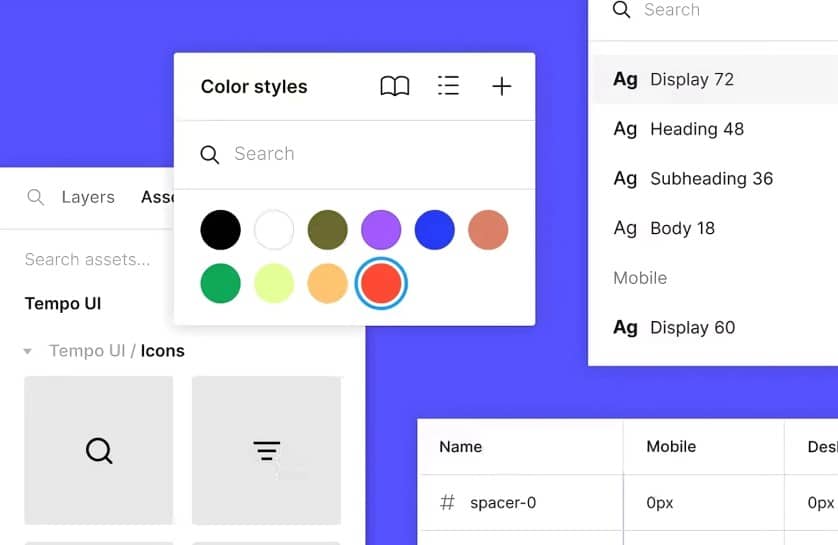
Figma is a design and prototyping tool used mainly for websites, apps, and product interfaces. It is built for precision layout work and close collaboration with developers, not quick marketing graphics.
Core strengths
- Canvas first design, meaning you build layouts from scratch using frames and components.
- real-time collaboration built for design and engineering teams working in the same file.
- Component systems and shared libraries that keep design elements consistent across a product.
- Developer handoff features that let engineers pull exact measurements and colors from a file.
Who it is built for
Figma is built for people designing apps, websites, or product interfaces, especially when working alongside developers. It is less suited to quick social graphics or one off marketing posts.
Quick Comparison Table
| Feature | Canva | Adobe Express | Figma |
| Price | Free plan, Pro from $15/month | Free plan, Premium from $9.99/month | Free plan, Pro from $12/month |
| Ease of Use | Very easy | Easy | Moderate to steep |
| Templates | 250,000+ | Large Adobe stock library | Limited, mostly UI kits |
| Best For | Social media, presentations, quick graphics | Branding, Adobe ecosystem users | App and website design, prototyping |
| Collaboration | real-time, team friendly | Good, tied to Adobe Creative Cloud | Excellent for design and dev teams |
| Learning Curve | Minimal | Low | High |
Canva vs Adobe Express: Which Should You Choose?
This is the comparison most beginners actually care about, since both tools target the same audience.
Ease of use for beginners
Canva’s drag-and-drop interface is built so that a first time user can create a usable design within minutes. Adobe Express is also beginner friendly, but its layout borrows some structure from Adobe’s professional apps, which can feel slightly less intuitive at first.
Templates and design library
Canva’s template library is massive and constantly updated for trends, holidays, and platform-specific formats. Adobe Express offers fewer total templates but leans more polished and brand-oriented.
Pricing comparison
- Canva Free covers most basic needs with limited premium elements
- Canva Pro unlocks brand kits, background remover, and resizing tools
- Adobe Express Free includes access to a smaller set of premium templates
- Adobe Express Premium adds more stock content and Adobe font access
Brand kit and Adobe integration
If your work already lives inside Photoshop, Illustrator, or Premiere, Adobe Express slots in naturally. Files, fonts, and brand assets sync across the Creative Cloud ecosystem, which Canva cannot match.
Best use cases
- Canva fits social posts, quick flyers, presentations, and video edits
- Adobe Express fits branded graphics for businesses already inside Adobe’s ecosystem
Verdict
For most non-designers without existing Adobe subscriptions, Canva is the faster and more flexible choice. Adobe Express becomes the better option only if brand consistency through Adobe tools is a priority.
Canva vs Figma: Which Should You Choose?
This comparison matters most for people deciding between quick content creation and structured design work.
Purpose difference
Canva is the template-first. You pick a layout and customize it. Figma is canvas first, meaning you build layouts from scratch using frames, components, and design systems, which is closer to how professional product designers work.
Learning curve comparison
- Canva requires almost no learning curve
- Figma requires understanding frames, auto layout, and components before you can move efficiently
- Beginners often find Figma overwhelming for simple tasks like a social media post
Collaboration and team workflows
Figma’s real-time collaboration is built for design and engineering teams working on the same file simultaneously, with comments, version history, and developer handoff features. Canva’s collaboration is simpler and works well for marketing teams reviewing social content together.
Pricing
Figma’s free plan is generous for individuals, but team features and unlimited projects require a paid plan. Canva’s pricing structure focuses more on content volume and brand features than collaboration tiers.
Verdict
If your goal is fast content creation, the entry-level benefits of Canva vs Adobe Express carry over, and Canva wins easily. If your goal involves designing apps, websites, or working with a development team, Figma is worth the learning curve, even as a non-designer.
Pricing Breakdown: Free vs Paid Plans Compared
Free plans look similar on paper, but what they actually unlock is very different across these three tools.
Canva Free vs Canva Pro
- Free covers basic templates, limited stock photos, and standard export sizes
- Pro adds brand kits, background remover, premium templates, and AI design tools
- Pro also unlocks one-click resizing across multiple platforms at once
Adobe Express Free vs Premium
- Free includes access to a limited set of templates and basic editing tools
- Premium unlocks the full Adobe Stock library, premium fonts, and extended animation features
- Premium also removes watermarks on certain video and animation exports
Figma Free vs Professional
- Free covers unlimited personal files but limits team projects and version history
- Professional adds unlimited team libraries, shared component systems, and longer version history
- Professional becomes necessary once you collaborate with more than a couple of teammates
Who should upgrade and when
- Upgrade Canva if you hit the resizing or brand kit wall more than once a week
- Upgrade Adobe Express if your brand needs consistent fonts across every asset
- Upgrade Figma only once team collaboration becomes a daily requirement
The pattern across all three mirrors a broader rule worth applying to any software decision, which is that paying only makes sense once a free tier limit starts blocking real work, not before.
Best Online Design Tools for Non-Designers
Non-designers should prioritize tools that reduce decision fatigue, not add to it.
- Templates matter more than blank canvas flexibility for most beginners
- drag-and-drop interfaces save hours compared to learning design fundamentals
- All-in-one platforms reduce the need to juggle multiple apps
Ranking for non-designers
- Canva, for its balance of simplicity and feature depth
- Adobe Express, for brand consistency without a steep learning curve
- Figma, for those who specifically need app or website design
Best Tools for Social Media Design
Social media is where most non-designers spend the bulk of their design time, so this category deserves its own breakdown.
Canva’s social specific features
- built-in scheduler for posting directly to platforms
- one-click resizing across formats like Instagram, Pinterest, and YouTube
- Background remover and AI design tools included in Pro
Adobe Express social templates
- Strong template selection for Instagram Stories and Reels covers
- Brand kit ensures consistent fonts and colors across every post
- Animation tools for simple motion graphics
Quick recommendation
For volume and speed across multiple platforms, Canva is the stronger pick. For brands that need every post to match a strict visual identity, Adobe Express has the edge.
Common Mistakes Non-Designers Make When Choosing a Design Tool
Most tool regret comes from a handful of avoidable decisions made early on.
- Picking a tool based on popularity instead of the actual task, like choosing Figma for a simple Instagram post
- Ignoring the export formats a platform requires, then discovering files do not fit after the fact
- Underestimating brand consistency needs early on, then redoing weeks of graphics later
- Upgrading to a paid plan before ever hitting a real limit on the free version
- Not checking team collaboration needs before committing, then switching tools mid project
Most of these mistakes come down to choosing based on assumptions rather than actual usage patterns, which is the same trap people fall into when managing too many overlapping apps instead of sticking with what already covers the job.
Real World Use Case Examples
1.Small business owner
A local bakery owner uses Canva to create daily Instagram posts, weekly promotions, and seasonal menu graphics, all without hiring a designer. The resizing tool alone saves hours each week.
2. Freelancer
A freelance consultant uses Adobe Express to create branded one-page proposals and presentation decks for clients, leaning on Adobe’s brand kit to keep every deliverable consistent. This kind of setup pairs well with the broader content creation tools many freelancers now rely on.
3. Startup team
A small startup team uses Figma to design their app’s onboarding screens, with developers pulling exact measurements and colors directly from the file during handoff. This keeps design and development tightly aligned without constant back-and forth-meetings.
Final Thoughts
The right tool depends on what you are actually trying to do, not which platform looks the most popular.
Choose Canva if you want speed, templates, and an all-in-one toolkit for everyday content. Choose Adobe Express if brand consistency and Adobe integration matter most for your workflow. Choose Figma if you are designing apps, websites, or working closely with developers.
For most non-designers, starting with Canva makes the most sense. You can always layer in Adobe Express or Figma later as your needs become more specific and your projects grow in complexity.
FAQs
Canva is generally the easier starting point for absolute beginners, thanks to its larger template library, simpler drag-and-drop layout, and lower learning curve. Adobe Express becomes more useful once brand consistency, Adobe font access, and Creative Cloud integration start to matter more for your work.
Yes, but expect a real learning curve compared to Canva or Adobe Express. Figma rewards patience for users who need precise layouts, especially for app or website design projects involving frames, components, and close collaboration with development teams.
All three platforms offer usable free plans for everyday work. Canva’s free plan covers the widest range of common tasks like social posts and presentations, making it the most practical long-term free option for most non-designers starting out.
Canva is the strongest pick for social media graphics, thanks to its platform-specific templates, built-in content scheduler, and one-click resizing across formats like Instagram, Pinterest, and YouTube, most of which are available even on the free plan.
