

Imagine this: you’re on a call with your manager, and you need to jot down some important notes for later. You pick up a napkin (because that was the most feasible option), scribble down a few points, and keep it in your pocket. Sounds like a simple task to do, right?
But then something unwanted happened: you washed your jeans and lost all the details you’d jotted down.
This is a common pain point. We all want the speed of a paper napkin for notes, along with all the conveniences that digital notes have.
Now, I know most note apps frustrate us too. If you get an instant idea, you are first expected to create folders, choose titles, tags, etc. That’s why I’m here to solve the problem.
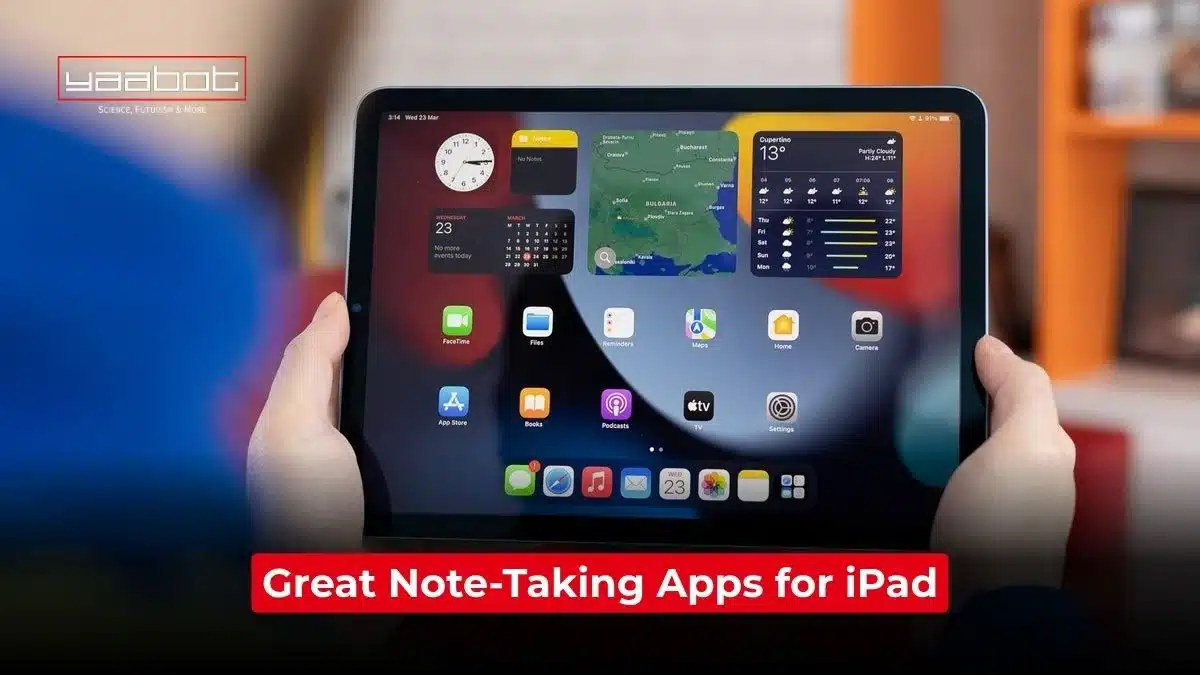
In this blog, you’ll find the 8 great note-taking apps for iPad that are curated to make your life easier- the apps that actually offer the speed of paper and the safety of computers.
Key Takeaways
- Obsidian and Anytype keep everything on your device with no subscription, but you lose the cross-device cloud access that others offer.
- Notion and Capacities are more like databases than notepads, so they reward setup time with better structure, not speed.
- UpNote and Bear don’t have monthly fees while still offering real formatting – a rarity in note-taking apps for iPad.
- Google Keep and Apple Notes win on speed for a fleeting thought but aren’t ideal if you have hundreds of linked notes.
8 Best Note-Taking Apps for iPad
Obsidian

Most iPad note apps act like a rented storage locker in the cloud. They require an internet connection and a monthly fee. But Obsidian is different from the mainstream note-taking apps. It is a safe space that saves your notes on the hard drives (of phones/computers) as simple text files. No need for wifi, no extra money involved, and complete security guaranteed.
How Obsidian Works
Let’s imagine you’re a food blogger working on your next article about a coffee shop (everyone’s favorite topic).
- You create a note to write about your favorite coffee shop (mine’s Third Wave, 24/7)
- Inside that note, you create a separate note about their Cappuccino.
- Inside the cappuccino note, you write a note about Italy, which is home to this coffee type.
Compared to a normal app, these notes get buried in different folders, making them hard to navigate. But with Obsidian notes, you just click those note links, and the app connects you to different sections. Obsidian also creates a Graph View that shows how your thoughts are interconnected.
Ratings:
- Google Play Store: 4.4 / 5 (preferred for speed)
- Apple App Store: 4.6 / 5 (Mac and iPad users praise this app a lot)
What people like:
- Reddit users prefer this app for daily journaling.
- The notes are like standard PDFs where your data will stay readable for decades.
- Obsidian supports community add-ons. For example, developers can share extensions and Plugin features that help them access Kanban boards, galleries, and spreadsheets in your text files.
Notion
Note apps are similar to notebooks – you can only write on lines. But Notion is more like a digital Lego block bucket.
Let’s say you want to add multiple pieces of content like a web link, a checklist, a photo, a sentence, etc. Everything is added as a separate block in Notion for iPad and Android. You can stack the blocks next to each other, drag and drop them, or turn the page into a spreadsheet, team planner, or a functional calendar.
How it works:
You are going to Vietnam in the next 2 months, and you need a great note-taking app in 2026 to plan the vacation. Enter Notion.
- Here, you don’t create a messy list of flights, costs, and hotels. Instead, you create a Table Dashboard.
- You list your expenses in the table, and Notion adds up the costs automatically.
- All it takes is one click to convert the list into a Calendar View. It will help you understand due tour or hotel deposits.
Life sounds easier when there’s a single dashboard page, doesn’t it?
Ratings:
- Google Play Store: 4.6 / 5 (excellent database tools)
- Apple App Store: 4.8 / 5 (remote teams and students prefer Notion a lot)
What I (and others) like:
- Users prefer this as an all-in-one data hub that reduces the need for four different apps.
- A Notion board comes with an aesthetic and clean dashboard; it is already an internet favorite for its beautiful visual layouts.
We’ve covered Notion previously in Yaabot’s guide to the best life organization apps, a comparison between Obsidian, Notion, and Mem.
Capacities

Most note apps are similar to a traditional filing cabinet. Everything, whether a note about a recipe, notes taken during a meeting, or a phone number of a friend, is treated as one standard document in the folder.
However, Capacities works differently. It regards notes as “objects” that can exist in the real world. So the app can classify notes according to their character instead of treating all notes as flat text documents. In other words, Capacities is definitely not boring.
How it works:
Moving on from being a blogger and traveler, imagine you’re now an avid reader. You need a note-taking app to list the books you’ve read this year. With Capacities, it gets even easier.
- You don’t type a normal note here. You inform the app that you want to create a book object.
- Capacities will design custom boxes where you can fill in your Author Name, Date Finished, Star Rating, and other similar details.
- The moment you enter an author’s name, this app will automatically file their name under the relevant section.
- Product Hunt: 3.2 / 5 (best for visual organization)
- Apple App Store: 3.9 / 5 (clean and modern look)
What people like:
- Capacities note-taking app doesn’t have any sorting stress; it does the heavy lifting for you.
- You can connect all your information easily with Capacities. It is a go-to app for managing projects and clients.
- Capacities doesn’t require hours to set up; it is a ready-to-use app.
Anytype

Anytype is a great note-taking app in 2026 that combines local, strong privacy with features like drag-and-drop block layout. Once you finish writing your notes, they are converted into unreadable codes and saved on your devices. With Anytype, no cloud provider or tech company can read or scan your business logs.
How it works:
Let’s say you noted down some confidential information related to a business idea.
- Using Anytype, you can design a beautiful page with tracking tables, charts, and checkboxes.
- Now, the app turns your text files into secure code and sends it to your mobile device over your home WiFi network.
Ratings:
- Google Play Store: 4.3 / 5 (offline privacy and a gorgeous design)
- Apple App Store: 4.65 / 5 (smooth mobile layouts and fast process)
What people like:
- Anytype is like an offline Notion dream. It is similar to Notion’s database style, and is lightning fast and local.
- It has a modern user interface.
- Open source and completely free
UpNote

Imagine a classic car that you really love to drive. But after a few years, you’re having to pay a monthly fee just to roll down the windows. UpNote is the replacement car (and modern, btw) that runs perfectly. If you’re looking for a traditional notebook system, UpNote will cut the deal. It comes with a clean section of notebook lists on the left, your notes in the middle, and modern formatting options that don’t require complicated technical setup.
How it Works
Let’s say you are a history teacher (or any other subject you would love to teach)
- You create a virtual notebook and name it History 101.
- Inside the notebook, you type lecture notes and use different colors to highlight important terms.
- You can use a code to lock that notebook so no one else can access it.
Ratings:
- Google Play Store: 4.7 / 5 (stable cross-platform sync).
- Apple APP Store: 4.8 / 5 (highest-rated rich-text notes applications).
Benefits
- UpNote doesn’t have a heavy tech footprint.
- Many users have been canceling other great note-taking apps in 2026 and switching to UpNote’s clean interface.
- It is a highly rated app offering page tags and notebook syncing.
Bear

To be honest, do you like writing in a boring note-taking app? Because I clearly don’t. I want my app to do more than be a digital equivalent of a piece of paper. That’s the problem Bear solves. It is a designer, premium-looking note-taking app built exclusively for Apple devices like iPad, iPhone, Mac, etc. The interface looks clean and features beautiful color themes and fonts. It makes your typing experience both fun and satisfying.
How it Works
This time, you are a creative writer, trying to brainstorm new ideas for a book.
- As you work on your character descriptions, you don’t create folders beforehand. Instead, you just enter hashtags in your text, such as #Characters/Hero.
- If you need to add something about the setting of your story, you’ll type #Settings/Castle.
Bear creates an organized folder structure for you as you write. Your job is only to write naturally.
Ratings:
- Apple App Store: 4.6 /5 (this app has won numerous Apple Design awards)
- Mac App Store: 4.8 /5 (writers looking for a quiet and clean desktop space prefer this app)
Benefits
- Bear offers clean and flawless writing.
- Provides fast performance
- Stunning layouts and themes
Google Keep

Google Keep consists of sticky Post-it notes. If you need an app for super-fast note-taking, Google Keep is everything you are looking for. No confusing menus, complicated setups, or folders. All you have to do is open the application, write your thoughts, color-code the note, and close the app. That’s it.
How it Works
Picture yourself strolling through the kitchen and realizing that you’ve run out of milk.
- You take your smartphone from your pocket, launch Google Keep, and hit the little checkbox button.
- You create a note saying “milk” and set it to always be at the top of the app screen.
- When you go to the supermarket later on, this note pops up on your phone’s screen. You check off milk, and it disappears from your app screen.
Ratings:
- Google Play Store: 4.5 /5 (1 billion downloads and 1.5 million reviews)
- Apple App Store: 4.7 / 5 (fast companion utility tool)
Benefits
- Google Keep is the best app for instant, regular brainstorming.
- There’s a feature called ‘Grab Image Text’ that lets you convert photos into text.
- You can set location-based alarms, and the specific note will pop up on your screen.
Apple Notes

Can’t end without talking about this app.
When you order a food item, it exposes you to a lot of options and flavors, yes. But it also comes with waiting time and opening the package. Apple Notes is like home-cooked food: it’s right there on the table, with no waiting time.
Pre-installed on every Apple device, this app doesn’t require installation or configuration. If you are an Apple user, this is the go-to app you’ll look forward to.
How it Works
Imagine you are about to enter a meeting at work and need to jot down an important message right away.
- You don’t need to log in to your iPad, find an app, or wait for iCloud to sync.
- All it takes is tapping your iPad’s screen with your Apple Pencil. In no time, your iPad will launch a new, blank note on the screen of your locked device.
- All you have to do is write the message, close the lid of your iPad, and the device will store the written note in iCloud.
Ratings:
- Apple App Store: It is a native system app, ranked as one of the most stable tools for iOS users.
Benefits
- Apple Notes has unmatched system integration.
- It is an excellent document scanner.
- Zero lag and lightweight
Comparison Table of the Great Note-taking Apps for iPad
| App | Best For | Pricing Model | Works Offline | Platform |
| Obsidian | Privacy and speed | Free core, paid sync add-on | Yes | Mac, Windows, Linux, iOS, Android |
| Notion | Databases and dashboards | Free tier, paid plans | Limited | Web, Mac, Windows, iOS, Android |
| Capacities | Object-based organization | Free tier, paid plans | Limited | Mac, iOS |
| Anytype | Local, encrypted privacy | Free | Yes | Mac, Windows, Linux, iOS, Android |
| UpNote | Traditional notebook feel | One-time lifetime fee | Yes | Mac, Windows, iOS, Android |
| Bear | Design-focused writing | Free tier, paid plan | Yes | Mac, iOS |
| Google Keep | Fast sticky-note capture | Free | Yes | Web, iOS, Android |
| Apple Notes | Zero-setup, lock-screen capture | Free, pre-installed | Yes | Mac, iOS |
The Bottom Line
To cut through all the noise and find the perfect app for your brain, just answer one question: how do you want to use your device?
- If you want serious data privacy and fast text typing, download Obsidian. It keeps everything directly on your device, loads instantly, and runs smoothly without Wi-Fi.
- If you want to build visual dashboards, planners, and databases, then go for Notion. It works like digital Lego blocks, letting you drag, drop, and connect calendars and tables under one roof.
- If you want a budget-friendly, clean notebook with no subscription, choose UpNote. It feels like those classic apps, like Evernote, but it has a super cheap one-time lifetime payment option.
- If you want a quick digital scratchpad for daily thoughts, then use Google Keep. It opens immediately on your home screen, so you can catch messy grocery lists or stray ideas before they slip away.
- If you work entirely on an iPad with an Apple Pencil, use GoodNotes for heavy school PDFs and notebook binders, or use Apple Notes for sketching right from the lock screen and for document scanning.
FAQs
Based on this roundup, the great note-taking apps for iPad span three categories: local-first tools (Obsidian, Anytype), structured database apps (Notion, Capacities), and lightweight notebooks (UpNote, Bear, Google Keep, Apple Notes).
Most great note-taking apps for iPad work fully offline, including Obsidian, Anytype, Bear, and Apple Notes. Notion and Capacities lean more on cloud sync, so offline use is more limited.
No. None of the apps in this list require a stylus. Apple Notes is the one built around Apple Pencil convenience, since it launches directly from the lock screen with a tap, but typing works fine across the board.
Obsidian and Anytype are the strongest picks among the great note-taking apps for iPad if privacy is the deciding factor, since both store notes locally and don’t require an account to use the core app.
UpNote and Google Keep are the cheapest options among the great note-taking apps for iPad: UpNote charges a one-time lifetime fee instead of a subscription, and Google Keep is free with no premium tier.
