Close Menu

    Subscribe to Updates

    Get the latest creative news from FooBar about art, design and business.

    What's Hot

    What Is GovTech? A Guide to the Startups Quietly Replacing Decades-Old Government Software

    3 September

    8 Great Note-Taking Apps for iPad in 2026

    2 September

    AI Tutors in the Classroom: What Schools & Research Actually Say

    30 August
    Facebook X (Twitter) Instagram
    Facebook X (Twitter) Instagram
    YaabotYaabot
    Subscribe
    • Insights
    • Software & Apps
    • Artificial Intelligence
    • Consumer Tech & Hardware
    • Leaders of Tech
      • Leaders of AI
      • Leaders of Fintech
      • Leaders of HealthTech
      • Leaders of SaaS
    • Technology
    • Tutorials
    • Contact
      • Advertise on Yaabot
      • About Us
      • Contact
      • Write for Us at Yaabot: Join Our Tech Conversation
    YaabotYaabot
    Home»Technology»Software & Apps»Best Music Mixing Apps for Android in 2026
    Software & Apps

    Best Music Mixing Apps for Android in 2026

    Urvi Teresa GomesBy Urvi Teresa GomesUpdated:11 May10 Mins Read
    Twitter LinkedIn Reddit Telegram
    Best Music Mixing Apps for Android in 2026
    Share
    Twitter LinkedIn Reddit Telegram

    Music mixing apps are mobile applications that allow users to blend tracks, add effects, create transitions, record audio, and produce music directly from their smartphones or tablets. I have spent a good amount of time exploring what the Android ecosystem has to offer for music mixing, and 2026 might just be one of the best years to be a mobile DJ or music producer.

    The gap between mobile and desktop music mixing has never been smaller. The best music mixing apps available today pack features that would have required expensive studio hardware just a few years ago. From AI-powered stem separation to cloud-based collaboration, Android users now have access to professional-grade tools right in their pockets.

    In this article, I am breaking down my top five picks for the best music mixing apps for Android in 2026 – what they do well, who they are best suited for, and why they made my list.

    Also read: The Best Music Mixing Apps For iOS

    Table of Contents

    Toggle
    • Key Takeaways
    • Best Music Mixing Apps for Android in 2026
      • 1. Djay: Best Music Mixing App for Android Overall 
        • Key features
        • Pros
        • Cons
      • 2. Cross DJ: Best Android DJ App for Manual Mixing 
        • Key features
        • Pros
        • Cons
      • 3. edjing Mix: Best DJ App for Beginners 
        • Key features
        • Pros
        • Cons
      • 4. Offtrack: Best AI Music Mixing App 
        • Key features
        • Pros
        • Cons
      • 5. BandLab:  Best Android App for Music Production 
        • Key features
        • Pros
        • Cons
    • Best Music Mixing Apps by Use Case
      • For Live DJing
      • For Beginners
      • For Automatic Mixing
      • For Music Production
      • For Manual / Pro DJ Control
    • A Quick Comparison For The Best Music Mixing Apps
    • How to Choose the Right Music Mixing App
    • Final Thoughts
    • Frequently Asked Questions (FAQ)

    Key Takeaways

    • The best music mixing apps for Android in 2026 cater to both live DJs and studio-style producers.
    • AI integration is a defining feature of 2026 – apps like djay and Offtrack use it to elevate both performance and automation.
    • Free options like BandLab offer surprisingly deep functionality without requiring any investment.
    • Hardware compatibility is increasingly common, with apps like edjing Mix supporting external DJ controllers.
    • Your choice of app should depend on your goal – live mixing, playlist blending, or original music production each calls for a different tool.

    Best Music Mixing Apps for Android in 2026

    The music mixing apps for Android landscape in 2026 is split between two broad categories: performance-focused DJ tools built for live transitions and beatmatching, and DAW-style (Digital Audio Workstation-style) apps built for production and multitrack recording. The five apps below represent the best of both worlds.

    1. Djay: Best Music Mixing App for Android Overall 

    djay - one of the best music mixing apps
    Source | djay

    If I had to recommend just one app to someone getting into mobile DJing, djay would be it. It has consistently set the standard for what a DJ app on Android should feel like, and its 2026 feature set takes things even further.

    What impressed me most is the Neural Mix technology, which performs real-time stem separation – splitting a track into vocals, drums, and bass on the fly. djay remains the undisputed heavyweight of Android mixing, blending a sleek interface with professional-grade AI that makes even beginners sound like club veterans.

    Key features

    • Neural mix: Real-time AI stem separation allows you to isolate vocals, drums, and instruments from any track on the fly.
    • Deep streaming integration: Seamlessly mix millions of tracks directly from Apple Music, TIDAL, SoundCloud, and Beatport. 
    • Automix AI: An intelligent “autopilot” mode that identifies rhythmic patterns to execute perfectly timed transitions without manual input. 

    Pros

    • Cutting-edge AI stem separation
    • Works with Apple Music
    • High-end hardware support

    Cons

    • Most features require a monthly subscription
    • Heavy on battery/CPU

    2. Cross DJ: Best Android DJ App for Manual Mixing 

    Cross DJ
    Source | Cross DJ

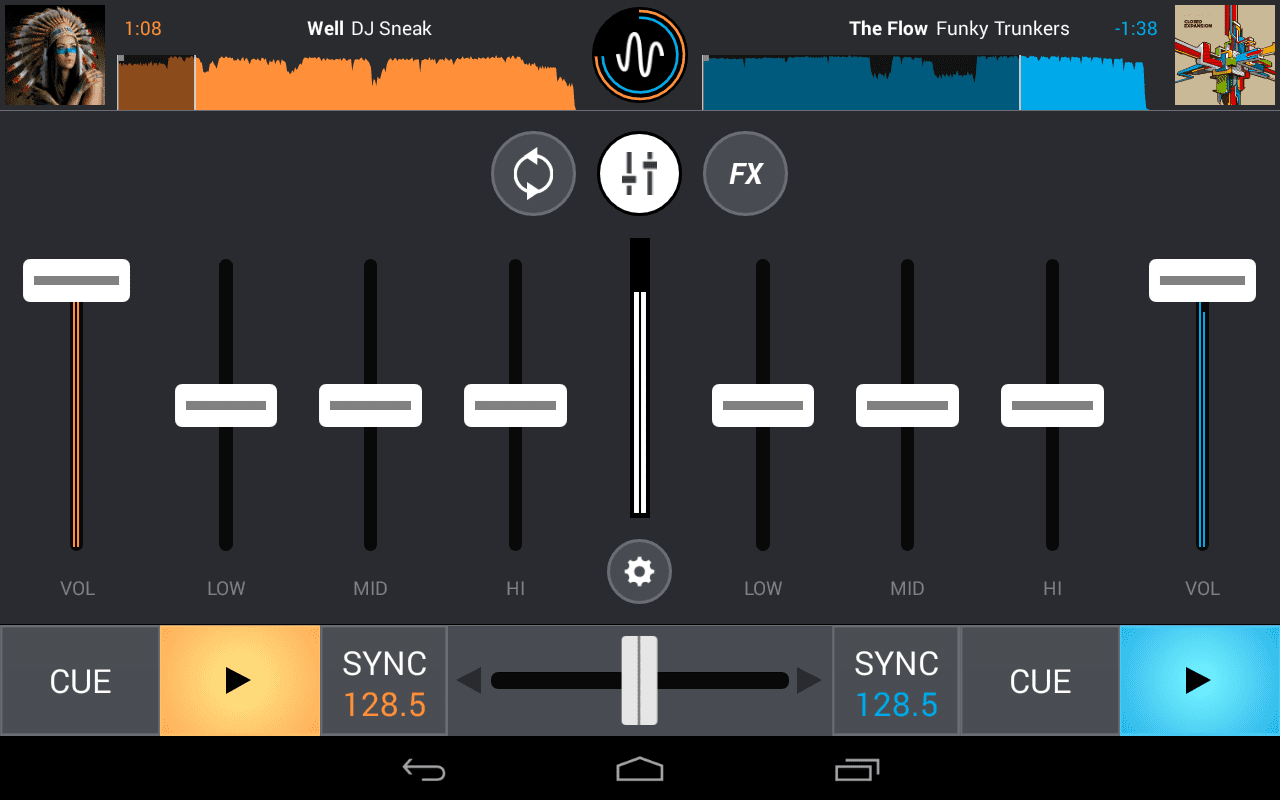
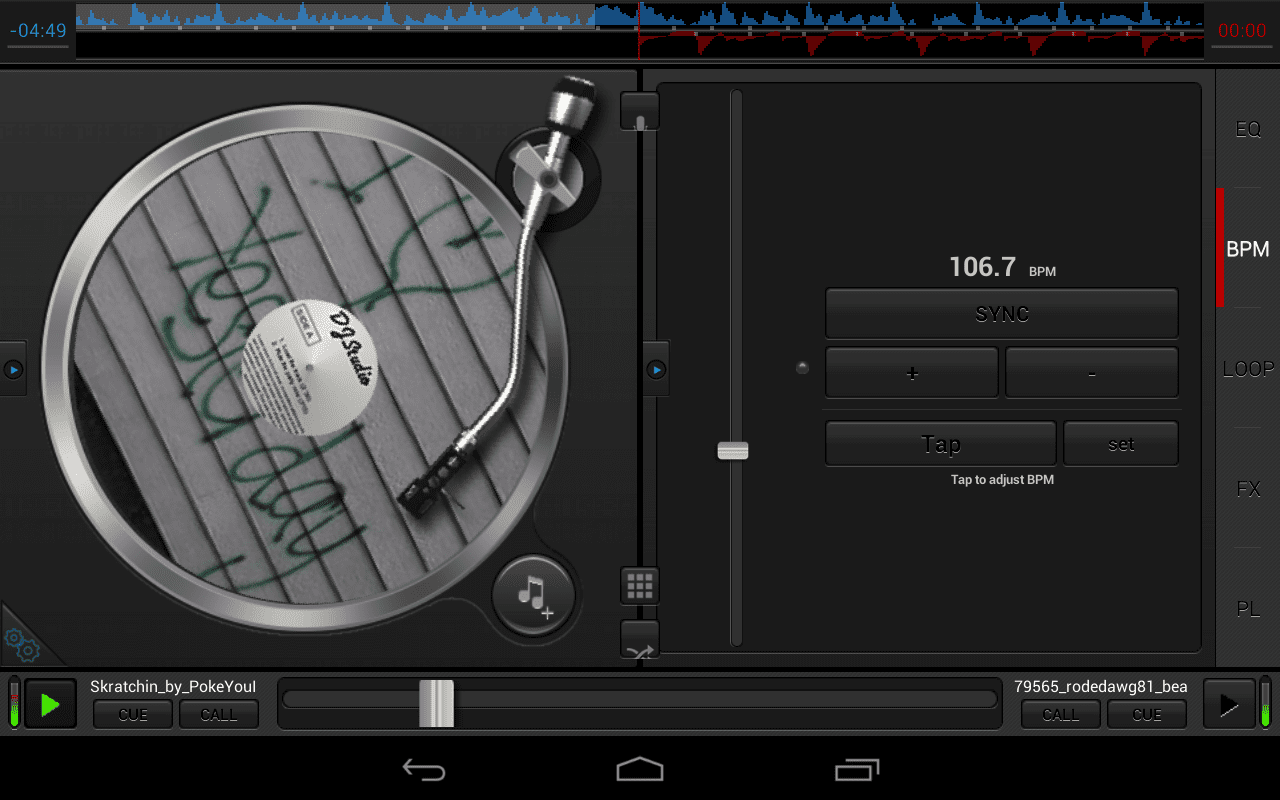
    Cross DJ is the app I recommend to anyone who wants a no-frills, hands-on mixing experience that stays close to what physical DJ equipment feels like. Cross DJ is the purist’s choice for Android, offering a “pro-standard” layout that mimics a traditional dual-deck setup with industry-leading stability and precision. 

    Key features

    • Accurate BPM detection: Features the most reliable beat-grid engine on mobile, ensuring transitions stay perfectly in sync even with complex rhythms.
    • Manual pitch and bend: Unlike automated apps, it provides large pitch sliders and bend buttons for DJs who prefer manual beatmatching and old-school control.
    • Split audio support: Allows for pre-cueing (listening to the next track in headphones) via a simple dual-mono splitter cable or a multi-channel USB interface. 

    Pros

    • Extremely stable
    • Industry-standard “pro” layout
    • Excellent manual beatmatching

    Cons

    • UI can feel cluttered on small phones
    • Fewer AI-driven “fun” features

    3. edjing Mix: Best DJ App for Beginners 

    edjing Mix
    Source | edjing Mix

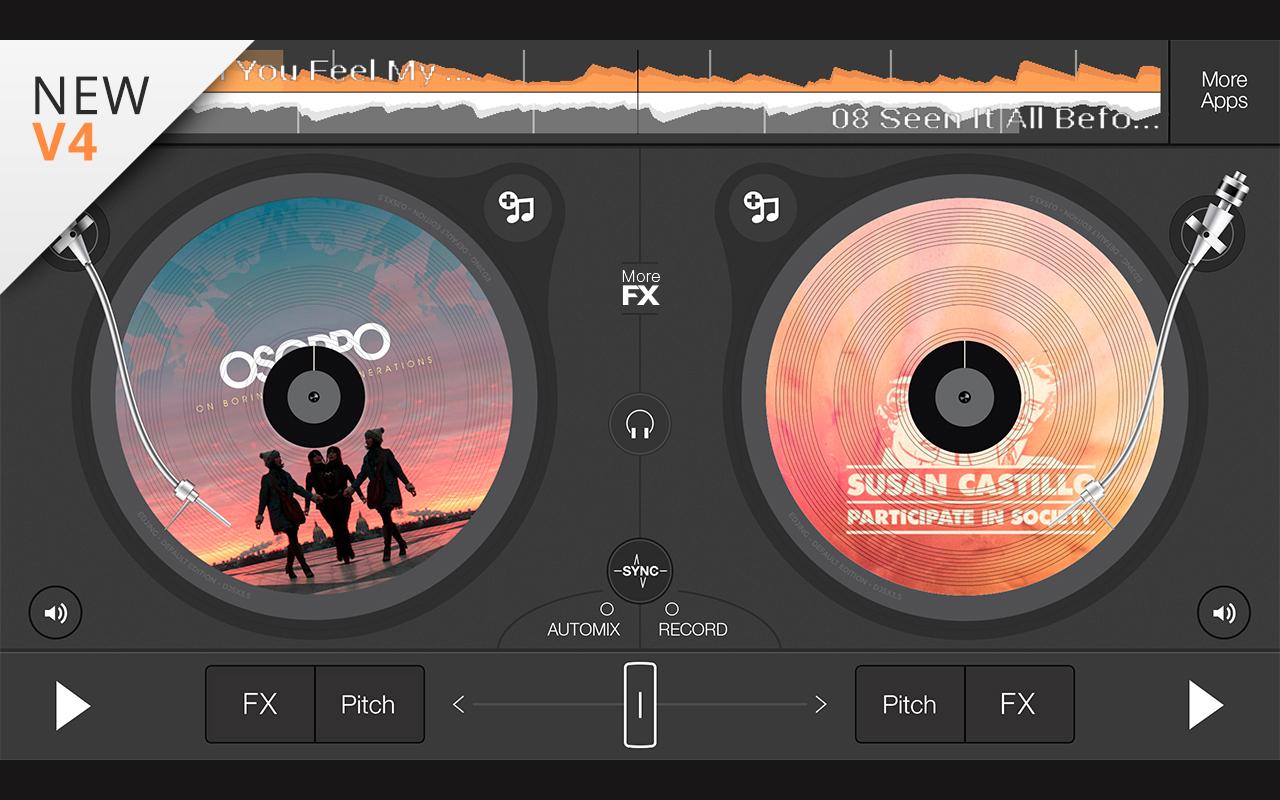
    edjing Mix is one of the most widely used music mixing apps for Android, and after exploring its features , I understand why. It strikes a strong balance between accessibility and depth – you can get started quickly, but there is plenty to explore as your skills develop.

    edjing Mix is the ultimate all-rounder, designed in partnership with professional DJs to pack the power of a full booth into a hyper-responsive, mobile-friendly interface. 

    Key features

    • Massive sound library: Offers deep integration with Deezer and SoundCloud, alongside access to your local files for an endless track selection.
    • Hardware compatibility: Specifically optimized for the Pioneer DDJ-200, providing a seamless “plug-and-play” experience with physical gear.
    • Professional FX suite: Includes a wide array of built-in effects like Echo, Flanger, and Reverb, plus a dedicated sampler with free samples to spice up your sets. 

    Pros

    • Highly responsive
    • Best integration with Pioneer hardware
    • Great built-in samples

    Cons

    • Constant prompts for in-app purchases
    • Local file management can be clunky

    4. Offtrack: Best AI Music Mixing App 

    Offtrack
    Source | Offtrack

    Offtrack is the “set it and forget it” champion for 2026, designed for those who want a perfectly blended soundtrack without the stress of manual beatmatching. 

    Key features

    • AI smart mix: An advanced algorithm that analyzes tempo and key to create professional-grade transitions between songs automatically.
    • Cross-platform sync: Seamlessly bridges your playlists across Spotify, Apple Music, and TIDAL for a unified mixing experience.
    • Dynamic energy control: Allows you to set the “vibe” of a mix, automatically selecting and blending tracks to match a steady rise or chill-out flow. 

    Pros

    • Zero-effort automatic transitions
    • Seamless playlist syncing
    • Very easy to use

    Cons

    • No manual control for creative DJing
    • Limited to “set it and forget it” style

    5. BandLab:  Best Android App for Music Production 

    BandLab
    Source | BandLab

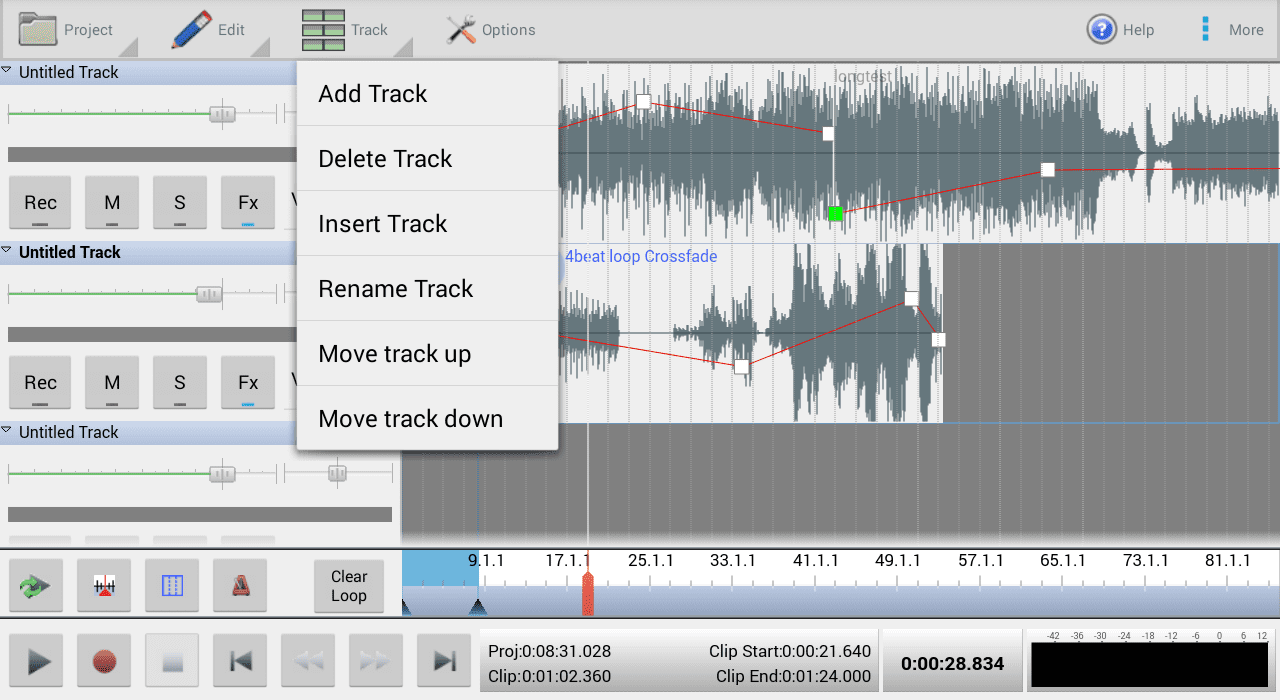
    BandLab is a powerhouse cloud-based studio that democratizes music production, allowing you to record, edit, and mix tracks from anywhere with zero cost of entry. 

    Key features

    • 12-track mix editor: A comprehensive multi-track workspace with unlimited cloud storage, featuring professional tools like time-stretching and audio-to-MIDI conversion.
    • Built-in mastering: Includes an AI-driven mastering engine that instantly polishes your final mix to industry standards for streaming.
    • Global collaboration: A built-in social network allows you to fork projects from other artists and collaborate on mixes in real-time across the globe. 

    Pros

    • 100% free
    • Professional 12-track studio
    • Powerful AI mastering tools

    Cons

    • High learning curve for beginners
    • Requires an internet connection for cloud features

    Also read: Indian Music Streaming: Saavn vs Gaana vs Wynk

    Three other notable music mixing apps are:

    • FL Studio Mobile: A powerful mobile workstation featuring high-quality synthesizers, step sequencing, and advanced MIDI control for producing polished tracks on the go.
    • n-Track Studio: A versatile multitrack recorder offering professional-grade audio editing, vocal processing, and a vast library of built-in effects and virtual instruments.
    • Rekordbox Mobile: The ultimate DJ companion for managing libraries, setting hot cues, and performing seamless live sets directly from your smartphone or tablet.

    Best Music Mixing Apps by Use Case

    In 2026, the best music mixing apps are defined by their specialized workflows, ranging from live club performance to automated studio production.

    For Live DJing

    djay offers the most complete mobile DJ experience, combining real-time stem separation, streaming integration, and hardware controller support.

    For Beginners

    edjing Mix provides an intuitive interface that makes it easy to learn beatmatching, transitions, and effects without feeling overwhelming.

    For Automatic Mixing

    Offtrack is ideal for users who want seamless, AI-powered transitions without manual adjustments.

    For Music Production

    BandLab delivers a powerful cloud-based DAW experience, allowing users to create original tracks with multitrack recording and mastering tools.

    For Manual / Pro DJ Control

    Cross DJ gives experienced DJs precise manual beatmatching tools similar to traditional CDJ setups.

    A Quick Comparison For The Best Music Mixing Apps

    Here’s a comparison of the best music mixing apps at a glance.

    AppBest ForFree/PaidSkill LevelOffline Support
    djayLive performances and creative mashups, specifically for DJs who want “desktop-class” features and hardware compatibility on a mobile device.Djay offers both free and paid version. Subscription starts around $6.99/monthSuitable for all skill levelsSupports offline usage primarily through locally stored files and specific streaming integrations, requiring a Pro subscription to Beatsource/Beatport LINK for offline streaming tracks
    Cross DJTechnically focused DJs and those transitioning from CDJs or turntables who want a stable, manual mixing experience.Cross DJ offers both free and paid Pro version, operating primarily on a subscription model for mobile (iOS/Android) and desktop (macOS). Subscription starts around $4.99/month.Beginners to professional mobile DJsProvides robust offline support
    edjing MixHobbyists and party DJs who want a versatile, “ready-to-play” app that works well on a touchscreen and connects to external controllers.Edjing Mix is free to download and use with limited features, but offers in-app purchases and subscriptions for “Pro” features. Wide range of skill levelsWhile streaming services require internet access, core DJ functionalities remain available offline
    OfftrackCasual listeners and party hosts who want a non-stop, DJ-quality mix for workouts or events. Offtrack offers a free version with basic features and a paid “Pro” subscription for advanced features. No previous DJ experience or skillsOffers a fully offline mode for seamless AI DJ transitions
    BandLabSongwriters and producers who need a mobile-first DAW.BandLab is free. While the core music-making tools are free, BandLab offers an optional, paid Membership (approx. $14.95/month) that unlocks premium features.Beginners and intermediate usersYou can record audio and edit projects offline, need internet to save your work, as all content is saved online in the cloud

    How to Choose the Right Music Mixing App

    • Define your goal: Decide if you need an all-in-one workstation like FL Studio for production or a performance-oriented interface like djay for live sets and transitions.
    • Check hardware compatibility: Ensure the app supports plug-and-play MIDI for your specific controller, as professional low-latency audio drivers vary significantly across different Android smartphone manufacturers and models.
    • Evaluate stem separation: Prioritize apps offering AI-powered real-time stems, allowing you to isolate vocals and drums instantly – a standard feature for modern creative mixing and mashup workflows.
    • Assess library integration: Look for seamless cloud streaming support, ensuring you have instant access to millions of tracks without draining storage.
    • Trial the interface: Test the touch responsiveness and layout customization; a cluttered screen can hinder live performance, so choose an intuitive design that matches your personal mixing style.

    Final Thoughts

    Finding the best music mixing app for Android ultimately comes down to what you are trying to do. If you are performing live and want cutting-edge AI tools, djay is the clear frontrunner. 

    The best music mixing apps in 2026 prove that you don’t need a dedicated studio or expensive hardware to create, perform, or produce at a high level. Your Android device, paired with the right app, is more than capable of delivering professional results. 

    Start with the one that matches your current goals, and do not be afraid to explore as your skills grow.

    For more info on tech, visit Yaabot.

    Frequently Asked Questions (FAQ)

    1. Can I use music mixing apps with DJ hardware? 

    Some apps support external hardware. edjing Mix, for example, is compatible with the Pioneer DDJ-200 controller. djay also supports a range of hardware controllers, making it a strong option for semi-professional setups.

    2. Which music mixing app is best for beginners? 

    edjing Mix and Offtrack are both beginner-friendly. edjing Mix eases you into manual mixing with an intuitive interface, while Offtrack requires no manual input at all – its AI handles transitions automatically.

    3. Do these apps work offline? 

    It depends on the app. BandLab and Cross DJ can work with locally stored files offline. Apps like djay and Offtrack rely on streaming services for their music libraries, so an internet connection is required for full functionality.

    android music
    Share. Facebook Twitter Pinterest LinkedIn Tumblr Email
    Urvi Gomes
    Urvi Teresa Gomes

    Hi! I’m a writer who turns complex tech into clear, engaging stories - with a touch of personality and humor. At Yaabot, I cover the latest in AI, software, apps, and consumer tech, creating content that’s as enjoyable to read as it is informative."

    Related Posts

    What Is GovTech? A Guide to the Startups Quietly Replacing Decades-Old Government Software

    3 September

    8 Great Note-Taking Apps for iPad in 2026

    2 September

    AI Tutors in the Classroom: What Schools & Research Actually Say

    30 August
    View 1 Comment

    1 Comment

    1. Srikanth Gadicherla on 18 July 7:00 pm

      “I totally believe that a man’s ego is the fountain-head of human progress.”.

      Thanks for the post but you think ego is responsible for propelling mankind forward?

    Advertisement
    More

    Death Clock App Uses AI To Predict Your Date Of Death

    By Varnika Sivaganesh

    The Science Behind Sleep: How to Get a Better Night’s Rest

    By Shambhavi Krishna

    Amazon Leo Explained: Launch Date, Pricing, Speeds & Starlink Comparison

    By Swati Gupta
    © 2026 Yaabot Media LLP.
    • Home
    • Buy Now

    Type above and press Enter to search. Press Esc to cancel.

    We use cookies to ensure that we give you the best experience on our website. If you continue to use this site we will assume that you are happy with it.