


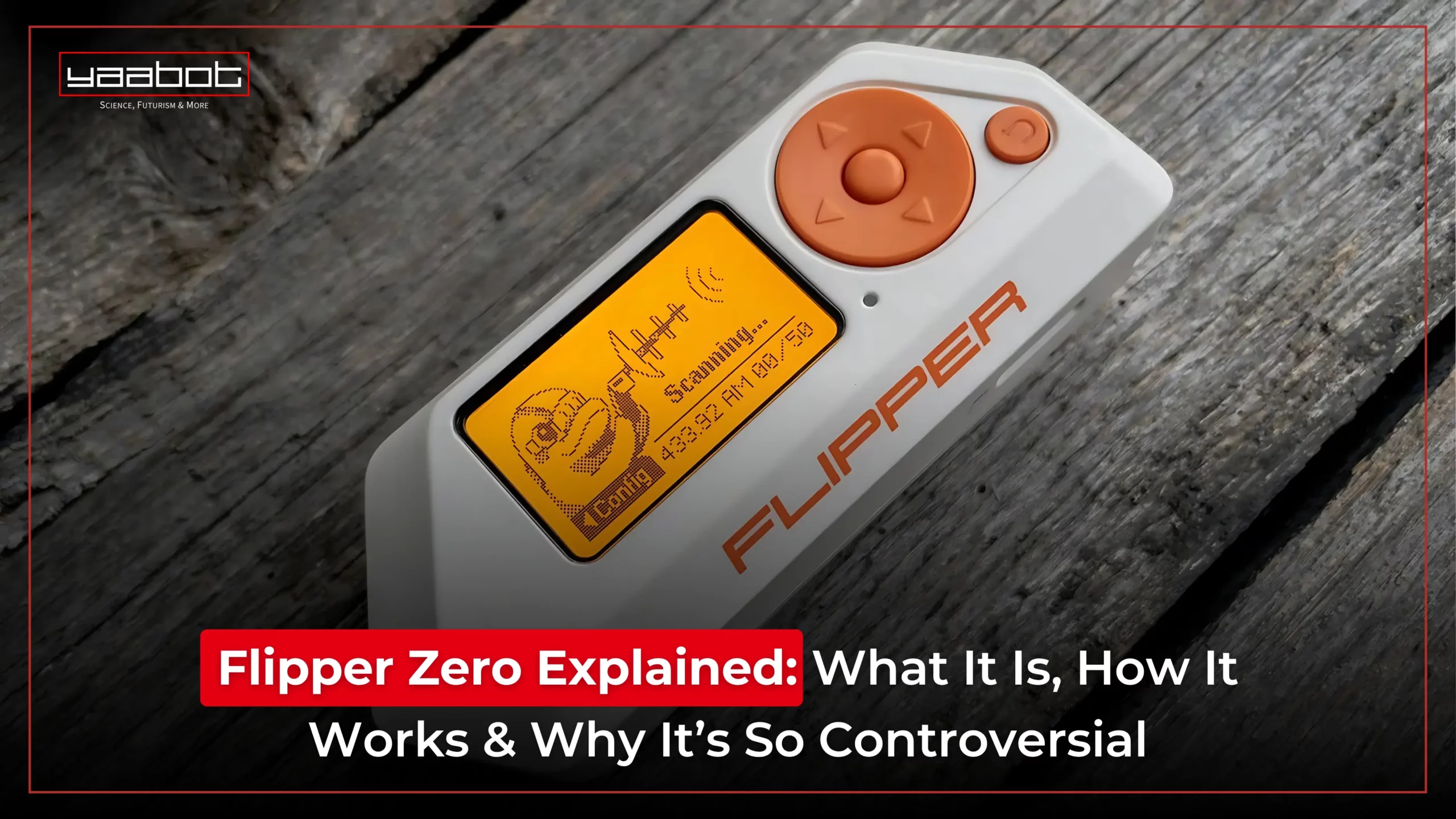
Picture this – you’re on the metro when someone pulls out a small orange gadget with a pixelated dolphin on its screen. A quick tap on a keycard scanner, and the door beeps open – no wires, no laptops, just this simple device. That’s Flipper Zero for you, a fun yet powerful multi-tool that’s changing how people interact with digital systems. From cloning RFID cards to controlling TVs with infrared, it’s part hacker badge, part teaching tool, and part conversation starter.
Flipper Zero’s rise hasn’t come without controversy. The device blurs the line between curiosity and legality, challenging users to explore responsibly while opening up a new world of digital discovery.
In this post, I’ll discuss all the details – from Flipper Zero uses to ethical grey zones, and even its alternatives, we’re unpacking everything you need to know.
Key Takeaways
- It is a portable, open-source hacking tool used for testing digital signals like RFID, NFC, IR, and sub-GHz radio.
- While designed as an ethical hacking tool and for learning, it’s uses have sparked controversy due to its potential for misuse.
- It’s legal in most countries, but local laws may affect specific functionalities, despite varied Flipper Zero uses.
- The best alternatives offer similar testing abilities with varying complexity and price points.
What is Flipper Zero?
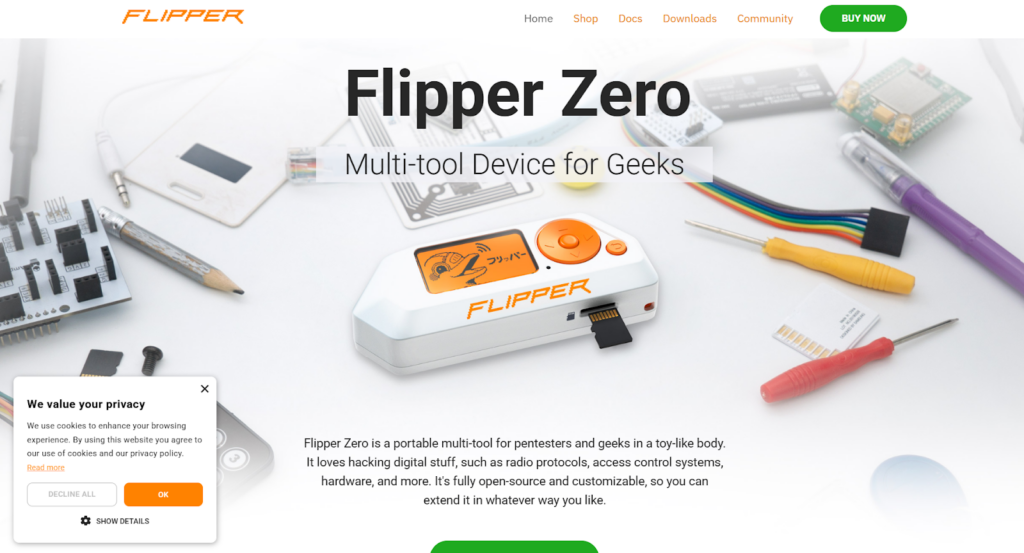
Flipper Zero is a small, pocket-sized gadget designed to help people explore and test digital signals. It has a screen and simple buttons, and its design looks fun with a cartoon dolphin on display. But with its playful looks, this device can do powerful things.
It can read and send signals like RFID (used in access cards), NFC (used in digital payments), IR (like your TV remote), and sub-GHz radio frequencies (used in garage doors or walkie-talkies). It helps you see how everyday technology communicates and how secure (or insecure) those systems are.
What Does Flipper Zero Do?
At its core, it interacts with the invisible world of wireless communications. Imagine you work in IT and want to test the security of your office’s access cards. It lets you scan a card and see its working. You can then check if your system is secure or needs an upgrade. This is the power of Flipper Zero. Learning how to use it opens doors to experimenting with digital signals the ethical way.
The main things it can do involve:
RFID Testing
It can read and emulate low-frequency RFID cards which are the kind you might use to enter an office or apartment building. It helps you understand how keycard systems work (but of course, only use it ethically and legally).

NFC Scanning
It can scan and emulate NFC cards too, like contactless payments or access tags.

Infrared (IR) Transmitter
You can use it to copy signals from TV or AC remotes, and then send them using the device. Handy for testing smart remotes or creating a universal remote from scratch.

Sub-GHz Radio
Flipper Zero supports sub-GHz frequencies used by many garage doors, smart bells, or older remote-controlled devices. You can sniff signals or replay them to test how secure (or insecure) they are.

Bluetooth Capabilities
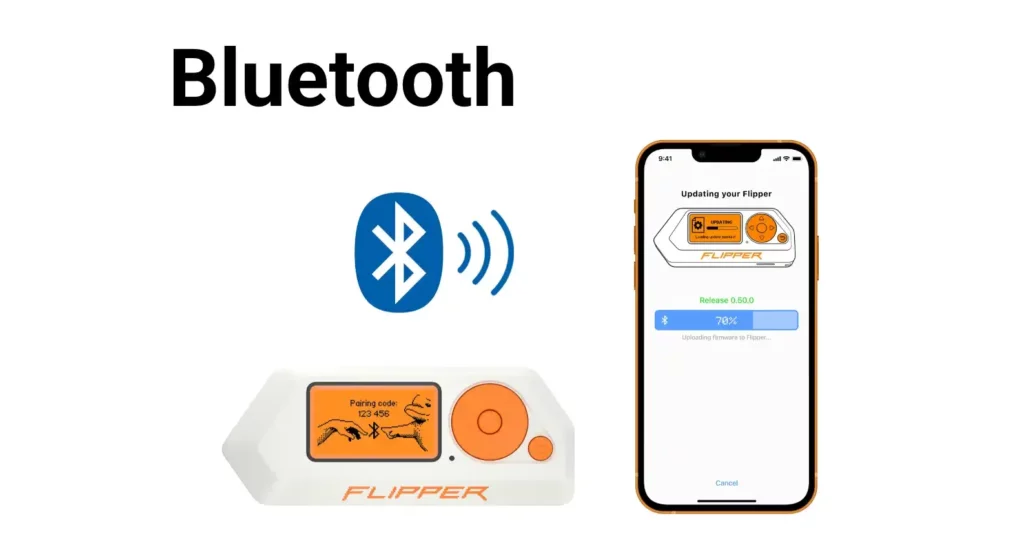
Flipper Zero uses Bluetooth Low Energy (BLE) to connect with smartphones and computers for remote control, wireless updates, mobile app integration, device pairing, and some penetration testing of BLE-enabled devices.
MicroSD Card Functions
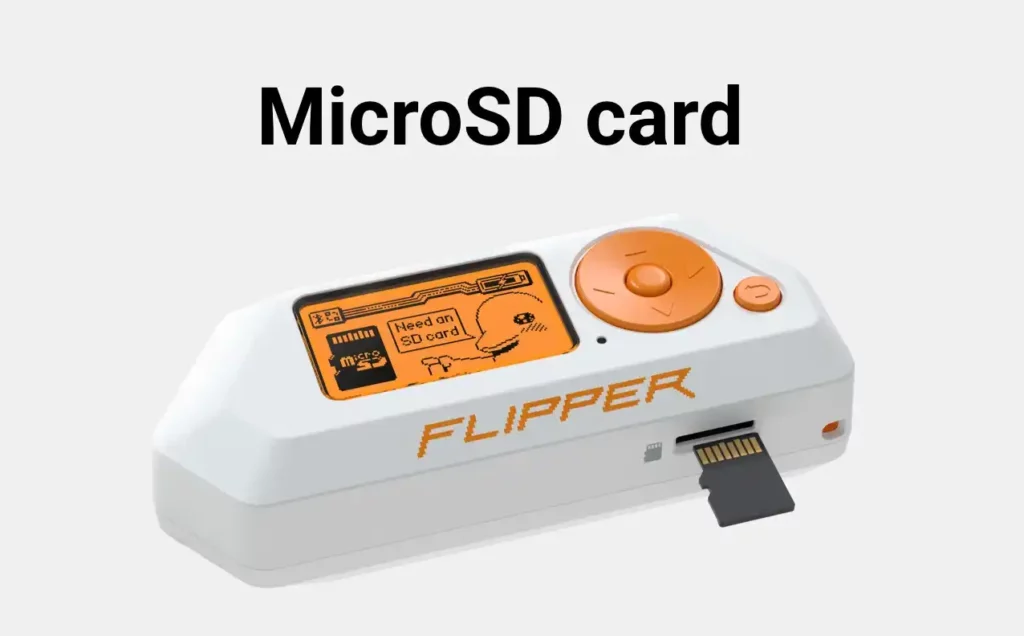
A microSD card in Flipper Zero is used to store signal databases, logs, firmware updates, saved credentials, configuration files, and extended custom apps – offering scalable storage for advanced hacking tasks and firmware management.
iButton (1-Wire) Features
Flipper Zero can read, emulate, and clone iButton (1-Wire) access tags, enabling convenient access control testing, backup for lost keys, authentication experiments, and demonstrating vulnerabilities in older iButton-based security systems.
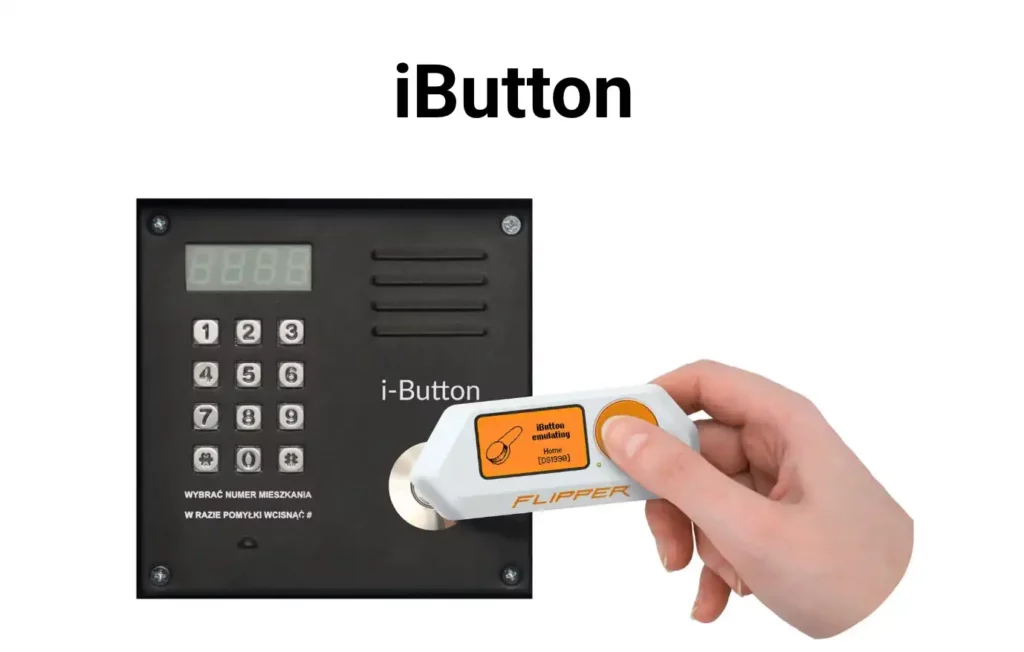
It’s important to note that how to use Flipper Zero depends on one’s interest. From learning wireless protocols to testing your home network, it is not a hacking tool by default. It’s a multi-protocol testing device that helps people understand digital security.
Tools for Hardware Exploration
Flipper Zero provides an advanced set of tools for hardware exploration, making it an all-in-one device for hackers, tinkerers, and developers. Here are the main hardware exploration tools it offers:
- GPIO Interface: Connect to and control external hardware, run custom code, and monitor/debug digital signals directly from the device.
- Multi-Protocol USB Adapter: Use Flipper Zero as a USB-to-SPI, UART, or I2C converter for communicating with and programming other hardware.
- SPI Flash Programmer: Read, write, or flash firmware to SPI-compatible chips for embedded development or recovery.
- AVR ISP Programmer: Program and reflash AVR microcontrollers, supporting a wide range of DIY and professional projects.
- Fuzzing Tool: Send malformed or unusual signals to external devices and protocols to test their security and reliability.
- Debugging Tools: Print debug messages to the LCD, interact directly with hardware, and diagnose issues through the onboard controls.
- Power Management Pins: Supply 3.3V or 5V to external circuits for prototyping and quick hardware tests without the need for separate equipment.
These features enable in-depth hardware hacking, development, and analysis right from a compact, easy-to-carry device.
Technical Specifications
Here are the core technical specifications for Flipper Zero:
MCU (Microcontroller Unit)
- Model: STM32WB55RG
- Application processor: ARM Cortex-M4 32-bit 64 MHz
- Radio processor: ARM Cortex-M0+ 32-bit 32 MHz
- Radio: Bluetooth LE 5.4, 802.15.4 and proprietary
- Flash: 1024 KB (shared between application and radio)
- SRAM: 256 KB (shared between application and radio)
Display
- LCD Monochrome
- Resolution: 128×64 px
- Controller: ST7567
- Interface: SPI
- Diagonal Size: 1.4“
Battery
- LiPo 2100 mAh
- Up to 28 days battery life
Sub-1 GHz Module
- Transceiver: CC1101
- TX Power: -20 dBm max
- Frequency bands (depending on the region): 315, 433, 868, and 915 MHz
Infrared
- RX wavelength: 950 nm (+/-100nm)
- RX carrier: 38 KHz (+/-5%)
- TX wavelength: 940 nm
- TX carrier: 0-2 MHz
- TX power: 300 mW
- Compatible with protocols like SIRC, Samsung, RC5, RC6, NEC family, Kaseikyo, and RCA
iButton 1-Wire
Supported protocols include Dallas DS199x, DS1971, CYFRAL, Metakom, TM2004, and RW1990.
RFID 125 kHz
- Frequency: 125 kHz
- Modulation: AM/OOK
- Coding: AKS, PSK
- Supported cards include EM400x, EM410x, EM420x, HID, Indala, FDX (A & B), Pyramid, AWID, Viking, Jablotron, Paradox, PACStanley, Keri, Gallagher, and Nexwatch.
NFC
- Transceiver: ST25R3916
- Frequency: 13.56 MHz
- Supported cards include ISO-14443A/B, NXP MIFARE Classic®, Ultralight®, DESFire®, etc., FeliCa™, HID iClass (PicoPass™), and NFC Forum protocols.
USB
- Type-C, USB 2.0 (12 Mbps)
- USB device
- Charging (1A max)
GPIO
- 13 I/O pins available for external 2.54 mm connectors
- 3.3V CMOS Level
- Input 5V tolerant
- Up to 20 mA per digital pin
Bluetooth LE 5.4
- TX power: 4 dBm max
- RX sensitivity: -96 dBm
- Data rate: 2 Mbps
Vibration Motor
- Force value: 30 N
- Speed: 13500 rpm
MicroSD
- Up to 256 GB microSD card (SPI mode)
- 2-32 GB card is recommended
- Read/Write speed: up to 5 Mbps
- Supported file systems: FAT12, FAT16, FAT32, and exFAT
Buzzer
- Frequency: 100-2500 Hz
- Sound Output: 87 dB
- Type: Coin
Control
- 5-button directional pad with back button
Body
- Size: 100x40x25 mm
- Weight: 102 grams
- Materials: PC, ABS, PMMA
- Operating temperature: 0° to 40° C
These features make Flipper Zero a portable, adaptable toolkit for engaging with digital and physical access systems, RF devices, and even hardware debugging projects – all on the go.
Use Cases
There are many Flipper Zero uses that make it appealing to tech enthusiasts, students, and even security professionals. Once you understand how to use it, you’ll find endless ways to test digital protocols and learn about wireless security. Some of the most popular use cases include –
- Smart Device Testing- Developers use it to simulate remote signals and test if their smart home devices are working properly. This is especially helpful when building new IoT devices.
- Learning About Wireless Tech– Whether you want to learn how RFID works or explore IR or NFC systems, this serves as a real-world learning lab. It makes understanding digital signals much easier and more hands-on.
- Penetration Testing (Ethical Hacking)- Cybersecurity learners use it to run basic, controlled tests on devices or networks they own.
- Remote Replay Testing- If you’re testing an old garage opener or a remote fan, Flipper Zero can record the signal and replay it, useful when checking how outdated or vulnerable a system might be.
These are just some core Flipper Zero uses, but new use cases continue to emerge. It isn’t just for hackers, it’s a multi-use tool that fits into education, ethical security research, and even electronics tinkering.
Why is Flipper Zero Controversial?
The features that make it powerful also raise grave questions. In fact, this little device has become a source of controversy in tech and security circles.
So why all the fuss?
At its core, it is a tool meant for ethical hacking, learning, and security testing. But because it can read, copy, and send digital signals, some people worry it could be used for illegal purposes.
Here are some of the reasons it’s become controversial –
- Security Concerns- Some governments and companies believe that Flipper Zero can be misused to unlock cars, copy keycards, or interfere with devices. While this would require deliberate illegal use, the possibility of misuse has raised alarms.
- Media Panic- Several news outlets have reported on it being used to clone access cards or interfere with digital systems.
- Bans and Seizures- In 2024, Canada’s government banned the sale of Flipper Zero, stating that it could be used to commit car theft.. Actions like this have added to the device’s reputation as a hacking gadget.
But here’s the important part: Flipper Zero doesn’t do anything illegal on its own. Like any other thing, it depends on how the person uses it. The controversy lies in that grey area; between tools for learning and tools that can be misused.
Is Flipper Zero Legal?
As of now, it is not banned in most countries. You can order it online, and it’s legal to own. However, using it to break into systems or copy cards without permission can get you into legal trouble.
Always use it responsibly. Stick to testing your own devices or networks.
Drawing a Line Between Ethical Hacking and Malicious Hacking
When discussing Flipper Zero, a key question is where the line lies between learning and hacking. It’s crucial to use the tool responsibly, especially when exploring wireless signals and digital protocols.
Ethical hacking means testing devices or systems with permission to identify vulnerabilities and improve security. Using Flipper Zero to assess your own network or access systems is ethical, as it involves no unauthorized access. However, using it to break into others’ systems – such as copying keycards or interfering with devices without consent – is illegal and crosses into malicious hacking.
Flipper Zero itself doesn’t judge ethics; it simply carries out commands. That’s why understanding the difference and acting responsibly is important when using this powerful toolkit.
Read more about Next Big Digital Threat: Hacked Cars.
Flipper Zero Alternatives
If you’re looking for similar tools, here are a few Flipper Zero alternatives –
1. HackRF One
HackRF One is a software-defined radio (SDR) that covers a huge frequency range. Unlike Flipper Zero, it’s focused entirely on RF analysis. It’s often used by researchers and ethical hackers to transfer and receive radio signals across a wide spectrum.
2. Proxmark3
Proxmark3 is a powerful RFID and NFC testing tool. It is widely used by security professionals to read, clone, and emulate RFID tags and smart cards. It is highly specialised in RFID/NFC performance while not multi-functional like Flipper Zero.
3. M1 Multitool
The M1 is a relatively new, all-in-one hardware multitool built for similar purposes as Flipper Zero. It includes support for NFC, RFID, sub‑1 GHz, IR, Bluetooth, Wi-Fi, and GPIO pins. It replicates many Flipper Zero features, but with a more powerful microcontroller and open-source firmware.
4. Yard Stick One
Yard Stick One is a compact sub‑GHz RF transmitter/receiver ideal for experimenting with wireless protocols like garage doors, remotes, or sensors. It supports the sub‑GHz features of Flipper Zero, though it lacks screen or multi-protocol integration.
Flipper Mobile App
The Flipper Zero mobile app, available for iOS and Android, connects to the device via Bluetooth. It lets users manage their saved digital keys and signals, organize files, and share data with others. The app also allows wireless firmware updates, access to an app store, and remote control of the Flipper.
Final Thoughts
Flipper Zero is a compact, powerful tool that opens the door to exploring digital signals and security in a hands-on way. Its appeal lies in blending learning with practical testing, making complex wireless systems accessible. However, with great power comes responsibility – using it ethically and legally is key. If you’re interested in similar multi-protocol hacking tools, strong alternatives to consider are HackRF One, Proxmark3, and the M1 Multitool.
Interested in more tech tools like Flipper Zero and the evolving world of ethical hacking? Subscribe to Yaabot for insights, updates, and in-depth explainers.
Frequently Asked Questions
1. Can Flipper Zero clone any key card?
Not all key cards. It works on many low-frequency systems but struggles with encrypted ones.
2. Do I need to be a hacker to use Flipper Zero?
Not at all. Anyone can start exploring the basic features of Flipper Zero as well as how to use Flipper hero.
3. Can I use Flipper Zero for smart home projects?
Yes! You can program it to act as a universal remote or connect it to sensors using GPIO pins.
