


Whenever I accidentally lose a photo, contact, message, or any other file from my iPhone, it just gives me so much stress that it’s hard to explain.
The first instinct is usually to search for a recovery tool, install the top-ranking one that over-promises to get everything back, and hope for the best.
In this post, I’ve compared five of the better-known iPhone data recovery apps and looked at what they have to offer.
Also, keep in mind that modern iPhones use encryption, so no desktop recovery app can simply dig through an iPhone and guarantee it will return every deleted file. In many cases, the iPhone file recovery software checks your iPhone, iTunes/Finder backups, or iCloud data for copies that are still available.
Also Read: How to Recover Deleted Files: A Step-by-Step Guide
Key Takeaways
- Modern iPhones are encrypted, so recovery software can’t promise it can retrieve every deleted file.
- Check the likely source first. Your missing data may be on the iPhone, in a Finder/iTunes backup, or in iCloud.
- Preview before paying. Seeing the actual file or record is a much better reason to buy than a long list of supported file types.
- Try matching the software to the problem. Disk Drill is useful for broader recovery, EaseUS has a practical free option, UltData focuses heavily on app data, Dr.Fone has strong backup and iCloud coverage, and PhoneRescue suits multi-device use.
The 5 Best iPhone Data Recovery Software Apps in 2026
Here’s how my shortlisted iPhone file recovery software fares in different areas:
| Software | Best for | Price |
| Disk Drill | Mac users and broader recovery needs | $89/year |
| EaseUS MobiSaver | Recovering a few files for free | $59.95 Windows / $79.95 Mac |
| Tenorshare UltData | App and chat data | $45.95/month |
| Dr.Fone Data Recovery | iCloud and backup recovery | $44.95/month or $69.95 perpetual |
| PhoneRescue for iOS | Multiple iPhones and iPads | $49.99/year |
1. Disk Drill

Disk Drill is my personal favorite. It works with a connected iPhone as well as local iOS and iPadOS backups. Before recovering anything, I can preview the results, which is a big deal when I’m trying to find one specific photo or message among a pile of old backup data.
Then there are a couple of filters that are extremely useful too. If I’m looking for photos, documents, or another file type, I don’t have to scroll through everything the scan finds.
The Mac version is the better option for direct iPhone recovery. If you’re using Windows, I suggest checking the exact recovery options available for your device before paying for the iPhone file recovery software.
Best for
Mac users looking for iPhone recovery alongside regular recovery tools for computers and external storage.
Pros
- Clear file previews.
- Useful filters for sorting scan results.
- Works with iPhones and local iOS backups.
- Handles computers, external drives, and memory cards.
- Non-destructive scanning process.
Cons
- Direct iPhone recovery is more appealing on Mac.
- The free version only lets you scan and preview.
- $89/year can feel expensive for a one-time recovery.
2. EaseUS MobiSaver
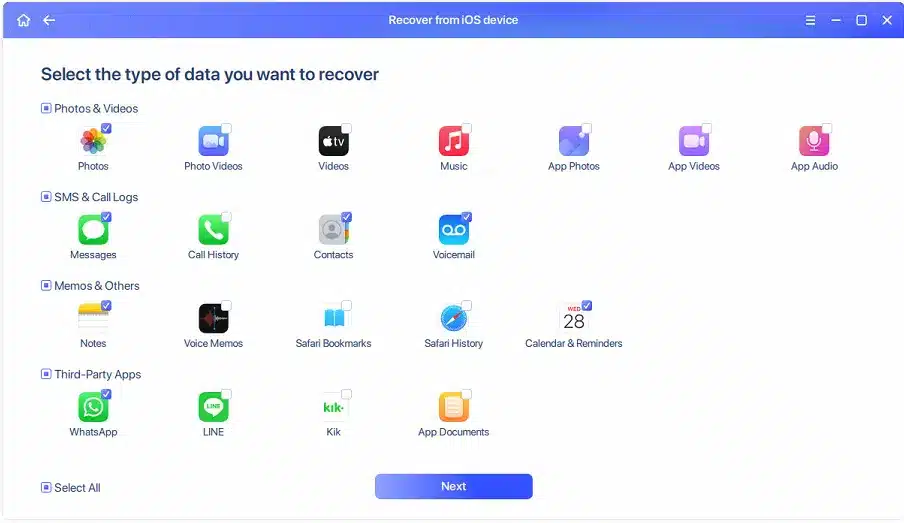
If I had accidentally deleted just a couple of contacts or one important photo, EaseUS MobiSaver would be one of the first apps I’d consider. The reason is that its free version lets you recover a small amount of data. You can restore up to five contacts and one photo or video without investing in the iPhone file recovery software right away.
MobiSaver gives you three recovery routes: a connected iPhone, an iTunes backup, or an iCloud backup. I also like that these options are separate because it reduces the chance of choosing the wrong source when you’re already stressed about important missing files.
Best for
Someone who has lost a small number of contacts, photos, or videos and wants to try free recovery first.
Pros
- The free version recovers five contacts and one photo or video.
- Easy-to-understand source selection.
- Works with iPhone, iTunes, and iCloud recovery.
- Supports common personal data categories.
- Lifetime license available.
Cons
- Free photo/video recovery is very limited.
- The Mac version is expensive.
- A separate license may be required for other platforms.
3. Tenorshare UltData
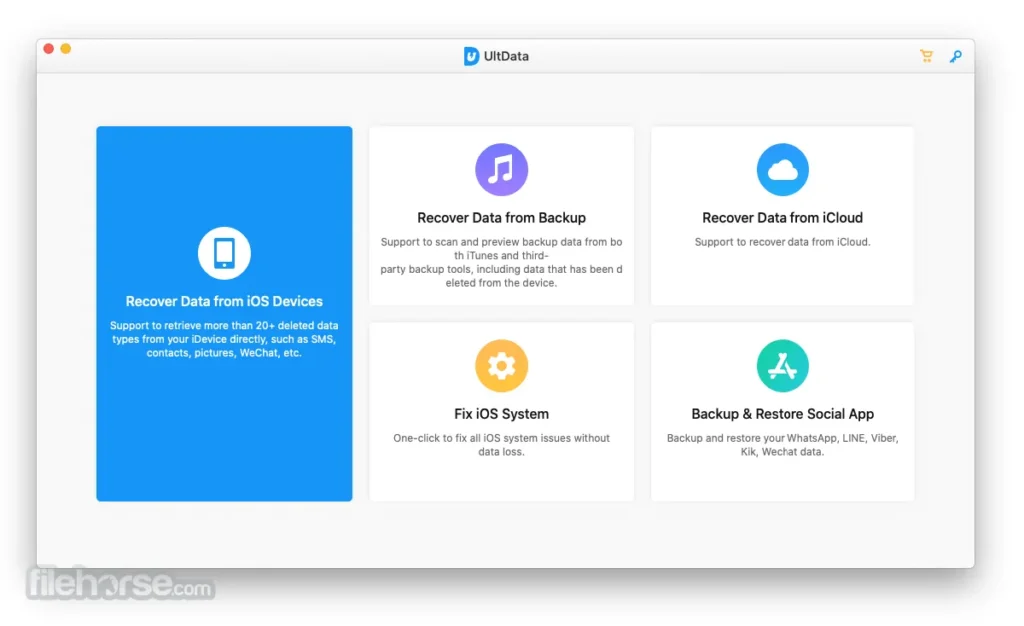
I would suggest Tenorshare UltData because its list of supported data types goes beyond the usual photos, contacts, and messages.
Tenorshare says it supports more than 35 data types, including information from several social and messaging apps. You can scan a connected iPhone, iCloud data, or an iTunes backup.
If you want to recover WhatsApp messages, Instagram-related records, or message attachments, UltData has what you need. The preview system is also pretty straightforward, which is what I want before paying for iPhone file recovery software.
Best for
People looking for WhatsApp, Instagram, message attachments, or other app-specific records.
Pros
- Large range of supported iOS data categories.
- Useful for chat and social app searches.
- Scans iPhone, iCloud, and iTunes sources.
- Lifetime license available.
- Personal license supports up to five mobile devices.
Cons
- Monthly plans are expensive.
- Renewal terms require your attention.
- Scan results can include data that still exists elsewhere.
Also Read: How to Restore WhatsApp Messages on iPhone and Android: A Step-by-Step Guide.
4. Dr.Fone Data Recovery
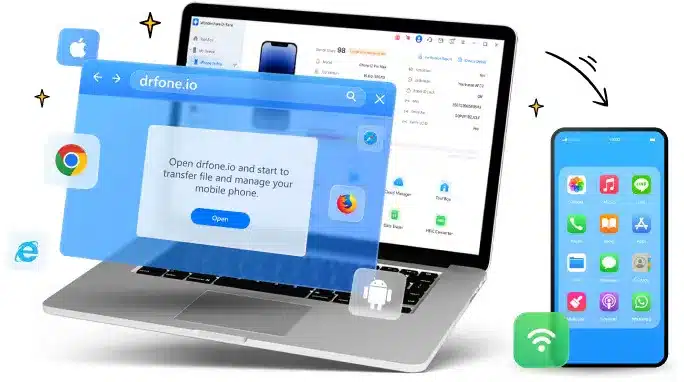
Dr.Fone is a little different from the other options I have mentioned in this blog. It focuses heavily on iCloud and backup-based recovery.
It supports more than 35 iOS data types and can check a connected iPhone, iCloud, iTunes, and local backups. I also found its support for iCloud Drive and Apple Pages, Numbers, and Keynote files very useful. The preview feature is helpful when you’re dealing with a huge backup.
Best for
People who need to search iCloud, local backups, Apple documents, or messaging-app data.
Pros
- Good coverage of iCloud and local backups.
- Lets you preview individual results.
- Supports more than 35 listed data types.
- Perpetual license available.
- Supports several third-party chat apps.
Cons
- The Dr.Fone product range gets confusing at times.
- Monthly pricing isn’t that attractive for longer use.
- Some features are not related to basic file recovery.
5. PhoneRescue for iOS
PhoneRescue makes more sense if you use more than one Apple device.
Its current annual plan supports unlimited iOS devices, so if you live in a household with several iPhones or iPads, you could get more use out of it than someone trying to recover one deleted photo.
It lists 31 data types and can check a connected device, iTunes backups, and iCloud backups. PhoneRescue also includes some iOS repair features.
Best for
Households or people using several iPhones or iPads.
Pros
- Unlimited iOS devices on the annual plan.
- Can inspect encrypted or damaged backups.
- Supports 31 listed data categories.
- Includes selective backup previews.
- Includes basic iOS repair tools.
Cons
- Annual plan renews automatically.
- No verified perpetual plan in the current store information.
- Recovery and repair features serve different purposes.
How to Choose an iPhone Data Recovery Tool
Here’s my personal checklist.
- I’d start with where my missing data is most likely to be.
- If the iPhone is still working, I’d choose tools that can scan the connected device. If I’ve been backing up through Finder or iTunes, checking the local backup makes more sense. And if my missing files were synced with iCloud, an iCloud-based recovery option may be more useful.
- Then I’d check whether the iPhone file recovery software actually supports the type of file I’ve lost.
- A tool supporting photos doesn’t necessarily mean it can recover WhatsApp attachments, voice memos, app data, or notes.
- The preview matters just as much. If I can’t see the missing file before paying, I’d be reluctant to pay based only on a claim that the software “found” something.
Also Read: How to Manage App Overload: Tips, Tricks, and a Step-by-Step Guide to Declutter Your Devices
Bottom Line
For me, Disk Drill is the best choice in this list. The previews are easy to work with, and the iPhone file recovery software is useful for recovering data from computers and external drives.
But if I only needed a few files and wanted to spend nothing, I’d try EaseUS MobiSaver because its free version recovers only a limited number of items.
I’d opt for UltData when the missing data is related to messaging or social apps. Dr.Fone is useful when iCloud and backup data are a big part of the search. And PhoneRescue works just fine if several iPhones or iPads are involved.
Whatever you choose, scan first and pay later; that’s the most logical route to follow. If the iPhone file recovery software can’t show the file you need, it’s best not to assume that buying the full version will somehow make that file appear.
For more information on AI, tech, Science, Futurism, and more, check Yaabot.
FAQs
Sometimes, but there is no guarantee. Recovery software may find copies in an iCloud account, Finder/iTunes backup, or other available sources. Modern iPhone encryption also limits what third-party software can retrieve directly from the device.
The software itself can be safe when downloaded from the developer’s official website, but recovery always involves giving the program access to your device or backups. I’d avoid random download sites and read the software’s permissions and recovery steps before connecting a phone.
It depends on the data and the device’s state. Some recovery programs can scan a connected iPhone, but that doesn’t mean they’ll recover every deleted file. If the data still exists in an iCloud or local backup, that route is often more useful.
I wouldn’t. I’d use the free scan or preview first whenever the software offers one. If the program can’t show the file you’re looking for, paying for the full version may not change the result.
