


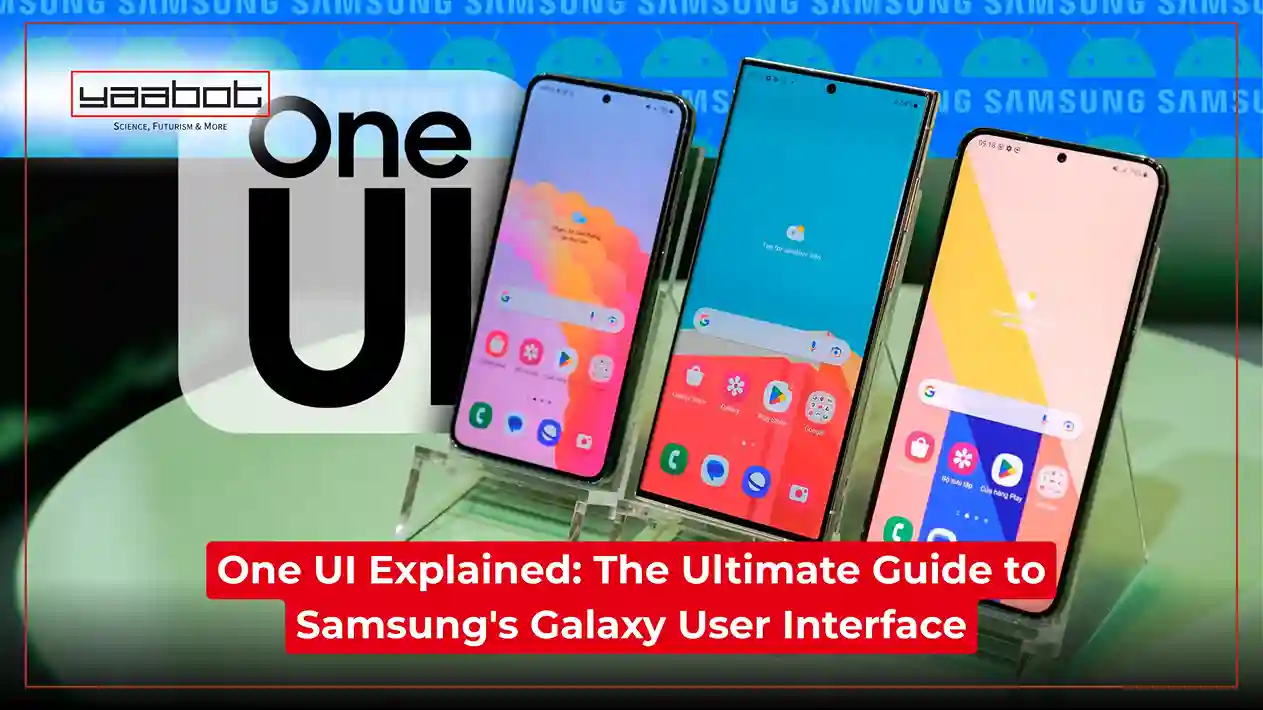
Whenever you look at a mobile phone’s or any other device’s specifications, one term you see almost every time is ‘User Interface’ or ‘GUI.’ Now you might overlook this, like other complex features (that usually involve tons of figures!), but a user interface is a very crucial aspect of a device’s development. Similarly, if you have ever used Samsung’s devices or keep up with the tech-world developments, you must have, at some point, heard the term “One UI” in relation to the company’s Galaxy devices. But what does it actually mean? In simplest terms…. It’s a custom UI developed by Samsung that allows users to use its Galaxy devices and applications.

But if this is still going over your head, don’t worry!
In this blog, I’ll elaborate on the concept of UI and explain everything you need to know about Samsung One UI —its history, latest features, and more.
Key Learnings:
- The User Interface is the means of interacting with electronic devices, and One UI is Samsung’s Android-based UI for all its Galaxy devices.
- Following the Samsung Experience in 2018, One UI has regularly added various unique features with 8 major and several minor updates.
- The latest is One UI 8, released alongside the latest Galaxy Z series models, which notably introduced advanced Galaxy AI features.
What Is A User Interface?
Simply put, a User Interface (UI) is the layout of a device’s elements that allows users to interact with its features. It includes everything that we see when we unlock our devices—app icons, buttons, sliders, widgets, and just about everything else.
These audio and visual elements allow us to touch, see, and verbally interact with our devices, serving as the point of contact between the device’s features and its users. From ATMs and automobiles to our video game consoles and smart assistants, almost every device has a UI. Even musical instruments like keyboards have one!
Types Of Ui:
- Graphical user interface (GUI): This interface uses visual elements such as icons, app layouts, and menus, which we commonly see on smartphones, tablets, and PCs. Upon input from other devices or users, they provide on-screen results.
- Voice user interface (VUI): This is not visible; it is audio-based. One of the most common applications is our voice assistants, like Alexa or Siri. In this, the input comes from our voices, and the results are returned the same way.
- Menu-driven Interfaces: These interfaces involve navigating through various menus to access the device’s features. We commonly see this in ATMs, where we navigate through menus by selecting desired options.
- Mobile user interface (MUI): The interface is designed for the smaller screens of smartphones and tablets. One UI is an example of this. These interfaces involve visual, touch, and audio elements, allowing multi-faceted interaction.
What is One UI?

We know that Samsung devices are also classified as Android devices. This means that they use the Operating Software developed by Google. But Samsung adds a layer of its own user interface on top of the stock Android it borrows. This is called One UI.
This is why the interfaces on Pixel devices and Samsung’s Galaxy devices look very different, even though they’re both Android phones. And while the corresponding applications serve the same purpose, their designs are distinct.
Under One UI, the South Korean tech giant adds its own layout, icon designs, element placements, and, more importantly, unique features exclusive to Galaxy devices. This adds a layer of customization for users and enhances their experience.
Comparison Table Between Stock Android and One UI
| Features | Stock Android | One UI |
| Developed by | Samsung | |
| User Interface Philosophy | Simple, uncluttered, focused on efficiency and ease of usage | Heavily customized with rounded icons, large headers, and Samsung-specific animations |
| Pre-installed Apps | Minimal (Google apps only) | Includes Samsung apps (Galaxy Store, Samsung Pay, Samsung Health, etc.) alongside Google apps |
| Voice Assistant | Google Assistant only | Google Assistant + Samsung Bixby |
| Target Devices | Google Pixel phones, Android One devices | Samsung Galaxy phones and tablets |
| Customization Capabilities | To a limited degree, as it relies only on Google’s customization features | Offers extensive capabilities, including themes, icons, Always-On Display, Edge Panels, and Good Lock modules. |
| Extra Features | Focuses only on the essential ones. | Adds unique features like Secure Folder, Samsung DeX, Multi-Window enhancements, and Bixby. |
History Of One Ui
When viewed from a macro perspective, One UI is relatively new—only 7 years old—so its history can be summarized as follows (don’t worry, they’re also relatively brief!).
Introduction:
Before One UI, Samsung used an OS known as SAMSUNG Experience, which ran from 2017 to 2018. Then, in November 2018, at the Samsung Developer Conference (SDC) 2018, One UI was announced. The goal behind this? To make the users’ experience more intuitive and enable easy handling of tasks at hand, while removing complexities, but also maintaining visual appeal.
This version, known as One UI 1.0, was based on Android 9 and made available as a software update to all applicable devices. It also brought many requested features, such as gesture support and screen refinements.
Over The Years:
Since November 2018, Samsung has been using One UI for all its Galaxy devices, expanding to tablets and wearables such as Galaxy Buds and Galaxy Watch. The newer versions are released annually alongside flagship devices such as the Galaxy S and Galaxy Z Fold series.
Eventually, the latest version is released on different dates, depending on the country. Similarly, it is also made available on supporting devices at a later date. Each version comes with its own unique features, which involve new introductions or previous refinements.
The Latest One UI Version:
The latest version is Samsung One UI 8, which is based on Android 16. This version was released on July 9, 2025. This was released alongside the newer models in the Galaxy Z series, becoming the first version to be released alongside a foldable series for Samsung. In September 2025, the update was made available to other supporting devices as well.
Comparison table between different One UI versions
| One UI Version | Release date | Based on | Released along | Key features |
| One UI 1 | November 7, 2018 | Android 9 Pie | Announced at SDC 2018 | Dark Mode, screenshot editing, Always-on-Display advancements, gesture system |
| One UI 2 | November 7, 2019 | Android 10 | Galaxy S10 and Note 10 series | Screen recorder, Dynamic lock screen, Digital Wellbeing refinements |
| One UI 3 | December 2, 2020 | Android 11 | Galaxy S20 series | Brief notifications, smoother animations, call screen redesign |
| One UI 4 | November 15, 2021 | Android 12 | Galaxy S21 series | Smart Calendar, Smart Widgets, Night Mode enhancements |
| One UI 5 | October 12, 2022 | Android 13 | Galaxy S22 series | Lock screen customization, RAM Plus disablement, |
| One UI 6 | October 26, 2023 | Android 14 | Galaxy S23 series | Redesigned quick panel, new notification layout, Super HDR |
| One UI 7 | January 22, 2025 | Android 15 | Galaxy S25 series | Complete redesign of One UI |
| One UI 8 | July 9, 2025 | Android 16 | Galaxy Z Flip 7, Z Flip 7 FE, and Galaxy Z Fold 7 | Galaxy AAI enhancements, Gemini Live |
Samsung One UI 8 Features:
One UI 8, the latest, introduced a wide variety of features. Let’s discuss them below:
- Galaxy AI features: Samsung added various Galaxy AI features, making the interface more accessible. Also, the Gemini window can now be adjusted and used at the user’s discretion. Similarly, photos can be easily converted into paintings using Galaxy AI.
- Updates to the Reminders app: The Reminders app also received many updates, including a completely redesigned interface and the availability of sample reminder templates. You can also easily add reminders in the box at the bottom of your screen and make required changes.
- Lock screen and Outer screen refinements: The lock screen clock font has been improved, and now you have dynamic wallpapers available. For foldable devices, the outer screen has been enhanced, with various widgets and wallpapers being added.
- Samsung Health updates: Various new features have been added to the Samsung Health app, including Running Coach, Antioxidant Index, Bedtime Guidance, and more. These features are available on the Galaxy Watch and are meant to assist you while using the application.
- Security and Privacy measures: Secure Folder can now be configured to keep your sensitive data separate from apps. Also, Samsung’s Knox Matrix will regularly inspect your account for security risks. Also, now your notification content can be hidden when the device is locked.
This was only a brief overview of some of the biggest features introduced with One UI. If you wish to learn more, click here.
One UI: Pros And Cons
While offering unique features, One UI also has pros and cons that all users need to understand. The following are:
Pros:
- It offers an extremely high degree of customization, with the smallest element, such as icons and headers, having personalization options
- Additional unique features, such as Secure Folder, Quick Share, and Samsung DeX, and others, enrich the user experience
- It offers a more polished design with cleaner visuals and smooth transitions and animations, in contrast to Stock Android
- Samsung frequently provides software updates and allows for seamless integration among Galaxy devices
Cons:
- While it offers more customization and features, it is also heavier than stock Android and requires more computational power.
- There is a chance of app overlap between Google and Samsung offerings, which serve the same purpose. For eg, Mail and Gmail.
- Core updates are delayed versus Stock Android devices
One UI Watch (A Brief Overview)
This is One UI’s equivalent for Samsung’s smartwatches. Just like One UI, this is also based on Google’s Wear OS. So, like other Galaxy devices, it sits on top of Google’s product and adds Samsung’s unique features, delivering the One UI experience.
The latest version, One UI Watch 8.0, based on Wear OS 6.0, was released on July 22, 2025. It is released alongside the Galaxy Watch 8 series but will also be available on the Watch 7 series and the Galaxy Watch Ultra. Some key features include a redesigned interface, Samsung Health upgrades, Now Bar, gesture improvements, and other enhancements.
Final Thoughts
To wrap up, it’s pretty clear that Samsung’s One UI has been largely successful, as evidenced by its 7-year run and counting. Since its introduction, versions have been released annually, with regular updates to each version. So much so that a complete revamp was also introduced with One UI 7.
Especially with the introductions and refinements in One UI 8, One UI is one of the best OS available. The updates are multifaceted and aligned with the latest advancements in the mobile phone industry. Attached to these is also the reputation and goodwill of a company like Samsung, which provides assurance to customers.
So, if you own a Galaxy device and it’s eligible for the latest One UI 8, install it and… enjoy!
Read more: The AI in Your Pocket: Small Language Models (SLMs) and Why They’re the Next Big Thing.
Want to learn more about the latest tech developments and solutions? At Yaabot, we pride ourselves on being your ultimate stop for all things related to online technology, software, applications, consumer trends, AI, science, health tech, and more.
Frequently Asked Questions
- What is One UI?
One UI is Samsung’s operating system released for all Galaxy devices, including smartphones, tablets, laptops, and wearables. It is based on the Android OS by Google but offers its own unique features, layout, icons, and design. It is released annually alongside the premium Galaxy devices, typically smartphones.
- Is One UI 8 out?
Yes, One UI 8 was released on July 9, 2025, alongside the Galaxy Z series. And in September 2025, it was made available on the remaining supported devices. The release dates, however, vary by country. If you haven’t already installed it, go to your settings to download the software update and enjoy the new features.
- What is One UI 8’s release date in India?
The latest version was made available in India in September 2025. However, updates are currently being rolled out for supported devices and will continue through October and November 2025. You can see here whether your device is eligible for the update and the month you’ll receive it.

