



In-app music streaming services are now the primary way for people to listen to music. Instead of buying albums or downloading MP3 files, we just open an app to listen to our favorite music. With smartphones and earphones in most hands, it’s clear that top music streaming apps will become a central hub for everyday music listening.
The competition among the top music streaming apps has intensified. Most apps now offer a library of 100 million-plus songs, with taste-based recommendations, offline music, and high-quality audio. But almost all the platforms have a similar library, so people often choose one based on sound quality, price, etc.
In this post, we’ll get into the best music streaming apps available. We’ll compare the top music streaming apps based on their features, pricing, audio quality, and user experience to help you decide which app suits your preferences.
Key Takeaway
- Music streaming is now the primary way people listen to music.
- Spotify, Apple Music, YouTube Music, Amazon Music, and Tidal are the top music streaming apps. All of them offer a library of more than 100 million songs.
- Most music streaming services follow a freemium model, allowing users to listen for free with ads, while paid plans provide ad-free playback, offline downloads, and better audio quality.
- The best music apps depend on user preferences, like audio quality, price, and recommendation algorithms.
What Are Music Streaming Apps?
Music streaming apps are platforms that let users listen to their favorite music online, without worrying about storage space. These apps manage large music libraries, where songs can be played instantly for free or with paid subscriptions.
The best part about the top music streaming apps is that users can stream music from the app’s cloud servers. This gives access to millions of tracks, playlists, and albums, all just a tap away.
Most music streaming services offer several core features:
- On-demand music streaming.
- Custom playlists.
- Personalized song recommendations.
- Offline playback for paid users.
- Multi-device access from a single account.
These features make it easier to discover and listen to music the way you want.
Key Factors When Choosing a Top Music Streaming App
Before getting into the comparison of the best music apps. Let’s understand the factors that usually influence a listener’s choice. While most of the top music streaming apps provide large libraries. But a slight difference in sound quality, pricing, and user experience influences the decision.
Music library
The size of the library is an important factor. Major music streaming services offer more than 100 million songs. The larger the catalog, the higher the chances of finding rare tracks, international music, or niche genres.
Audio quality
Audio quality is the bitrate or streaming format used by the service. Some apps provide standard audio quality, but some offer high-quality music streaming, like in a lossless format. Listeners using high-end headphones prefer apps with premium audio quality.

Algorithm-based recommendations
Music streaming apps heavily rely on algorithms to suggest new songs. Platforms like Spotify analyze the taste, playlists, and search histories to suggest personalized songs.
Device ecosystem
Device compatibility is an important factor. Many platforms work seamlessly with smart speakers, wearables, and cars, as well as smartphones. Some platforms work at their best on specific systems, like Apple devices or Alexa-enabled speakers.
Pricing
The price across apps differs, but most of them follow a similar subscription model. Users can choose between individual, student, and family plans. But almost all of the top music streaming apps offer free streaming with ads.
Comparison of the Best Music Streaming Apps
| Apps | Audio Quality | Free Plan | Best Feature |
| Spotify | 320 kbit/s with lossless audio (only with a specific plan). | Yes | Highly personalized recommendation engine. |
| Apple Music | Lossless + Spatial audio | No | Audio quality |
| YouTube Music | High quality | Yes | Video integration |
| Amazon Prime Music | HD/Ultra HD | No. (Free only for Prime members) | Built-in integrated Alexa. |
| Tidal | 24-bit lossless audio with Dolby Atmos support. | No | HiRes FLAC and Dolby Atmos. |
Top Music Streaming Apps in 2026
The following platforms are among the top music streaming apps worldwide.
Spotify
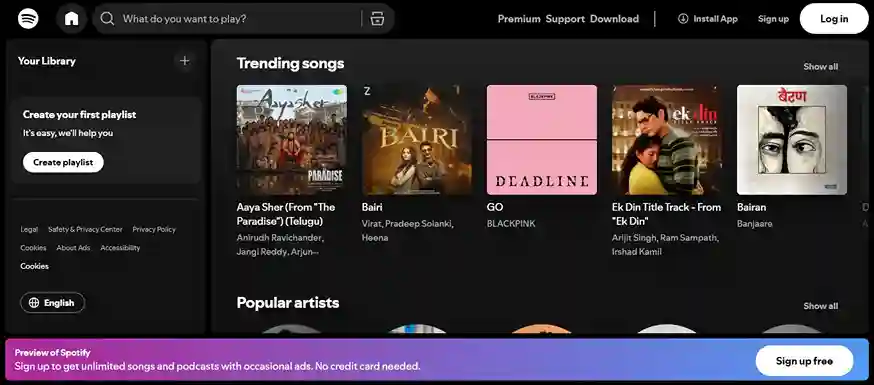
Spotify is one of the most widely used music streaming services, known for its recommendation algorithm and extensive playlists.
Key features
- Daily and weekly mix playlists.
- Playlist collaboration.
- Podcasts.
- Offline playback with premium plans.
- Lossless streaming.
Plans
- Student: $6.99/month (free for the 1st month)
- Individual: $12.99/month (free for the first 3 months)
- Duo: $18.99/month
- Family: $21.99/month (up to 6 family members)
- Free with ads
Best for
- Music discovery.
- Advanced features.
- Users who want a free plan.
Apple Music
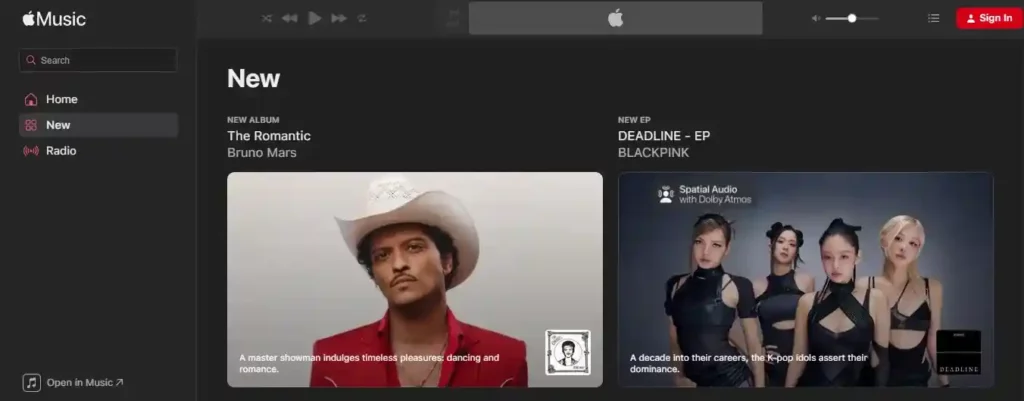
Apple Music focuses on high-quality music streaming and tight integration with Apple devices.
Key features
- Lossless audio.
- Spatial audio with Dolby Atmos.
- Curated playlists.
Plans
- Student: $5.99/month (1st month free for new subscribers)
- Individual: $10.99/month (1st month free for new subscribers)
- Family: $16.99/month (1 month free for new subscribers)
Best for
- Apple users.
- Listeners who want high-quality audio.
YouTube Music
YouTube Music integrates its huge library of music with the vast catalog of YouTube videos.

Key features
- Music videos and live performances.
- Remixes and covers.
- Personalized recommendations based on YouTube activity.
- Background playback with a premium subscription.
Plans
- Student: $5.49/month
- Individual: $10.99/month ($109.99/annually)
- Family: $16.99/month
Best for
- Remix and niche content discovery.
- Users who like high-quality music streaming with video discovery.
Amazon Music
Amazon Music is integrated with the Amazon ecosystem and with smart home devices.

Key features
- Alexa voice control.
- HD and Ultra HD audio.
- Integration with Amazon Echo.
Plans
- Individual: $10.99/month ($109/annually)
- Family: $19.99/month ($199 annually for up to 6 family members)
Amazon Music comes with Amazon Prime, a combined membership package that includes shopping, Prime Video, Prime Gaming, and Prime Reading.
Best for
- Alexa users.
Tidal
Tidal focuses on high-fidelity music streaming, offering studio-quality audio.

Key features
- FLAC-based high-resolution streaming.
- Dolby Atmos support.
- DJ integrations and music tools.
Plans
- Individual: $10.99 USD/month
- Family: $16.99 USD/month (for you and up to 5 other family members)
- Student: $5.49 USD/month
- The DJ Extension add-on is available for Individual and Student plans for an additional $9 USD/month.
Best for
- Audiophiles.
- High-resolution audio streaming.
NOTE: The pricing may vary by country due to regional plans, taxes, and promotions.
Which Music Streaming App Has the Best Audio Quality?
Among the best music apps, platforms that offer lossless or high-resolution formats usually provide clearer sound and better detail.
Currently, Apple Music, Tidal, and Spotify (Platinum plan) offer the highest audio quality.
- Tidal supports FLAC-based HiFi and high-resolution streaming formats designed for studio-level sound quality.
- Apple Music provides lossless audio along with Spatial Audio powered by Dolby Atmos.
- Spotify also offers lossless audio, equivalent to 24-bit/44.1 kHz FLAC, with its Platinum plan.

For users with high-end headphones, apps that support lossless or high-resolution formats offer high audio quality.
Best Music Streaming App by Use Cases
Not every listener uses streaming platforms for free music. Some use the apps for better sound quality or strong algorithmic recommendations. Here are some of the top music streaming apps based on specific use cases.
| Use Case | App | Why It Stands Out |
| Best for music discovery | Spotify | Spotify is widely known for its powerful recommendation system. Features like Discover Weekly, Daily Mix, and algorithm-based playlists help users easily discover new artists and songs. |
| Best for audio quality | Apple Music | Apple Music offers high-quality music streaming with lossless audio and Spatial Audio powered by Dolby Atmos. |
| Best for video and remixes | YouTube Music | YouTube Music combines audio streaming with music videos, live performances, remixes, and covers, giving users access to a wider range of content. |
| Best for smart home users | Amazon Music | Amazon Music integrates smoothly with Alexa-enabled devices. Users can control playback through voice commands on Echo speakers and other smart home devices. |
| Best free plan | Spotify | Spotify offers one of the strongest free tiers, which allows users to listen to millions of songs with ads and access curated playlists. |
Free vs. Paid Music Streaming Services
Almost all the top music streaming apps follow a freemium model. That means users can listen for free, but with ads, while the paid plans offer additional features and an ad-free experience.
Free Plans
Free plans are mainly for casual listeners with several downsides, like
- Ads between songs.
- Can’t skip tracks.
- Lower audio quality.
- No offline playback
But even with these limitations, free plans offer users access to the vast music library.
Paid Plans
Premium plans remove almost all the restrictions and provide a much smoother listening experience.
- Ad-free music.
- Offline playback.
- Higher audio quality.
- Full control over playback.
For daily users, paid plans offer a much smoother and more flexible music experience.
Final Thoughts
Music streaming apps have completely changed how people listen to music. With the smartphone revolution and high-speed internet, music streaming services have become the primary way of listening to music.
In fact, the best music streaming apps offer a similar catalog. But they differ in recommendation algorithms, audio quality, and ecosystem integration.
- Spotify stands out for its music discovery, recommendation algorithm, and free plan.
- Apple Music offers lossless audio and spatial sound (with Dolby Atmos).
- YouTube Music blends audio with video.
- Amazon Music works within the Alexa and Prime ecosystem.
- And Tidal targets listeners who prioritize studio-level sound quality.
But in the end, choosing the best music apps depends on your taste and preferences. Some users want personalized results, and some prefer high-quality audio. And by comparing these top music streaming apps, you can select the service that fits your listening habits and budget.
FAQs
Among the top music streaming apps, Spotify and YouTube Music perform well on Android thanks to strong app optimization, personalized recommendations, and easy integration with Google services.
Music streaming services use algorithms to study listening history, liked songs, playlists, and search behavior to recommend new tracks and artists.
Paid plans in the best music apps remove ads, allow offline downloads, and improve audio quality. For regular listeners, these features provide a smoother and more flexible listening experience.
