



You don’t need to pay for hosting just to launch your first website. Free web hosting can work well for portfolios, personal blogs, test projects and simple landing pages. But every free web host comes with limits. Some restrict storage or traffic, while others support only static websites. A few also display branding or limit custom domains.
In this guide, I will compare the best free web hosting services in 2026, including their pros and cons.
Key Takeaways
- Cloudflare Pages is my overall recommendation for fast static websites because it offers a global delivery network, free SSL and a generous free tier.
- InfinityFree is a more suitable choice when you need PHP, MySQL or a place to practise using WordPress.
- WordPress.com and Wix provide easier free website hosting for beginners, although their free plans include branding and important feature restrictions.
- Vercel is best suited to personal Next.js and frontend projects, while Netlify works well for prototypes and modern web applications.
- I would not use webhosting for free for a serious ecommerce website, client project or revenue-critical business site.
What is Free Web Hosting?
Free web hosting is a service that stores your website and makes it accessible online without charging a recurring hosting fee. The provider still has to pay for infrastructure, security and bandwidth, so a free plan normally comes with trade-offs. These may include:
- Limited storage or data transfer
- Provider branding or advertisements
- Restricted customer support
- No uptime guarantee
- A provider-owned subdomain
- Limits on databases, server functions or build activity
- Restrictions on commercial use
It is also important to distinguish between traditional hosting and modern frontend hosting.
A traditional free web host may support PHP, MySQL, FTP and content management systems such as WordPress. InfinityFree and AwardSpace fall into this category.
Platforms like Cloudflare Pages, GitHub Pages, Netlify, and Vercel are designed mainly for static sites and modern frontend frameworks. They are excellent for portfolios, documentation, landing pages and web applications, but they are not direct replacements for conventional WordPress hosting.
WordPress.com and Wix work differently again. They combine a website builder, content-management system and hosting in one managed service.
What to Look For in Free Web Hosting Services
Before choosing a free web host, I recommend checking these factors:
- Free SSL: Make sure the plan includes HTTPS at no extra cost. SSL protects visitor data and prevents browsers from marking your site as unsafe.
- Type of Website Supported: Check whether the provider supports static websites, WordPress, PHP, databases or modern frameworks. Not every free website hosting service can run every type of site.
- Storage and Bandwidth Limits: Review the actual usage limits instead of trusting “unlimited” claims. Some providers may restrict traffic, file size, builds or server resources.
- Forced Ads and Branding: Some free hosting providers display ads or platform branding on your website. This may be acceptable for testing, but it can look unprofessional on a business site.
- Custom-Domain Support: Check whether you can connect your own domain. Many providers offer web hosting for free but require a paid upgrade for custom domains.
- Backups and Migration: Choose a provider that lets you export your files or content easily. This will make it simpler to move your website later.
- Support and Reliability: Free plans usually offer limited support and no strong uptime guarantee. Avoid depending on free web hosting for a critical business or e-commerce website.
Components Involved in Free Web Hosting
A hosted website depends on a few connected components.
The hosting server stores and delivers your site’s files. Your domain is the address visitors enter, while the Domain Name System, or DNS, directs that domain to the correct hosting platform.
An SSL certificate enables HTTPS. Dynamic websites may also require a database to store posts, accounts or product information. Traditional hosts often provide a control panel, file manager or FTP access, while modern platforms commonly deploy your website from a Git repository.
You don’t need to master every component before starting, but understanding these basics makes it easier to choose the right platform.
How to Host a Website for Free
The process depends on the provider, but I normally follow these steps:
- Decide whether the website will be static, WordPress-based or built with a website builder.
- Select a provider that supports the required technology.
- Create the website locally or through the provider’s editor.
- Upload the files, connect a Git repository or use a CMS installer.
- Connect a custom domain or use the supplied free subdomain.
- Enable HTTPS and test the website on mobile and desktop.
- Monitor storage, bandwidth, build activity and other usage limits.
- Keep an independent copy of your content and files.
How I Chose These Free Web Hosting Providers
I evaluated the providers using the factors that affect a website after it is published. My methodology included:
- Confirming that a genuine free plan was still available in July 2026
- Checking official documentation for storage, bandwidth, build and usage limits
- Verifying whether SSL was included
- Reviewing custom-domain availability and considering portability and upgrade options
- Checking whether the provider was appropriate for personal or commercial use
- Giving more weight to transparent, actively maintained platforms
The Best Free Web Hosting Providers: Side-by-Side Comparison
| Provider | Free SSL | Storage or Deployment Limit | Bandwidth or Usage Limit | Best For |
| Cloudflare Pages | Yes | Up to 20,000 files; 25 MiB per asset | Static delivery is highly generous; 500 builds per month | Static sites and globally distributed landing pages |
| InfinityFree | Yes | 5 GB | Advertised as unlimited, subject to platform policies | PHP, MySQL and WordPress practice |
| GitHub Pages | Yes | Published site up to 1 GB | Soft limit of 100 GB per month | Portfolios, documentation and open-source projects |
| Netlify | Yes | Usage-based | 300 credits per month | Prototypes and modern frontend projects |
| Vercel | Yes | 100 MB static upload per Hobby deployment | 100 GB fast data transfer | Next.js and frontend applications |
| WordPress.com | Yes | 1 GB | Managed by platform; feature-limited | Beginner blogs and basic content sites |
| Wix | Yes | Restricted free-plan resources | Restricted free-plan resources | Drag-and-drop personal websites |
| AwardSpace | Yes | 1 GB commonly allocated on free hosting | 5 GB monthly traffic | Small PHP sites and beginners |
1. Cloudflare Pages

Cloudflare Pages is my top free web hosting recommendation for static websites in 2026.
It works particularly well for portfolios, documentation websites, campaign pages, blogs generated with static-site tools and frontend projects. You can connect a Git repository or upload a prebuilt site, and Cloudflare distributes the files through its global network.
The free plan allows one build at a time and up to 500 builds per month. A Pages site can contain up to 20,000 files, with a maximum individual asset size of 25 MiB. It also supports as many as 100 custom domains per project on the free plan.
What I like
- Fast global content delivery
- Automatic SSL
- Custom domains
- Preview deployments
- Generous static-site delivery
- Integration with Cloudflare Workers for dynamic functionality
Limitations
Cloudflare Pages is not a conventional shared host. You cannot simply install PHP-based WordPress or upload a traditional cPanel website.
Its file-count, asset-size and build limits also matter for very large projects.
Best for
Portfolios, documentation, static blogs and landing pages.
2. InfinityFree
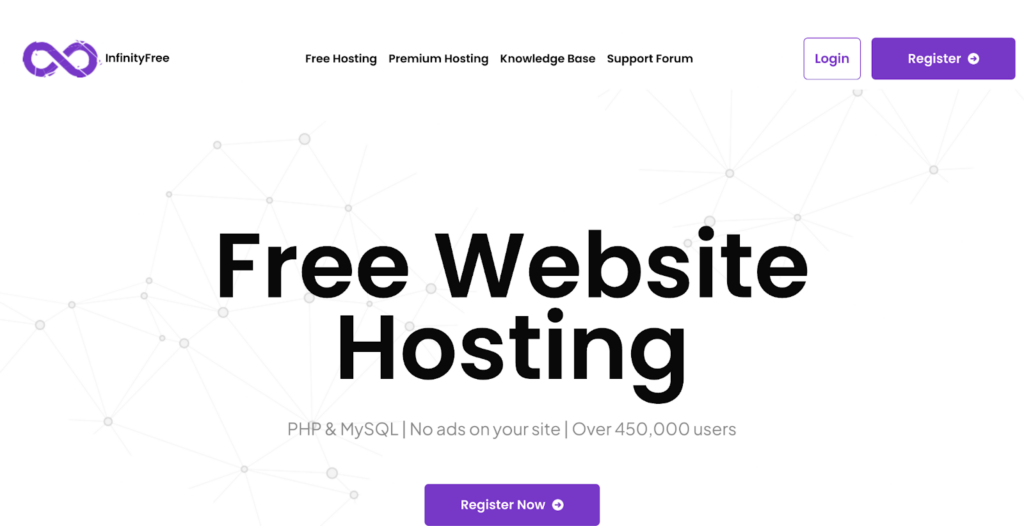
InfinityFree remains one of the strongest traditional free website hosting options for people who need PHP and MySQL.
Its current free plan advertises 5 GB of disk space, unlimited bandwidth, PHP 8.3, MySQL or MariaDB support, free subdomains, custom-domain support and free SSL certificates. It also states that it does not place advertisements on hosted websites.
The inclusion of PHP and databases makes InfinityFree more flexible than static platforms for testing WordPress, learning backend development or building a small hobby site.
What I like
- No credit card required
- No forced advertisements
- PHP and MySQL support
- Free SSL
- Custom domains and free subdomains
- Application installer and file manager
Limitations
I would not describe InfinityFree as suitable for a high-traffic business, ecommerce store or mission-critical application. Free hosting can involve resource controls, limited support and stricter usage rules than paid shared hosting.
The phrase “unlimited bandwidth” should not be interpreted as unlimited server resources under every possible workload.
Best for
Students, PHP experiments, staging sites and WordPress practice.
3. GitHub Pages

GitHub Pages is one of my favourite options for developers who already store their code on GitHub.
You can publish HTML, CSS and JavaScript directly from a repository, use a custom domain and enable HTTPS. It is especially useful for portfolios, project documentation, technical blogs and open-source resources.
GitHub recommends keeping the source repository within 1 GB, limits the published site to 1 GB and applies a soft bandwidth limit of 100 GB per month. It also applies a soft limit of ten builds per hour unless you publish through a custom GitHub Actions workflow.
One important restriction is frequently missed: GitHub says Pages is not intended to function as free hosting for ecommerce, SaaS or websites primarily designed to facilitate commercial transactions.
What I like
- Straightforward Git-based publishing
- Free HTTPS
- Custom-domain support
- Excellent for documentation
- Easy version control
Limitations
GitHub Pages supports static files, not PHP or server-side databases. It also has commercial-use restrictions that make it unsuitable for many business models.
Best for
Developer portfolios, documentation and educational projects.
4. Netlify

Netlify helped popularise the workflow of connecting a Git repository and automatically deploying a new version after each update.
It remains useful for frontend prototypes, static websites and applications that need deploy previews, functions, forms or managed development features.
However, its free plan has changed. Instead of the older fixed bandwidth and build-minute allowances, Netlify now provides 300 credits per month. Production deploys use 15 credits, bandwidth uses 20 credits per GB, and web requests use two credits per 10,000 requests.
That makes direct storage-and-bandwidth comparisons difficult. A simple low-traffic site may fit comfortably, while frequent production deployments or heavier traffic can consume the allowance much faster.
What I like
- Easy Git deployment
- Custom domains with SSL
- Unlimited deploy previews
- Serverless functions
- Global CDN
- Useful prototype and collaboration features
Limitations
The credit model is less intuitive than a fixed allowance. Developers must watch several types of consumption rather than one bandwidth figure.
Best for
Prototypes, frontend applications and developers who value deploy previews.
5. Vercel
Vercel is an obvious option when I am working with Next.js. The deployment experience, preview URLs and framework integration are difficult to match.
Its free Hobby tier includes 100 GB of fast data transfer, up to one million function invocations, four active CPU hours and 360 GB-hours of provisioned memory. The general platform limits include 200 projects and 100 deployments per day. Static source uploads through the command-line interface are limited to 100 MB for Hobby accounts.
What I like
- Excellent Next.js integration
- Automatic preview deployments
- Global delivery
- Serverless and edge functionality
- Free SSL and custom domains
- Smooth frontend development experience
Limitations
The Hobby plan is meant for personal, non-commercial use. It is not the right choice when a commercial project needs guaranteed support, team controls or predictable production capacity.
Its numerous compute, deployment and transfer limits also require more attention than a simple static host.
Best for
Personal Next.js, React and frontend projects.
6. WordPress.com

WordPress.com is the easiest option in this list for someone who wants to start writing without configuring hosting, databases, backups or software updates.
The free plan provides a WordPress.com subdomain, 1 GB of storage, unlimited pages and posts, basic statistics, hosting, a CDN, SSL, DDoS protection and managed updates.
This is managed free website hosting, not the same as downloading WordPress from WordPress.org and installing it on your own server.
What I like
- Beginner-friendly publishing tools
- Hosting and security handled for you
- Unlimited posts and pages
- Themes and block editor
Limitations
The free plan does not include plugin installation, a custom domain or ad-free browsing for visitors. Those restrictions can become frustrating once you want advanced SEO tools, monetisation features or a more professional brand.
Best for
Personal blogs and first-time publishers.
7. Wix

Wix combines a visual website builder with hosting. I would consider it for someone who wants to create a personal page, event page or simple brochure site without touching code. The editor system makes the design process much easier. Hosting and HTTPS are handled by Wix.
What I like
- Visual drag-and-drop editor
- Large template library
- Hosting included
- Mobile-friendly design tools
- Useful for rapid mock-ups
Limitations
The free version uses a Wix-branded address and displays Wix branding. You also need to upgrade for a custom domain and many business features.
The platform is convenient but comparatively difficult to migrate away from because Wix sites cannot simply be downloaded and moved to an ordinary host in the way a basic HTML site can.
Best for
Personal pages, mock-ups and simple non-commercial sites.
8. AwardSpace
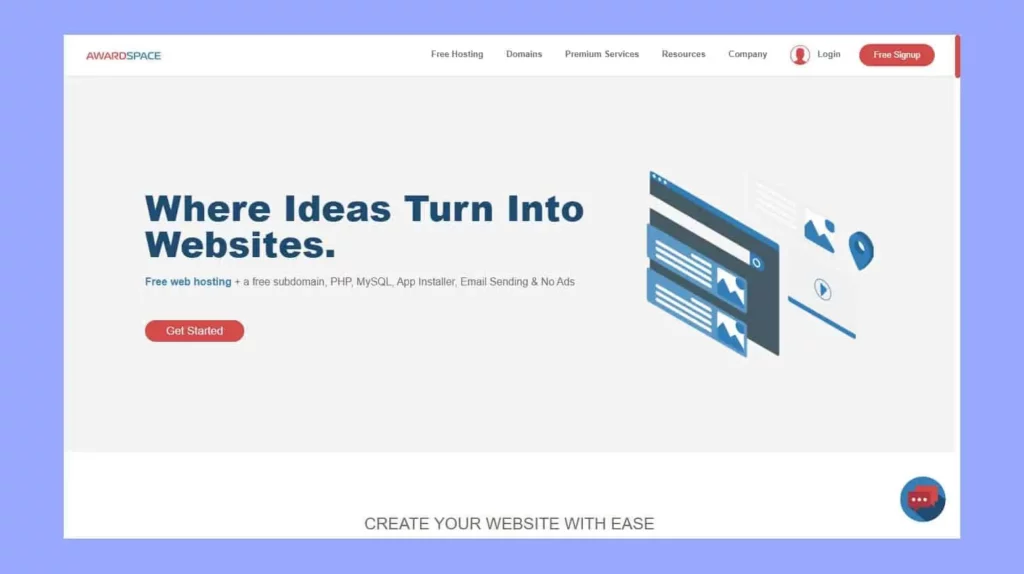
AwardSpace is one of the older providers still offering traditional web hosting for free.
Its free service supports one domain and up to three subdomains, a website builder, a file manager, CMS installation and an ad-free website. The provider states that the plan supports WordPress, Joomla and Grav and includes a 5 GB monthly traffic allowance.
AwardSpace also promotes 24/7 support and a 99.9% uptime guarantee, although I would still treat any free-service guarantee more cautiously than a paid hosting SLA.
What I like
- No forced advertisements
- PHP and database support
- CMS installer
- File manager
- Custom control panel
- Email account support
Limitations
The 5 GB monthly traffic allowance is restrictive, and the technical environment may feel dated compared with modern deployment platforms.
I would place AwardSpace below InfinityFree for most experiments and below Cloudflare Pages for static websites.
Best for
Small traditional websites and basic CMS experiments.
When to Upgrade From Free Website Hosting
Free website hosting is suitable for learning, testing and small personal projects. However, I recommend upgrading when your website begins generating traffic, leads or revenue.
Paid hosting becomes a better choice when you need reliable support, regular backups, professional email, more storage or stronger performance. You should also upgrade if provider branding affects your credibility or your website is approaching its free usage limits.
The Bottomline
Cloudflare Pages is my top free web hosting choice for static websites, while InfinityFree is better for PHP, MySQL and WordPress testing. GitHub Pages, Netlify and Vercel are strong options for developers. WordPress.com and Wix are easier for beginners but include more restrictions.
Ultimately, the best free web hosting service depends on the type of website you want to build. Use web hosting for free to learn or test an idea, but consider paid hosting once the website becomes important to your business or audience.
For more info on AI and tech, visit Yaabot.
FAQs
InfinityFree is one of the more practical options for testing a self-hosted WordPress installation because it supports PHP and MySQL. WordPress.com is easier for beginners, but its free plan does not allow plugin installation or a custom domain.
You can use it for a temporary landing page, proof of concept or early-stage test. I wouldn’t depend on a free web host for an established business because free plans generally provide limited support, fewer guarantees and stricter usage controls.
Cloudflare Pages and GitHub Pages are both strong options. Cloudflare Pages provides a modern global delivery platform, while GitHub Pages is particularly convenient when your portfolio and code are already stored on GitHub.
Several services allow it, including Cloudflare Pages, GitHub Pages, Netlify, Vercel, InfinityFree and AwardSpace. You will normally have to buy the domain separately. WordPress.com and Wix generally require a paid plan for a standard custom-domain setup.
