


I once watched a friend clone her WhatsApp into a second account so she could separate her work stuff from her personal chats. A few minutes later, she was scrolling through all the same permissions just to run its cloned version. She asked me a question.
Is Parallel Space safe?
But in short, Parallel Space isn’t malware, but it’s not safe either. It’s a legitimate, widely used app from LBE Tech that also collects more data and sits in the clone apps category, where the bigger risk usually comes from copycats and sideloaded APKs, not the original app itself.
This piece breaks down Parallel Space, Multi Parallel, and Dual Space on the same criteria, so you can decide with actual data instead of a star rating.
Key Takeaways
- Parallel Space (com.lbe.parallel.intl) requests 173 declared permissions, and its Lite version refuses to open if you deny a single one of them.
- All three apps in this comparison advertise that they collect no personal data, yet each one’s own Google Play Data Safety label discloses data sharing.
- WhatsApp’s own help center doesn’t ban you for cloning an app, but it does say unofficial, unsupported apps cannot have their security validated.
- Sideloaded APKs from third-party sites carry more risk than the same app installed from Google Play, because there is no signature verification or Play Protect scan in between.
- If your phone brand offers a native dual-app feature (Samsung, Xiaomi, and OnePlus all do), it is safer than any third-party cloner.
What Are Clone Apps, and How Do Parallel Space, Multi Parallel, and Dual Space Apps Work?
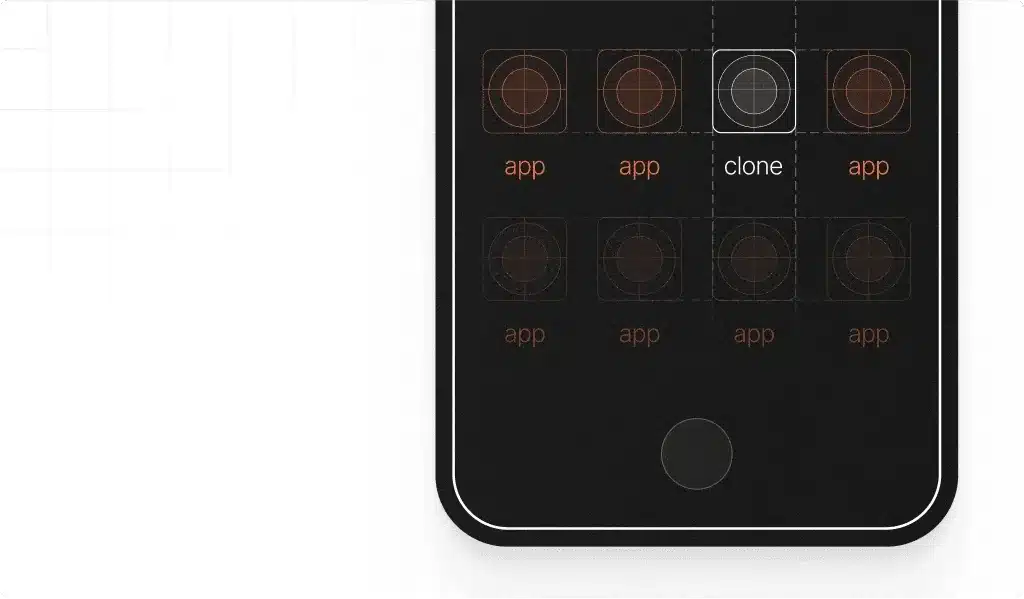
A clone app doesn’t copy your app. It just builds a small virtual container on your phone and runs a second, isolated version of the original app inside it.
That’s how you get two WhatsApp accounts, two Instagram logins, or two game profiles without owning two phones. The technique is called app virtualization. And it’s the same underlying idea whether the developer calls the product Parallel Space, Multi Parallel, or Dual Space.
Three names come up constantly in this niche, and they are not interchangeable:
- Parallel Space (com.lbe.parallel.intl), developed by LBE Tech, is the closest thing to a market leader. One listing claims the Pro version has helped more than 200 million users manage two accounts, a figure from a third-party aggregator rather than Google’s own dashboard, so treat it as a rough scale indicator, not an audited number.
- Multi Parallel: Multi Accounts (multi.parallel.dualspace.cloner), built by Winterfell Applab, is what most “Multiple Accounts” searches are actually looking for. It works the same way and has racked up similar complaints about permission prompts and ads.
- Dual Space – Multiple Accounts (com.ludashi.dualspace) is a separate product from a different developer, not a Parallel Space rebrand, despite the near-identical marketing copy across all three apps.
That naming overlap is exactly why comparing them side by side is very important. If you search for Is Dual Space safe and land on a review of Parallel Space, you’re probably reading about the wrong app.
How to Tell If a Clone App Is Safe: Permissions, Data Privacy, and APK Risks
Three things actually tell you whether a clone app is safe to use, and none of them are the star rating.
- Permissions requested vs. permissions needed: A dual-app tool genuinely needs to read your installed apps and run a background service. It doesn’t need your call log, your precise location, or biometric authentication data to clone a messaging app. So, when you see a permission that has nothing to do with cloning, that’s a flag.
- What the Data Safety label actually says: Since 2022, every Play Store app has to disclose what data it collects and shares in a standardized label. The developers self-report this, so it’s not independently audited, but it’s a legal disclosure, which makes it reliable. And when the two disagree, believe the label.
- Where you downloaded it from: A security research team analyzing Android app virtualization frameworks found 7 distinct attack vectors across 32 popular virtualization tools. And a related study of over 160 apps identified privilege escalation and reference hijacking as recurring risks in this exact category.
None of that means Parallel Space itself is malicious. It means the underlying technique (running one app inside another) creates more surface area for something to go wrong than a normal app install, which raises the stakes of getting the source right.
Why downloading APKs from third-party sites is risky
Google Play scans every download and checks it against Play Protect before it gets installed. But a sideloaded APK from a random site bypasses that entirely. Nothing stops a bad actor from taking a legitimate clone app, repackaging it with extra tracking code or a stealth permission, and re-uploading it under a familiar name like Parallel Space or Dual Space.
This is also how copycats spread. The moment a name gets popular, unrelated developers reuse it on APK sites and even inside app stores that do less vetting than Google Play.
If you want a clone app, get it from the official Play Store or App Store listing, check the developer name matches what you expect, and skip anything that arrives as a bare APK file from a random link someone sent you.
Is Parallel Space Safe?
Parallel Space is safe in the sense that it’s not malware, but it asks for far more access than the job requires, and its own paperwork contradicts its marketing. Both things are true at once, and you should weigh both before installing it.
The permission list is the first red flag. APKPure’s breakdown of the current build lists 173 declared permissions, covering everything from network state to phone call handling to biometric access. The Lite edition goes further. Reviewers note it forces you to accept its permissions at launch and refuses to open the app if you decline. That’s not how a permission model is supposed to work. On stock Android, you can deny a permission and the app should still open, just with reduced functionality.
Then there’s the messaging gap.
LBE Tech’s own FAQ and marketing repeat that Parallel Space doesn’t collect any personal information. But its Play Store listing tells a different story. Once you open the Data Safety section, user reviews back this up in plain language. One reviewer said that the app requires way too many permissions for what it is doing, and they uninstalled it and changed their passwords out of caution.
Is Multiple Accounts Safe?
Search is Multiple Accounts safe, and you’re almost certainly asking about Multi Parallel: Multi Accounts by Winterfell Applab, package name multi.parallel.dualspace.cloner. It runs on the same virtualization principle as Parallel Space and shares the same core problem.
The developer’s own listing states that it will not collect any personal information and that it only logs general device model data for crash analysis.
But directly beneath that claim, the same Play Store page’s Data Safety section discloses that the app may share data with third parties, the exact pattern seen with Parallel Space.
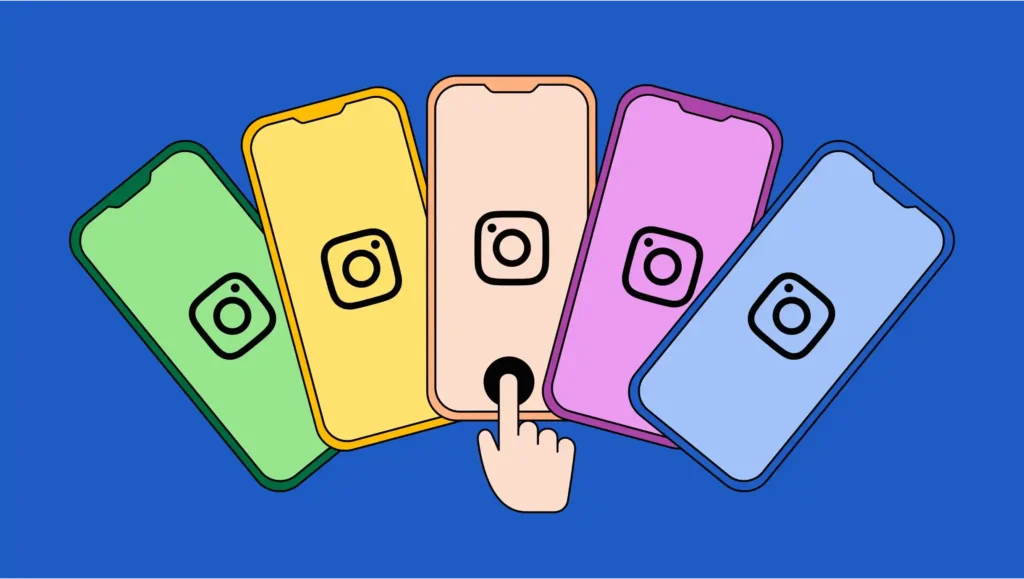
Though users report it does what it promises. It clones apps and keeps account data separate. The complaints are mostly about ads appearing between clone sessions and occasional crashes with cloned messaging apps, not about data theft. That puts it roughly on par with Parallel Space on the safety segment. Neither’s dangerous by design. But both ask for more than they need.
Is Dual Space Safe?
Dual Space, specifically Dual Space – Multiple Accounts (package com.ludashi.dualspace), is a different product from a different developer than Parallel Space, and that distinction matters because the name gets reused across at least four or five unrelated apps in this category.

This listing runs the identical script: Dual Space apps don’t collect your personal information to protect privacy, followed by a Data Safety section that discloses data sharing anyway.
The listing also includes an unusual admission: the developer states that some antivirus software flags Dual Space as a virus because of the system permissions it requests, and asks users not to worry about it. Read that generously. It’s a false-positive explanation common to apps that touch a lot of system-level permissions. And it’s exactly the kind of reassurance a genuinely risky app would also give you.
Recent reviews also flag stability problems, including background notifications firing when the app isn’t even open and repeated “not responding” prompts. That is a usability issue more than a security one, but a clone app that misbehaves in the background is also an app you have less visibility into.
Parallel Space vs Multiple Accounts: Safety Comparison Table
All three apps solve the same problem with the same technique and the same gap between what they promise and what they disclose.
| App | Developer | Official Store | Claims “no personal data” | Data Safety discloses sharing | Ads Between Sessions |
| Parallel Space | LBE Tech | Yes, Google Play | Yes | Yes | Yes, reported by users |
| Multi Parallel (Multiple Accounts) | Winterfell Applab | Yes, Google Play | Yes | Yes | Yes, reported by users |
| Dual Space | Ludashi affiliated | Yes, Google Play | Yes | Yes | Yes, plus background notification issues |
If you’re choosing purely on safety and all three show the identical pattern, check the permissions requested for the apps you actually plan to clone, and a developer with a longer, cleaner update history.
On that basis, Parallel Space’s scale and longer track record edge out the other two, but none of them clears the bar of “collects nothing,” whatever their app descriptions claim.
Safer Alternatives to Clone Apps for Running Two Accounts
Before installing any third-party cloner, check whether your phone already does this natively. Several major Android brands built dual-app support directly into the OS, and it does not require a virtualization layer at all:
- Samsung: Settings, Advanced Features, Dual Messenger clones supported messaging and social apps directly. Samsung’s Secure Folder goes further, creating a Knox-protected space where you can install near-full copies of almost any app.
- Xiaomi, Redmi, POCO: Settings, Apps, Dual Apps toggles cloning for supported apps without any extra install.
- OnePlus: Settings, Utilities, Parallel Apps does the same thing under a different name.
- Oppo and Vivo: Both ship an equivalent “Clone Apps” or “App Clone” toggle in system settings.
The tradeoff for me is coverage.
Native tools clone a shorter list of supported apps, mostly messaging and social platforms, while third-party cloners like Parallel Space claim broader compatibility, including banking and gaming apps. If the app you want to duplicate is on your phone’s native list, use it. It doesn’t ask for a permissions bundle beyond what the OS already controls; it runs no ads, and it needs no Data Safety label because it collects nothing extra.
Also check whether the app itself now supports multiple accounts natively. Even WhatsApp added native multi-account support on Android in 2023.
Final Verdict: Is Parallel Space Safe, and Which Clone App Is Safest?
None of the three apps in this comparison are malware, and none of them deserve a full stop-using-immediately warning. All three deserve a smaller warning: install them with your eyes open, not on faith in their marketing copy.
Recommendations, in order:
- Use your phone’s native dual-app feature first: Check whether your brand offers one, and whether it covers the app you need. It’s the safest option by a wide margin because it adds no third-party data path at all.
- If you need Parallel Space’s broader coverage: Install it only from Google Play, review each permission prompt individually instead of accepting the bundle, and avoid cloning anything financial through it. Its 173-permission footprint and forced-consent Lite version are the two specific things to watch.
- Multi Parallel is a reasonable substitute: If Parallel Space is unavailable on your device, with the same caveats about permissions and ads.
- Never sideload an APK you have not verified comes from the official listing: Every risk in this piece gets worse the moment you skip the Play Store, regardless of which app it claims to be.
This isn’t a good fit for you if you are cloning a banking or payment app to run two accounts. None of the three developers here are financial institutions, and the permission scope needed to intercept and relay app data is not something you want sitting between you and your bank, official Data Safety disclosures or not. Use your bank’s own multi-profile support, or a second device, instead.
Final Thought
The honest version of this answer is that “safe” isn’t binary here. Parallel Space, Multi Parallel, and Dual Space are functioning products with real install bases, but they also ask for more access than a dual-account tool should need. And ironically, each one’s marketing quietly disagrees with its own privacy disclosure.
So it gets important for you to take it seriously precisely because it’s common across the entire category, not unique to one bad app. Checking permissions before you tap install, and reaching for your phone’s built-in dual-app feature first, gets you most of the convenience without most of the risk.
For more info on AI and tech, visit Yaabot.
FAQs
No. Cloning a banking app involves sending data through a third-party virtualization system that’s not created or reviewed by your bank. Instead, use the multi-accounts feature or app switching in your bank.
While there is no evidence that Parallel Space, Multi Parallel, or Dual Space steal data, there is evidence that each is sharing data in its Play Store label, when they were marketed as being about no personal data.
Not automatically. WhatsApp’s help center says they don’t accept unofficial apps since they can’t guarantee their security, but it’s not cloning that they’re going to ban.
Only from the official Google Play or App Store listing. Sideloaded APKs are not scanned by Play Protect at all, and similar names are often used by copycat apps on third-party download sites.
Try the native dual apps feature, which is available in the phone itself (Samsung Dual Messenger, Xiaomi Dual Apps, OnePlus Parallel Apps). Having multiple accounts supported natively in the app is better than any cloning tool – such is the case with WhatsApp these days.
LBE Tech’s own FAQ says the permissions keep cloned apps functioning correctly inside the virtual environment. That explains some of the list, not all 173 entries, which is why reviewing each one individually before granting it matters.
